Master the TikTok Aspect Ratio for Viral Growth
DailyShorts AI
Let's cut right to the chase: The magic numbers for TikTok are a 9:16 aspect ratio and a 1080x1920 pixel resolution. This isn't just a suggestion; it's the key to making content that feels like it belongs on the platform.
Why? Because this vertical format is purpose-built to take over a smartphone screen. It’s what stops the scroll, grabs a viewer's full attention, and ultimately signals to the TikTok algorithm that you know what you're doing.
Why You Can't Afford to Get the TikTok Aspect Ratio Wrong

Think of the 9:16 ratio as the secret handshake of TikTok. Get it right, and the algorithm welcomes you in. Get it wrong, and you’re immediately flagged as an outsider.
When you upload a square (1:1) or a traditional widescreen (16:9) video, what happens? TikTok slaps ugly black bars on the top and bottom to make it fit. This amateur mistake screams "I just reposted this from somewhere else," and it’s an instant cue for viewers to swipe away. Those quick swipes send all the wrong signals to the algorithm, killing your video's reach before it even has a chance.
Own the Screen, Own the Attention
The real power of the 9:16 format is how it creates a completely immersive experience. It's just your content and the viewer, with zero distractions. This full-screen takeover is your biggest advantage for a few critical reasons:
- Sky-High Engagement: Videos that fill the screen are just more captivating. They hold attention longer, which translates directly to higher watch times and more interaction.
- Algorithmic Boost: TikTok’s entire system is designed to reward content that delivers a flawless user experience. Native, full-screen videos are exactly what it's looking for, and it will push them to more people.
- A Polished, Professional Vibe: Sticking to the correct format shows you’re a serious creator. It gives your videos a clean, professional look that builds trust and authority with your audience.
The Numbers Don't Lie: Vertical Video Is King
With over 1.5 billion global users glued to their phones, the 9:16 aspect ratio is the undisputed champion. The data is clear: vertical videos in this format see a stunning 40.1% increase in impressions compared to their square or horizontal counterparts.
This isn't just a vanity metric. More impressions lead to higher completion rates and longer watch times—the two most important factors for landing a coveted spot on the For You Page.
The Bottom Line: The TikTok aspect ratio isn't just a technical detail; it's a strategic weapon. Nailing it is the single most important thing you can do to make content that feels native, performs brilliantly, and has a real shot at going viral.
It might seem like a small thing, but it has a massive impact on how both users and the algorithm see your work. Thankfully, getting it right is easier than ever. Modern editing tools can handle the heavy lifting, letting you focus on the creative side of things.
To dive deeper into the creation process, check out our complete guide on how to make videos for social media↗. It's all about spending less time worrying about specs and more time making content that connects.
The Science Behind the 9:16 Vertical Format
To really get the hang of the TikTok aspect ratio, you have to understand why the 9:16 format is just so ridiculously effective. It’s not just a random set of numbers; it's a creative canvas designed around human psychology and how we use the single most personal device we own: our phones.
Think of it like this: a sweeping landscape painting (your traditional 16:9 widescreen video) lets your eyes wander across a wide, expansive scene. But a portrait—that's the 9:16 vertical video—pulls your focus inward to one single, compelling subject. It demands your full attention, forging a much more direct and personal connection right from the start.
This vertical-first approach isn't some passing fad. It’s a direct reflection of how we actually live. We hold our phones vertically 94% of the time, so the 9:16 aspect ratio perfectly matches that natural habit. The experience feels seamless and comfortable. No need to awkwardly tilt your phone, no annoying black bars on the sides—just pure, uninterrupted content that fills your entire screen.
The Rise of Vertical Video
Vertical video didn't start with TikTok, but the platform absolutely perfected it. Early pioneers like Snapchat↗ got us used to full-screen, disappearing vertical stories, training a whole generation to watch content this way. But it was TikTok that truly cemented 9:16 as the undisputed king of short-form video.
When ByteDance took the platform global back in 2017, they made a very deliberate choice to break from the old-school 16:9 widescreen standard that had ruled our screens for decades. Fast forward to 2021, and as TikTok blasted past one billion users, the 9:16 format became part of its core identity. In fact, internal data showed that over 90% of the top-performing videos stuck to the 1080x1920 pixel dimensions. Why? Because it creates an incredibly immersive, full-screen experience that shuts out every other distraction.
This laser focus on a native vertical experience is precisely what makes TikTok so addictive and so powerful for creators.
Why Vertical Just Feels Different
The real magic of the 9:16 TikTok aspect ratio is its power to create intimacy. By filling the entire screen, it makes the rest of the world just melt away for a moment. This immersive quality makes the content feel more personal, more direct—almost like the creator is talking right to you.
This little psychological trick has a huge impact on the metrics that matter:
- Deeper Focus: With no other visual clutter on the screen, viewers are way less likely to get distracted. That means they’re more likely to watch your video all the way through.
- Stronger Emotion: The up-close, portrait-style framing is fantastic for conveying emotion. It makes tutorials, personal stories, and vlogs feel way more authentic and genuine.
- Zero Friction: By matching how people naturally hold their phones, you're removing a tiny but real barrier. You're making it effortless for someone to jump into your content.
When you design your content specifically for the 9:16 frame, you're not just checking a technical box. You're tapping into the core psychology of mobile viewing to build a stronger, faster connection with your audience.
Understanding this "why" is what separates the good creators from the great ones. It turns a simple technical spec into a powerful creative strategy. You stop thinking about just cropping a video and start shooting and editing vertically from the very beginning. For anyone looking to turn static pictures into dynamic vertical clips, our guide on how to make a video from an image sequence to video↗ has some great tips. This approach ensures every single element in your video is perfectly placed to make a real impact on that powerful 9:16 canvas.
Navigating TikTok’s On-Screen Safe Zones
You’ve nailed the perfect 9:16 aspect ratio, and your video looks incredible on your camera roll. But uploading it to TikTok is a whole different ball game. The app’s interface—with all its buttons, your username, and the caption—slaps a digital frame right on top of your masterpiece.
Think of your full 9:16 video as a stage. The problem is, TikTok clutters the edges of that stage with its own props: the like, comment, and share buttons. The real show, the part your audience actually sees without obstruction, happens in the "safe zone" right in the middle.
Ignoring these zones is one of the most common—and frustrating—mistakes a creator can make. You spend hours crafting a brilliant call-to-action, only to have it completely blocked by the "share" icon. It’s a surefire way to confuse viewers and kill your video’s engagement.
Understanding the Layout Obstacles
So, what exactly are you up against? The TikTok UI has permanent fixtures along the right side and bottom of the screen. You can't move them, so you have to work around them.
Here's a quick rundown of the areas to steer clear of:
- The Right-Side Bar: This is prime real estate for TikTok's interactive elements—your profile icon, hearts, comments, saves, and shares. Any important text or visual you place here is going to get lost.
- The Bottom Section: This area is crowded. It displays your username, the video caption, the audio track, and the video progress bar. It takes up a pretty significant chunk of the lower screen.
Key Takeaway: The safe zone isn't just a friendly suggestion; it's a hard rule of the platform's design. To make an impact, all your critical content—text overlays, logos, product shots, or even key facial expressions—must live in that central, unobstructed sweet spot.
This concept map really drives home why the vertical 9:16 format is so powerful, which in turn explains why keeping the core message centered is non-negotiable.
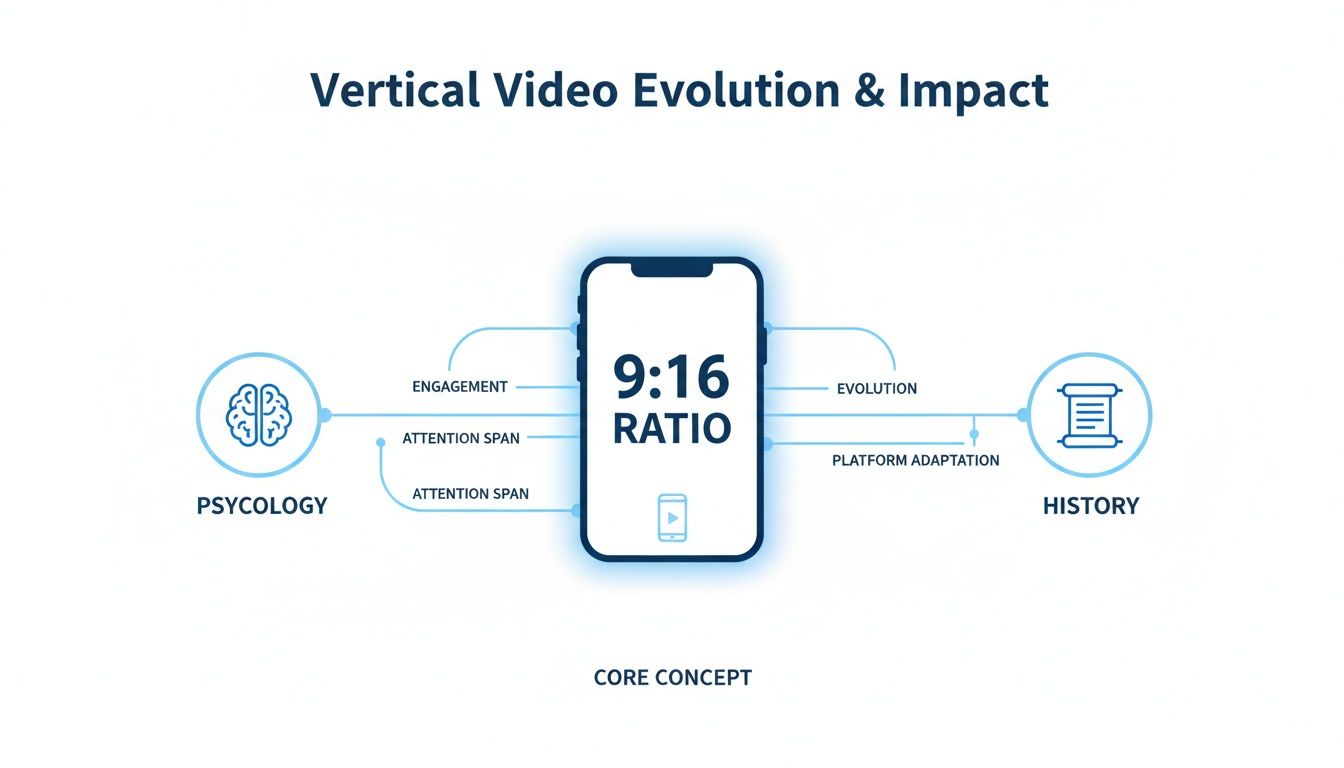
The image shows that while the full screen immerses the viewer, the user interface forces the actual message into a smaller, central window.
A Practical Guide to Safe Zone Dimensions
TikTok occasionally tweaks its layout, but the core safe zone dimensions have been pretty reliable. If you're working with a standard 1080x1920 pixel video, here are the numbers you need to remember.
- Top Buffer: Leave at least 210 pixels from the top. This gives you clearance from any pop-up notifications or system icons.
- Bottom Buffer: This is the most cluttered zone. Give yourself a generous 330-350 pixels of space from the bottom to avoid the caption and progress bar.
- Right-Side Buffer: The column of buttons takes up about 140 pixels. Keep all your important stuff well away from that right edge.
- Left-Side Buffer: The left side is mostly clear, but leaving a small buffer of around 25-30 pixels helps keep your video looking balanced and professional.
Following these guidelines creates a "Title Safe Area" where you can place text, logos, and other key visuals with confidence. If you want to be extra sure, a TikTok Safe Zone Checker tool↗ can overlay a guide on your video, letting you check your framing before you hit export.
Repurposing content is a fantastic time-saver, but you have to be careful. For instance, if you're learning how to get clips from YouTube videos↗ for your TikTok, you can't just drop them in. You have to reframe that horizontal footage to fit these vertical safe zones, making sure the main action isn't hidden. Plan for these obstructed areas from the very beginning, and you’ll ensure your message lands perfectly every time.
A Creator's Guide to Perfect Export Settings
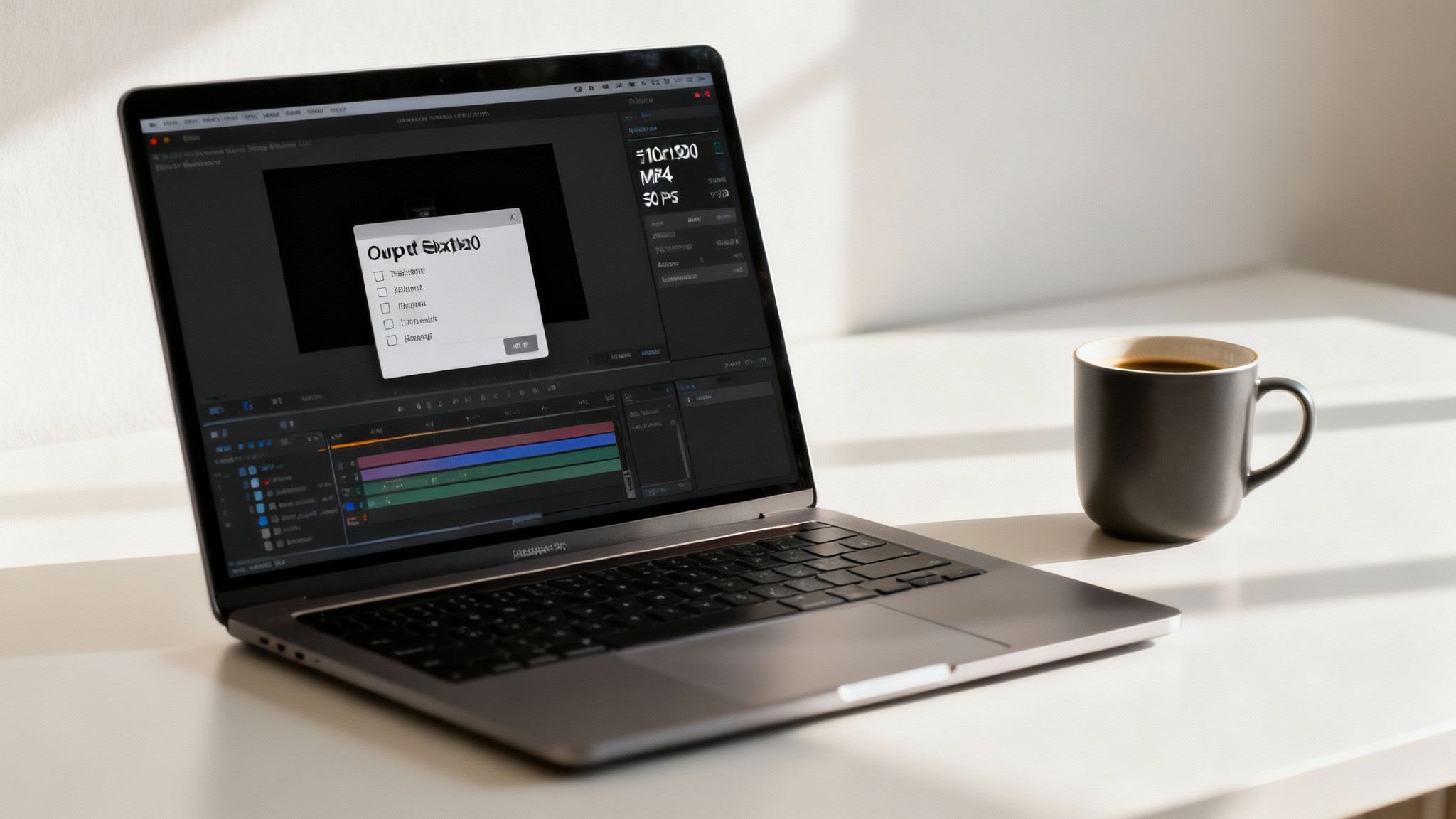
Making a fantastic video is only half the job. The real magic happens in the export settings—that final step that determines whether your hard work looks crisp and professional or like a blurry, pixelated mess after you hit upload.
Think of it like this: getting your export settings wrong is like showing up to a job interview in sweatpants. It immediately tells the TikTok algorithm (and your audience) that you're not serious.
This is where you seize control. Let's pull back the curtain on the export process and give you a simple, no-nonsense guide to nailing it every single time.
The Core Export Checklist for TikTok
Forget the confusing tech jargon and endless menus in your editing software. When it comes to TikTok, you only need to get a few key settings right for flawless quality. Whether you're a pro in Adobe Premiere Pro or a mobile warrior on CapCut, these are the numbers that matter.
Your mission is to hand TikTok a file that its compression algorithm barely has to touch. When you export in the platform’s preferred format, you dramatically reduce any loss in quality.
Here’s your go-to checklist:
- File Format: Always, always choose MP4. It's the gold standard for web video, giving you the best mix of high quality and manageable file size. TikTok's system is built for it.
- Codec: Select the H.264 codec. This is the engine that compresses your video, and H.264 is the undisputed king for web-optimized video.
- Resolution: Lock it in at 1080x1920 pixels. You might have shot your masterpiece in glorious 4K, but TikTok is going to downscale it to 1080p anyway. By exporting at the final resolution, you control exactly how it looks.
- Frame Rate: For most content, 30 frames per second (fps) is the sweet spot. If you’re filming fast-paced action like sports or gaming, bumping it up to 60 fps will look smoother, but 30 fps is perfect for almost everything else.
Getting these specs right is a huge green flag for the algorithm, signaling that your content is high-quality and ready for the For You Page.
Exporting From Popular Editing Software
The good news? Applying these settings is dead simple in most modern video editors. You don't need a degree in computer science to get this right.
If you're using a program like Adobe Premiere Pro, you'll just go to
. From there, set the Format toCode SnippetFile > Export > Media
, find a preset like "Match Source - High bitrate," and then just tweak the resolution to 1080x1920 and the frame rate to 30.Code SnippetH.264
On CapCut, it's even easier. When you're ready to export, just tap the resolution setting at the very top of your screen. You can select 1080p and 30fps right there before you hit the export button. It’s built to be fast and painless.
The goal isn’t to become an export wizard who understands every single setting. It's about building a simple, repeatable routine that guarantees a high-quality video every single time. Technical consistency is just as important as creative consistency.
For those looking to automate this whole workflow, from scripting to final export, you can explore https://dailyshorts.ai/blog/how-to-create-ai-video↗ using tools that handle the technical details for you.
To make things even clearer, here's a quick checklist you can reference before every export.
Optimal TikTok Export Settings Checklist
This simple table breaks down the essentials for a perfect export. Think of it as your pre-flight checklist to ensure every video you upload has the best possible chance to succeed.
| Setting | Recommended Value | Impact on Performance |
|---|---|---|
| File Format | MP4 | Ensures universal compatibility and smooth processing by TikTok's servers. |
| Video Codec | H.264 | Provides the best compression for high-quality video with a small file size. |
| Resolution | 1080x1920 (Full HD Vertical) | Prevents unnecessary downscaling and gives you control over the final sharpness. |
| Frame Rate | 30 FPS (or 60 FPS for high-motion) | Creates a smooth, natural look that aligns with platform expectations. |
Sticking to these settings means you're giving the algorithm a perfectly optimized file, helping your content look its best and reach more people.
Common Export Mistakes That Are Killing Your Reach
So many creators unknowingly sabotage their own videos with basic export mistakes. These slip-ups create ugly visual glitches, trigger harsh compression, and lead to lower engagement because, frankly, the video just looks bad.
Watch out for these common traps:
- Exporting in the Wrong Aspect Ratio: This is the cardinal sin. If your project is a widescreen 16:9 but you export for TikTok, you'll get those hideous black bars on the top and bottom. It screams "repost" and immediately marks your content as non-native.
- Using a Weird File Format: While TikTok might accept formats like .MOV or .AVI, they can be finicky. The combination of .MP4 and the H.264 codec is the most reliable, battle-tested duo for consistent, high-quality results.
- Cranking the Bitrate Too High: It's tempting to think a higher bitrate equals better quality, but on TikTok, it's not that simple. The platform is going to compress your video no matter what. Exporting a massive file just makes its compression algorithm work harder, sometimes leading to worse results. Stick to a standard variable bitrate setting to keep things clean and efficient.
If you're creating promotional content and need to get even deeper into the technical weeds, this complete guide to TikTok video ad specs↗ is an excellent resource. Mastering your export settings is that final polish that makes sure all the effort you poured into your video actually pays off.
You might be wondering what a technical setting like aspect ratio has to do with your TikTok growth. It’s not just a small detail; it's the most direct line you can draw between how your video looks and how many people see it. Nailing the native 9:16 aspect ratio isn’t just about aesthetics—it's a core strategy that directly impacts the metrics that matter.
Think of the TikTok algorithm as a picky curator. Its entire job is to keep people scrolling by feeding them an endless river of perfectly fitting, immersive content. When your video fills the whole screen, it feels like it belongs there. That’s the first and most powerful signal you can send the algorithm that your content is a good fit.
On the flip side, a video with black bars or a weird crop sticks out like a sore thumb. It immediately breaks the user's trance and screams "I just threw this up here." What happens next? A quick, almost instinctive swipe away. That tiny action tells the algorithm this video isn't holding anyone's attention, so it stops pushing it out.
Fueling the Metrics That Matter
Your aspect ratio is the bedrock for your watch time and engagement. A perfectly framed 9:16 video is just more captivating because there are no distractions. It takes over the entire screen, giving you the best possible chance to hold a viewer's attention until the very end—the holy grail for going viral.
And the data backs this up in a big way. According to TikTok, vertical videos outperform others by a massive 40.1% in impressions. Here in the US, it’s common to see creators get 25-30% higher engagement on their 1080x1920 videos. Why? Because that’s the exact size of the screen that 82% of the world's 5 billion smartphone users are holding vertically. You can dig into more of these video size statistics on WeVideo.com↗.
The bottom line is simple: The 9:16 aspect ratio isn't some arbitrary rule. It's the most powerful tool you have to signal to the algorithm—and your audience—that your content deserves to be seen.
The Universal Language of Short-Form Video
The good news is that once you master the 9:16 format, you’ve unlocked the key to more than just TikTok. This vertical layout is now the gold standard for short-form video everywhere. The exact same video you create for TikTok can be cross-posted to Instagram Reels and YouTube Shorts without a hitch.
This makes your whole creation process way more efficient. You produce one killer vertical video and can push it out to all your channels without having to go back and re-edit everything. If you want to get deeper into optimizing for other platforms, our guide on YouTube Shorts best practices↗ has some great tips that will work hand-in-hand with your TikTok strategy.
Getting the tiktok aspect ratio right is non-negotiable if you're serious about growth. It’s the first domino. Get it right, and you’ll see higher watch times, better engagement, and a much happier algorithm ready to show your work to the world.
Answering Your Top TikTok Aspect Ratio Questions
Alright, let's cut through the noise. Even after you've got the basics down, a few common questions always seem to pop up about TikTok aspect ratio and specs. It can feel like you're trying to solve a puzzle, but trust me, it's simpler than it looks.
Let’s go through the big ones. Think of this as your quick-and-dirty guide to finally getting these details right so you can upload with confidence every single time. Nailing these little things makes a massive difference in how your content performs.
Can I Post Horizontal or Square Videos on TikTok?
Technically? Yes. Should you? Absolutely not.
Sure, you can upload a horizontal (16:9) or square (1:1) video, but it’s one of the fastest ways to tell the algorithm—and your viewers—that you don’t belong here. TikTok is built for an immersive, full-screen vertical experience.
When you upload anything else, TikTok slaps those ugly black bars on the top and bottom to make it fit. It immediately breaks the viewing experience. It screams, "this is a lazy repost from YouTube," and it’s an instant signal for viewers to swipe away.
Every one of those quick swipes tells the algorithm your video is a dud. When that happens, your chances of hitting the For You Page plummet. If you want any real reach, you must create or edit your content to fit the native 9:16 format. Period.
What Is the Best Resolution for My TikTok Videos?
The magic number here is 1080x1920 pixels. That’s your sweet spot.
I know what you're thinking—your new phone shoots in glorious 4K, so why not use it? Here's the catch: TikTok compresses everything down to 1080p anyway.
If you upload a massive 4K file, you're letting TikTok’s compression algorithm decide what your final video looks like. That can lead to weird artifacts, pixelation, and a generally messy downscale. By exporting directly at 1080p yourself, you stay in complete control of the final quality.
Plus, sticking to 1080x1920 has some real-world perks:
- Faster Uploads: Smaller files mean less time waiting for uploads to finish, especially if your Wi-Fi is having a bad day.
- A Crisp, Pro Look: It guarantees your video looks sharp and clean without wasting data or processing power.
- Plays Nice with the System: You're feeding the platform exactly what it wants, which means fewer chances for weird glitches or processing errors on their end.
Does the Aspect Ratio Matter for My Cover Image?
Yes, it matters a lot! Your cover image is the first thing people see when they land on your profile. It's your digital storefront. Optimizing it for the 9:16 aspect ratio is crucial for creating a clean, professional-looking grid that makes people want to stick around.
When you're picking a cover from your video, TikTok gives you a little frame to drag around. Use it wisely. Make sure the most important part of the shot—your face, a product, or a line of text—is right in the center.
Keep in mind that your profile grid crops that vertical cover into something closer to a square. A well-composed 9:16 cover ensures the key element is visible both in the feed and on your profile, making your whole page look polished and deliberate.
How Can I Use the Same Video for Reels and Shorts?
This is where your smart formatting really pays off. The best part about all this is that 9:16 has become the gold standard across all major short-form platforms, including Instagram Reels and YouTube Shorts. This makes repurposing content a breeze.
A video you’ve perfectly formatted for TikTok at 1080x1920 pixels will look fantastic on the other two. You can literally upload the exact same file without having to go back and re-edit everything.
But—and this is a big but—there are two crucial things to watch out for:
- Mind the Safe Zones: The 9:16 canvas is the same, but the on-screen buttons, captions, and usernames are in slightly different places. Always do a quick check to make sure your text isn’t being awkwardly covered by a "like" button on Reels.
- Ditch the Watermark: This is non-negotiable. Platforms know when you’re cross-posting. Instagram, in particular, has been known to suppress the reach of videos that have a TikTok watermark. Always work from a clean, un-watermarked version of your video.
By creating one master 9:16 video file, you can triple your content's reach with almost no extra work. It’s the smartest, most efficient way to dominate short-form video.
Ready to stop worrying about aspect ratios and export settings? DailyShorts is an AI video generator that handles all the technical details for you. Just enter a topic, and our tool automatically creates a viral-ready, perfectly formatted 9:16 video with a script, AI voiceover, and stunning visuals in minutes. Start creating high-quality shorts without the hassle at https://dailyshots.ai↗.
Ready to create viral videos?
Start creating viral TikTok and YouTube Shorts with DailyShorts AI today.