How to Create AI Video That Captivates and Converts
DailyShorts AI
Learning how to create AI video is actually pretty straightforward. You feed an idea or a script into an AI generator, and it spits out the visuals, voiceover, and even the edits. What you get is a short-form video ready for TikTok, YouTube Shorts, or Reels in a matter of minutes—no complex software or fancy equipment needed.
Video Creation Has Fundamentally Changed
If you're in the content game, you know the drill. The demand for a constant stream of high-quality, short-form video is relentless. It's a huge time and resource drain, and that's always been the biggest bottleneck for creators and marketers.
Well, not anymore. AI video generation is flipping the script entirely.
Forget spending hours staring at a blank timeline, wrestling with edits, or setting up a camera. Modern AI tools give you a full-stack workflow that does the heavy lifting. This guide is all about giving you a practical, repeatable system to go from a simple idea to a polished, engaging clip without the usual production nightmares.
Turning Concepts Into Content, Fast
The real magic here is speed. You can turn a random thought into a tangible video asset faster than ever before. This incredible efficiency is why the industry is absolutely booming.
The global AI video generator market was valued at USD 534.4 million and is on track to hit a staggering USD 2,562.9 million by 2032. That’s a 19.5% compound annual growth rate. This isn’t just a new gadget; it’s a complete shift in how we make things, driven by the need to create content at scale. You can dig into more insights about this AI video market growth↗ to see just how big this is.
This flowchart lays out the entire process. It’s a clear path from a spark of an idea to a finished video, all powered by AI.

As you can see, the whole point is to remove the technical hurdles. This lets you pour your energy into the creative vision instead of getting bogged down in the manual work.
My goal is to show you a system that makes video creation faster, smarter, and more effective. We're moving past the traditional creator model and into an era where anyone can produce professional-grade content.
In this guide, we'll break down every single stage—from scripting with AI to automating distribution—giving you the skills to seriously ramp up your output and grow your audience.
Generate a Viral Script in Minutes

Every viral video has one thing in common: it grabs you instantly. If you can’t hook someone in the first three seconds, they’re already scrolling. The real challenge isn't just making one great video; it’s keeping a steady flow of fresh ideas that actually connect with your audience.
This is where AI scripting completely changes the game. Forget about those painful brainstorming sessions that go nowhere or staring at a blinking cursor for an hour. With the right approach, you can generate a dozen solid video scripts before you even finish your morning coffee.
The secret is to stop giving the AI vague ideas and start giving it specific, actionable prompts. The script you get out is a direct reflection of the instructions you put in. "Write a video about marketing" just won't cut it. You have to be much more direct.
The Anatomy of a Perfect AI Script Prompt
A winning prompt for a short-form video script needs three core components. Think of it as handing the AI a blueprint, making sure the final script is perfectly structured for platforms like TikTok and YouTube Shorts.
Your prompt has to nail down:
- The Topic and Angle: What is the video really about? Get specific. "The Fermi Paradox" is a thousand times better than "space stuff."
- The Target Audience: Who are you trying to reach? Saying "for busy small business owners" or "for college students studying physics" gives the AI vital context for the tone, language, and complexity.
- The Video Structure: This is the big one. Explicitly tell the AI you need a hook, a body (the main points), and a call-to-action (CTA). This forces it to think like a content creator, not just a machine spitting out text.
When you combine these three elements, you’re not just asking for a script—you're giving the AI a creative brief.
A great AI prompt is your way of being the director. You’re in charge, and the AI becomes your infinitely fast writer's room, ready to bring your vision to life.
Let’s put this into practice. Imagine you're a creator in the personal finance space. A weak prompt like, "Write a 30-second video about saving money," is a recipe for disaster. It’s too broad, and you'll get back generic, uninspired advice that will get lost in the noise.
Now, let's build a much stronger prompt using our framework.
Real-World Prompt Examples That Actually Work
Here’s what a better prompt looks like: “Create a 30-second TikTok video script for millennials who are struggling to save money. Start with a shocking hook about how much their daily coffee costs per year. In the body, give three unconventional saving tips that don't involve giving up small luxuries. End with a call-to-action asking viewers to share their own favorite saving hack in the comments.”
See the difference? This prompt gives clear direction, a specific audience, a proven formula, and even an emotional angle. The AI now has everything it needs to generate a script that feels personal, targeted, and genuinely engaging.
Here are a few more examples for different niches to get your gears turning:
- For a history channel: "Write a 45-second YouTube Short script about the most misunderstood historical figure. Hook the viewer by challenging a common belief about them right away. The body should present three surprising facts. The CTA should be to subscribe for more hidden history."
- For a tech tutorial channel: "Generate a 60-second Instagram Reel script explaining a useful Excel trick for office workers. The hook has to be 'Stop doing this in Excel.' The body needs to be a clear, step-by-step visual guide. The CTA is 'Follow for more daily tech tips.'"
This methodical approach to prompting is the secret to unlocking a consistent stream of high-quality scripts. You can find more strategies and video ideas on the DailyShorts.ai blog↗, which is a fantastic resource for creators.
By nailing down a solid system for ideation and scripting, you can finally say goodbye to writer’s block and build a reliable content pipeline that fuels your channel’s growth. This is the foundation you need before you even think about how to create AI video visuals.
Turning Your Script into a Visual Masterpiece
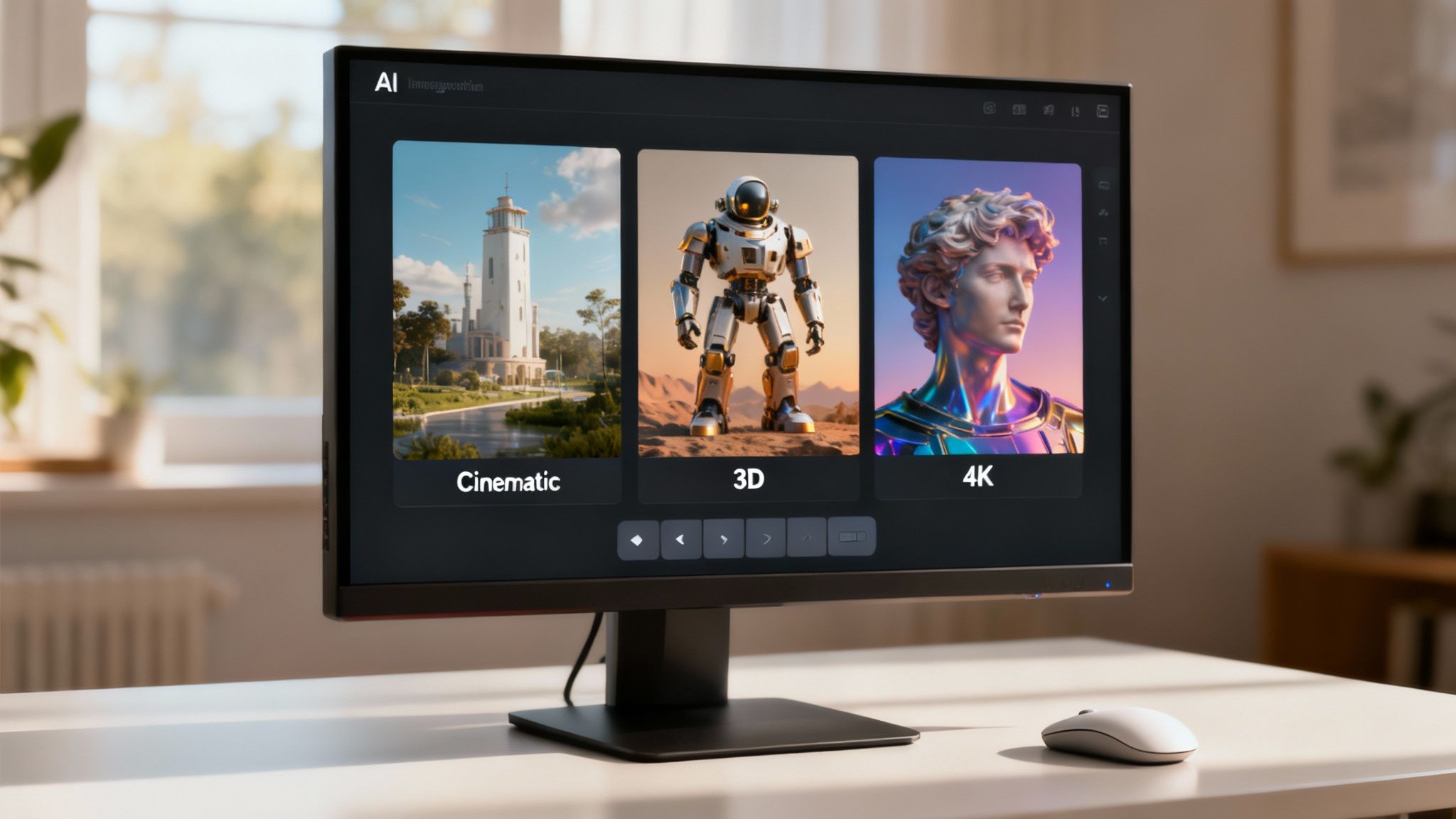
With a killer script ready to go, we're diving into the fun part: bringing your words to life. This is where you alchemize text into a visual story that makes people stop scrolling dead in their tracks. Choosing the right AI video generator isn't about finding the one "best" tool out there; it's about finding the one that perfectly slots into your workflow and matches the aesthetic you're aiming for.
The market is packed with options, but creating short-form videos for platforms like TikTok and Instagram has its own set of rules. You need speed, a strong sense of style, and absolute simplicity. After all, you’re not making a feature film—you're crafting a 30-second banger designed to hook someone instantly.
The meteoric rise of short-form video is precisely why these AI tools have become so critical. In fact, the social media segment of the AI video generator market is projected to skyrocket at a CAGR of 23.5%. This explosive growth is a direct response to the insane content demand—think about the 25 million videos uploaded to TikTok every single day. Human teams just can't keep up with that pace manually. You can get more details on the AI video generator market's growth↗ to see just how fast this space is moving.
Must-Have Features for Short-Form Video Creators
Not all AI video tools are created equal, especially when your battlefield is the vertical feed. You need a very specific arsenal of features that prioritize visual punch and viewer retention above all else.
When you're shopping around for a platform, here’s what really matters:
- Distinct Visual Style Presets: Does the tool let you go beyond a generic "photorealistic" look? Presets like "Cinematic," "3D Render," or "Anime" can give your content a unique brand identity with one click. That consistency is gold.
- High-Resolution Output: Grainy, low-res visuals are an instant scroll. Period. Look for a generator that can push out images and video in at least 1080p. If you can get 4K, even better. Crisp visuals just scream professionalism.
- Dynamic Image-to-Video Animation: Static images are a snoozefest. The best tools will automatically add subtle motion—like pans, zooms, or parallax effects—to still images. It’s a small touch, but it makes your video feel so much more alive and dramatically boosts watch time.
The Secret to Visual Consistency
One of the biggest hurdles when you first start making AI videos is keeping a consistent look and feel from one scene to the next. If your first shot is a gritty, realistic image and the next one looks like a cartoon, you’ve just created a jarring mess that yanks the viewer right out of the story.
The solution? Lock in your visual style from the get-go. Many of the top-tier generators let you establish a consistent character, color palette, or overall aesthetic that carries through every single image generated for that video.
Pro Tip: Weave style descriptors into every single prompt you write. Instead of just, "a scientist in a lab," try something like, "a scientist in a lab, cinematic lighting, 3D render style, cool blue tones." That extra layer of detail forces the AI to stick to your creative vision.
This one habit is what separates the amateur-hour AI videos from polished, professional-looking content. It’s a small step that pays huge dividends. For a closer look at platforms that nail this, check out our guide on the best AI TikTok video generator tools↗.
Writing Prompts That Create Jaw-Dropping Scenes
Just like with your script, the quality of your visuals is a direct reflection of the quality of your prompts. Vague instructions will get you generic, uninspired images every time. To get the scene you're picturing in your head, you need to act like a director, not just a requester.
A powerful image prompt always includes a few key layers of detail:
- Subject and Action: What’s the main thing, and what’s it doing? (e.g., "An astronaut floating in space")
- Setting and Environment: Paint the background. (e.g., "...looking at Earth from a distance, with the Milky Way visible behind")
- Style and Mood: Define the artistic vibe. (e.g., "...cinematic, hyper-realistic, dramatic lighting")
- Composition and Shot Type: Tell the "camera" where to go. (e.g., "...close-up shot, from a low angle")
Put it all together, and you get a prompt like this: "An astronaut floating in space, looking at Earth from a distance, with the Milky Way visible behind, cinematic, hyper-realistic, dramatic lighting, close-up shot, from a low angle."
That level of detail leaves almost no room for the AI to mess it up, giving you incredible, on-brand visuals pretty much every time.
Nail the Voiceover and Final Polish
Killer visuals will make someone stop scrolling, sure. But it's the audio that gets them to stay.
Let's be honest, a flat, robotic voice is an instant giveaway that you've cut corners. It screams "low-effort content," and your viewer will be gone before you can even get to your point. This is where you separate a cool AI experiment from a video that actually gets results.
We're not just turning text into speech here. The real goal is to find a voice that has some personality, carries the right emotion, and actually supports the story you're telling with your visuals. Thankfully, the AI voice generators we have today are worlds away from the monotone bots you might be thinking of.
So, where do you start? Match the voice to your brand and the video's mood. If you're dropping a quick marketing tip, you'll probably want a high-energy, upbeat voice. Explaining a bit of ancient history? A calm, more measured tone is going to land much better. Don't just settle for the default—take a few minutes to audition a dozen voices until one just feels right.
Giving the AI Voice a Human Touch
Once you've picked your voice, it's time to direct the performance. This is the fun part. Most good AI video platforms give you surprisingly detailed control over how the voice delivers your lines. You can tweak the pacing, sprinkle in some pauses, and even adjust the pitch to hit certain words harder.
Think about how people actually talk. It's not a continuous, perfectly even stream of words. We pause for effect. We get louder when we're excited. We slow down when we're making a really important point. Getting these little details right is what sells the illusion.
- Pacing and Speed: Try speeding things up a bit to build excitement, or slow it right down to add weight to a key takeaway.
- Strategic Pauses: Drop a half-second pause right before you reveal the answer to a question. It gives the viewer a moment to think, just like in a real conversation.
- Word Emphasis: Most tools let you highlight a specific word and tell the AI to say it with more punch. This is gold for your call-to-action or the main benefit you're selling.
I've found that the difference between a good AI video and a great one often comes down to the audio. Spending just five extra minutes fine-tuning the voiceover can do more for your watch time than any fancy visual effect.
It's a small time investment with a huge payoff. When the audio feels genuine, people connect with what you're saying and are way more likely to watch the whole thing. This is a critical piece of the puzzle when you're learning how to create AI video that doesn't just look cool, but actually works.
The Final Assembly and Polish
With your voiceover sounding human, it's time to put it all together. This is another spot where AI tools are a massive help, doing the tedious work that used to take me hours. The platform will automatically sync your new audio with the visual scenes you’ve already generated.
But it's doing more than just lining up the tracks. A smart AI editor adds the finishing touches that are absolutely essential for any short-form video.
First, animated captions. Since a massive number of people watch videos on social media with the sound off, you have to have captions burned into your video. AI generators knock this out in seconds, transcribing your audio and creating text that's actually engaging to watch.
Next, background music. The right track can completely change the vibe of your video. Most AI tools are smart enough to suggest royalty-free music that matches the mood of your script, letting you add that professional audio layer in a single click.
Finally, do one last manual review. The AI does a fantastic job, but it's not perfect. Watch your video from start to finish. Does one of the cuts feel a little abrupt? Is there a moment where the visual doesn't perfectly match the narration? Most platforms have a simple timeline where you can drag things around to get the timing just right. That last little bit of human oversight is what makes it perfect.
Put Your Content on Autopilot and Watch Your Reach Explode
Look, creating a killer short-form video feels great. But if that video never leaves your computer, what's the point? The real work begins after you hit "export." Getting your masterpiece in front of the right people is where most creators either win or lose. This is what separates channels that blow up from those that flatline.
It’s all about working smarter. You’ve already clawed back hours of your life by using AI for production; now it’s time to bring that same mindset to your publishing workflow. We're not just talking about manually uploading a video. We're building a content machine that works for you, day and night, even when you're sleeping.
Think about the sheer noise on a platform like TikTok. We're talking about 25 million videos uploaded every single day. It’s a content blizzard. The only way to compete is with volume and consistency, which is exactly why AI video generators are a game-changer. They let you pump out 10-50 high-quality videos daily, a pace that was once unthinkable. This isn't just a trend; you can see for yourself how the AI video generator market is growing↗ and completely reshaping the creator economy.
Build Your Content Publishing Machine
What if you could schedule your entire month of videos in a single afternoon? That's not a fantasy; it's what automation tools make possible. Many of the top-tier AI video platforms—including our own here at DailyShorts—have scheduling and auto-posting baked right in. You just link your social accounts, map out a content calendar, and let the software do the heavy lifting.
This isn't just about convenience; it's about feeding the algorithm what it wants. Posting sporadically tells platforms like TikTok or YouTube that you're just a hobbyist. But a steady, reliable stream of content? That signals you’re a serious creator, and the algorithm will start rewarding you for it.
Here’s a simple way to set up your own automated workflow:
- Batch Your Creation: Set aside a block of time to generate a batch of 10-20 videos all at once.
- Fill the Hopper: Upload all your finished videos into your AI tool’s scheduler.
- Set the Cadence: Decide on your posting frequency. Once a day? Three times a day? Whatever your strategy calls for.
- Let It Fly: Now, the system takes over, pushing your content out at the perfect times, day after day.
This simple process frees you from the tyranny of the "post" button. Instead of worrying about daily uploads, you can focus your energy on what really matters: analyzing your performance and figuring out what content to create next.
Let AI Perfect Your Timing and Discovery
Posting consistently is step one. Posting strategically is how you level up. How do you find that magical window when your specific audience is glued to their phones? You could spend weeks buried in spreadsheets, or you could let an AI figure it out in seconds.
The best distribution tools don't just post for you; they analyze your audience's behavior to pinpoint the exact hours they are most likely to engage. It takes all the guesswork out of the equation and makes sure your video drops when it will have the biggest impact.
The goal is to create a flywheel. The AI finds the best time to post, which boosts initial engagement. That engagement signals to the platform that your content is good, so it pushes it to more people.
But it goes beyond just timing. AI can also be your secret weapon for getting discovered. Instead of agonizing over the perfect hashtags or a viral-worthy title, you can let the AI generate them for you based on your video's content and what’s currently trending. It can scan top-performing videos in your niche and spit out titles, descriptions, and tags that are already optimized for search and the "For You" page.
This is a massive advantage. By combining AI-powered creation with intelligent, automated distribution, you’re not just making videos—you're building a scalable system for sustainable growth. For a full breakdown of platforms that offer these features, check out our constantly updated list of the best AI video generator tools↗.
Your Questions About AI Video Answered
Jumping into any new tech always brings up a few questions. You’re probably wondering if the quality is really there, how much it actually costs to get started, or what common traps you need to sidestep.
This section is all about giving you straight, honest answers to those nagging concerns. Let's clear the air so you can move from just thinking about it to actually doing it.
Can AI Videos Genuinely Look High-Quality and Unique?
Yes, absolutely—but there's a catch. The final quality hinges entirely on you and your input. The days of AI content looking like a soulless, generic collage are fading fast. The real difference between a bland video and something that stops the scroll is the level of detail you feed the machine.
Think of modern AI video generators less like a vending machine and more like a team of creative assistants waiting for your direction.
To get a look that's truly yours, you have to get specific:
- Lean into Style Presets: Don't just settle for "photorealistic." Play around with presets like "Cinematic," "3D Render," or "Anime." This is how you build a consistent, memorable aesthetic that becomes your signature.
- Craft Rich Visual Prompts: "A man sitting at a desk" is boring. How about, "A young entrepreneur in a modern, minimalist office, sunlight streaming through the window, shot with a wide-angle lens, cinematic style"? Specificity is your best friend here.
- Layer with Custom Audio: The right voiceover and a carefully chosen music track can completely transform a video's vibe. This is what makes it feel custom-made and professional, not just assembled.
When you learn to guide the AI with imaginative and precise instructions, you stop getting generic results. You start producing content that isn't just high-quality, but distinctively yours.
What Is the Real Cost to Start Creating AI Videos?
Honestly, one of the biggest reasons to get into AI video is how much money it saves. The barrier to entry for producing great-looking video has all but disappeared.
Many of the best platforms out there, including our own, offer generous free trials or freemium plans. This means you can create your first handful of videos, kick the tires on all the main features, and get a real feel for the workflow without opening your wallet.
The economics are just a no-brainer. For what you might pay a freelance editor for a single 30-second video, you can often get a monthly subscription to an AI tool that lets you generate hundreds. This completely flips the script on production costs.
This accessibility finally lets solo creators, startups, and small businesses compete on a level playing field with bigger brands and their massive production budgets. It puts the focus back where it should be: on the quality of your ideas, not the size of your bank account.
What Are the Biggest Mistakes to Avoid on Social Media?
Making a great AI video is only half the battle. Getting it to actually perform on TikTok, Reels, or Shorts is a whole different ballgame. These platforms have their own unspoken rules, and ignoring them is the fastest way to get your content buried.
I see creators fall into the same three traps over and over again:
- A Weak or Non-Existent Hook: You have three seconds. That's it. If your video opens with a slow pan or a boring "hello," you've already lost. Your first line and visual need to be an immediate attention-grabber that sparks curiosity.
- A Robotic, Monotone AI Voice: People have zero tolerance for bad audio. A flat, lifeless delivery is an instant swipe-away. Always listen to several AI voices to find one that fits your brand’s personality. Then, use the built-in tools to tweak the pacing and emphasis to make it sound more human.
- Ignoring Platform-Specific Formatting: What works on YouTube won't fly on TikTok. Short-form video has to be in a vertical 9:16 aspect ratio. And since so many people watch with the sound off, burned-in, animated captions aren't optional—they're essential.
The good news is that a solid AI video generator will automate most of this, from setting the aspect ratio to generating captions. But it’s still your job to double-check that every element is dialed in for the platform before you publish. Avoiding these simple mistakes can make a huge difference in your video's reach.
Ready to stop wondering and start creating? With DailyShorts, you can turn any idea into a polished, viral-ready video in minutes. From script to visuals and voiceover, our AI handles the heavy lifting so you can focus on growing your brand. Start creating for free today at DailyShorts.ai↗.
Article created using Outrank↗
Ready to create viral videos?
Start creating viral TikTok and YouTube Shorts with DailyShorts AI today.