How to Make YouTube Shorts: how to make youtube shorts for beginners
DailyShorts AI
Crafting a killer YouTube Short isn't about luck; it's about a formula. You've got less than 60 seconds to hook someone, deliver your message, and leave them wanting more. The secret is to grab their attention in the first two seconds, give them something valuable or entertaining, and then end it with a twist that makes them hit replay.
Your Blueprint for Viral YouTube Shorts
Let’s get real. You’re not here to just upload a video. You're here to create a Short that stops the scroll and gets noticed. The idea that going viral is some random act of fate? Forget it. It’s a repeatable process, and I’m going to walk you through the DNA of a viral Short, from the hook all the way to a payoff that gets people watching again and again.
Think of this as your strategic map. As you build out your ideas, it also helps to understand the bigger picture of how to make a video go viral↗ in general. It all comes down to creating content that genuinely connects with people.
The Anatomy of a High-Performing Short
The fight for attention on YouTube is intense. Shorts are exploding, and with an average engagement rate of 5.91%—beating both TikTok and Instagram Reels—consistency is your ticket to getting seen. Even tiny channels (under 500 subscribers) are posting an average of 0.27 Shorts a day. The algorithm rewards those who show up regularly.
If you want to break through the noise, you need a structure built for immediate impact. The flowchart below breaks down the simple, yet incredibly powerful, flow of a Short that works.
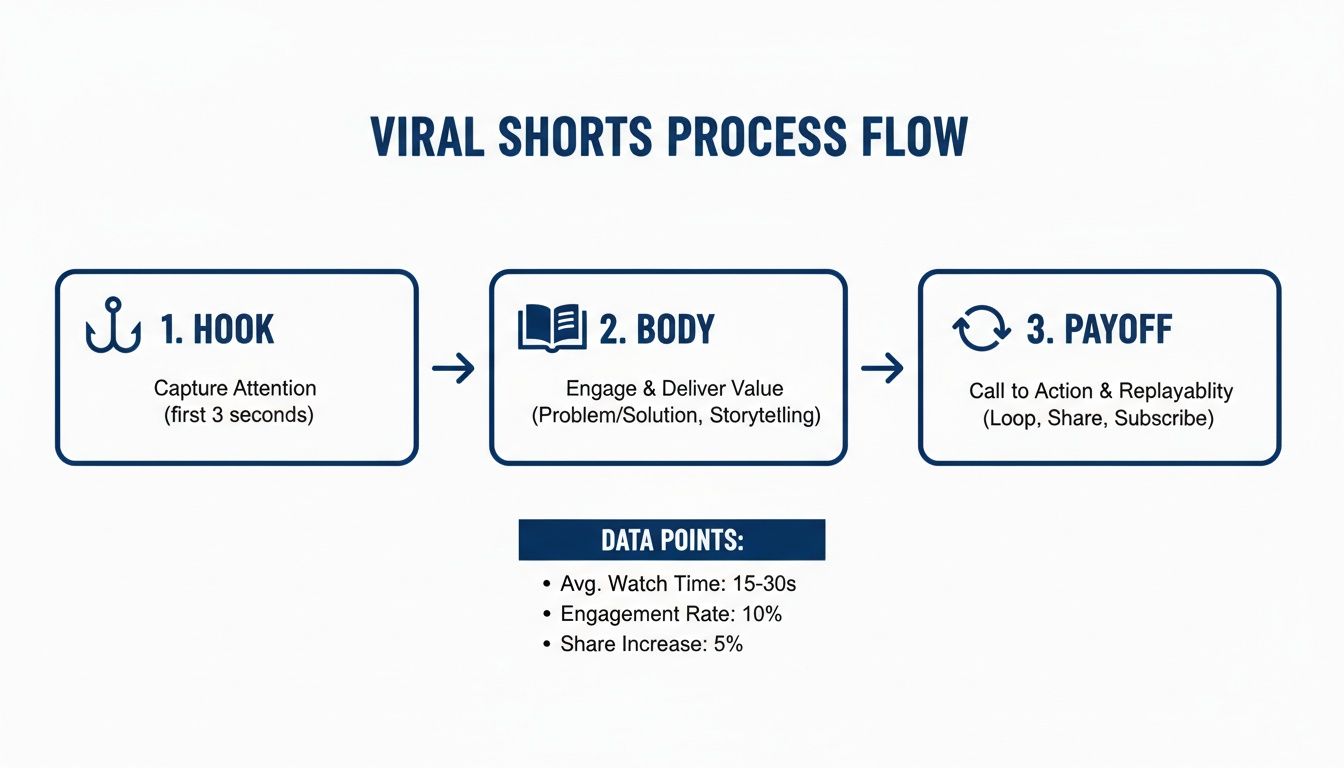
This process isn't just a theory; it's the exact journey your viewer takes, from that initial hook to the final, replayable moment.
To help you nail this structure consistently, here's a quick reference table breaking down each essential piece of a successful Short.
Core Components of a Successful YouTube Short
| Component | Why It Matters | Best Practice |
|---|---|---|
| The Hook (1-3 sec) | Captures attention instantly. If you lose them here, you lose them forever. | Start with a bold claim, a burning question, or a surprising visual. |
| The Body (3-45 sec) | Delivers on the hook's promise. This is where you provide value or entertainment. | Keep it concise and fast-paced. Cut out any fluff and get straight to the point. |
| The Payoff (1-5 sec) | Provides a satisfying conclusion and encourages re-watching. | End with a reveal, a punchline, a clever loop, or a clear call to action. |
Mastering these three components is the foundation of creating Shorts that don't just get views, but build an audience.
Look, you don't have to do all the heavy lifting yourself. AI tools can handle the technical grind, freeing you up to focus on what matters: your creativity. Platforms like DailyShorts↗ are designed to help creators turn a simple idea into a finished video, making a consistent posting schedule feel less like a chore.
For a deeper dive, check out our guide on YouTube Shorts best practices↗. This section gives you the 'why' behind the methods, so you can start creating with confidence.
From Fleeting Idea to Unforgettable Script
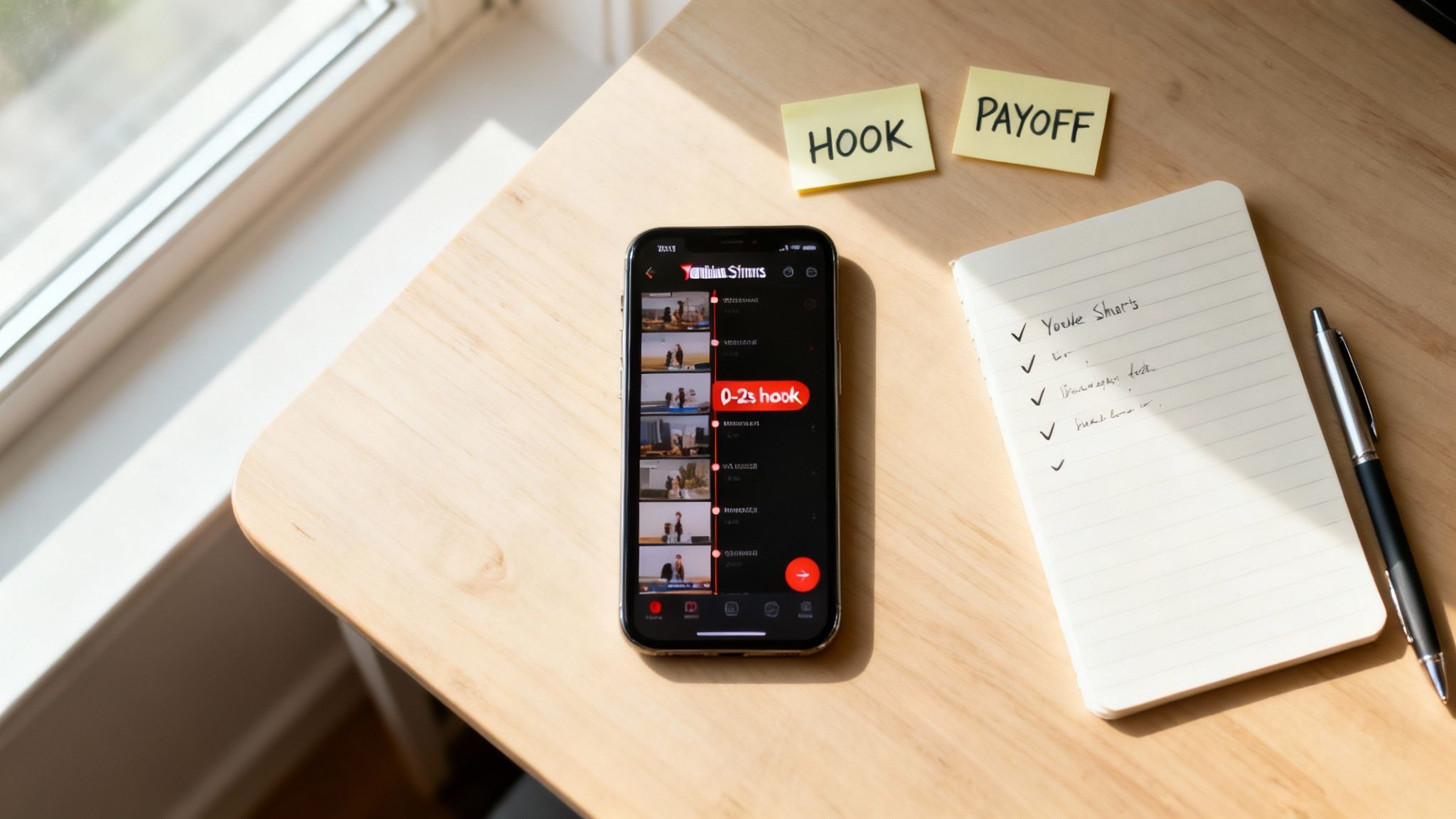
Every viral Short starts with a spark. But here's the thing—you can't just sit around waiting for inspiration to strike. The pros don't. They have a system for finding ideas that hit the mark every single time.
So, where do you find these golden nuggets? Forget brainstorming in a vacuum. Your best ideas are already out there, hiding in plain sight. Dive into the comment sections of popular videos in your niche. Lurk in Reddit forums. What are the burning questions, the common frustrations, the inside jokes? That's where you'll find what your audience actually wants to see.
Building a Story That Sticks
Once you've got an idea, you need to package it for a short-form brain. The framework I live by is the Hook, Body, Payoff. It’s not a rigid formula; it's a storytelling guide that respects the viewer's microscopic attention span.
-
The Hook (First 1-3 seconds): This is it. Your one shot. You have to be immediate and irresistible. Ask a question they can't ignore ("Are you making this common workout mistake?"). Make a bold, almost unbelievable claim ("This one trick doubled my productivity"). Or just show something so visually strange it demands an explanation.
-
The Body (The Story): Now you deliver on the promise you just made. Keep it lean. No fluff. If you asked a question, this is the answer. If you made a claim, here's the proof. Use quick cuts, punchy text, and dynamic visuals to keep the energy high.
-
The Payoff (The Twist): The ending is crucial. It has to feel satisfying and make the viewer glad they stuck around. This could be a surprising result, a clever punchline, or a perfect loop that sends them right back to the beginning to watch it again.
This simple structure is the secret weapon behind nearly every successful Short. It packs a complete, memorable story into under 60 seconds.
Pro Tip: Read your script out loud before you even think about filming. Does it sound like you're talking to a friend over coffee? If it feels clunky or formal, slash and burn. Use simpler words and shorter sentences until it flows naturally.
Busting Through Writer’s Block with a Little Help
Let’s be real: even seasoned creators hit a wall. Staring at a blinking cursor is the worst. This is the perfect time to bring in an AI tool—not as a replacement for your creativity, but as a partner to get the ball rolling.
An AI video generator like DailyShorts can be a lifesaver here. You can feed it a simple keyword, and it will spit out a fully structured script to get you started.
Let's say you’re a finance creator and your keyword is "budgeting tips." Instead of a generic list, the AI might give you something like this:
- Hook: "Stop using complicated budgeting apps. All you need is a pen and three jars."
- Body: A quick, visual explanation of the "three-jar system" for needs, wants, and savings.
- Payoff: A shot of the savings jar overflowing, with a line like, "It’s that simple to finally get ahead."
Suddenly, you're not starting from zero. You have a solid foundation you can now twist, tweak, and inject your own personality into. It turns a daunting task into a simple edit job. For anyone looking to streamline this process even further, grabbing a dedicated YouTube Shorts template↗ can give you a massive head start. Mastering this initial scripting phase is a core part of learning how to make YouTube shorts that people actually watch.
Creating Visuals That Stop the Scroll
Let's be real: your visuals are everything. You get about a second to make an impression before someone swipes away, and a fuzzy, poorly-lit video is a guaranteed ticket to the bottom of the feed. This is all about making that first impression count, whether you’re shooting on your phone or cooking up visuals with AI.
The great thing about YouTube Shorts is that you absolutely do not need a Hollywood budget. In fact, some of the most viral content has a raw, authentic feel that you can only get from a smartphone. It’s all about being scrappy and focusing on the fundamentals that make any video look good.
Nailing the Basics with Your Phone
Before you even think about hitting record, start thinking vertically. Every single shot has to be framed for a phone screen, which means the 9:16 aspect ratio isn't just a suggestion—it's the law. This changes how you compose your shots. You’ve got less room to work with side-to-side, so your subject needs to be front and center.
Lighting is your next big win. You could have the latest iPhone, but if you're in a dark room, your footage will look grainy and amateurish. The best part? The best light is usually free.
- Find a Window: Just stand facing a window. Natural light is incredibly flattering, costs nothing, and gives you a soft, even look that kills harsh shadows.
- Avoid Backlighting: Whatever you do, don't shoot with a bright window or light source directly behind you. You’ll turn into a silhouette, and your phone's camera will have no idea what to focus on.
- The "Golden Hour": That magical hour right after sunrise and before sunset? It’s not just for Instagram. The warm, golden light makes everything look more cinematic. If your schedule allows, shooting during these times is an easy way to get a premium look.
Finally, nobody wants to watch a shaky video. It’s just plain disorienting. You don't need a fancy gimbal, either.
A simple stack of books or even a coffee mug can work as a makeshift tripod in a pinch. The goal is just to eliminate those tiny hand-held jitters. It’s a tiny change that instantly makes your footage feel more polished and professional.
When to Film vs. When to Use AI
So, should you film it yourself or let an AI do the heavy lifting? It really boils down to what you’re trying to achieve with your video.
Raw, phone-shot clips are gold for building authenticity and a real connection. Think vlogs, personal stories, tutorials where you are the expert, and any behind-the-scenes content. This style sends a clear message: "This is real, this is me."
But sometimes, your idea is just bigger than what you can easily film. Maybe you want to explain a complex historical event, visualize a futuristic city, or create a stunning fantasy world. This is exactly where AI visuals become a creator's superpower. For a deeper dive into how different formats play out, you can learn more about the TikTok aspect ratio↗ and see how those principles apply here, too.
Crafting Stunning Visuals with AI
Tools like DailyShorts have completely changed the game. Now you can generate breathtaking 4K animations or photorealistic scenes from nothing more than a text prompt. This isn't just about making a cool background; it's about crafting the entire visual story from scratch.
Imagine you want to make a Short about the Roman Empire. Instead of digging through stock footage, you could just type in a prompt like this:
"A cinematic shot of a Roman legion marching through a dense, misty forest, sunlight breaking through the trees, 3D render style."
In minutes, you have a completely unique, high-quality clip that would have been impossible to create otherwise. This approach is a game-changer for:
- Storytelling: Narrating historical events, myths, or fictional tales.
- Educational Content: Explaining scientific concepts or other abstract ideas.
- Motivational Videos: Creating powerful, symbolic visuals to go with an inspiring message.
This tech lets you blast past the limitations of your physical environment and your budget. If you can imagine it, you can create it. The process of how to make YouTube Shorts is no longer defined by your camera gear; it's defined by your creative vision. Whether it’s coming from your phone or an AI prompt, the goal is always the same: create a visual experience so compelling that the viewer simply has to see what happens next.
Editing and Sound Design for Maximum Retention
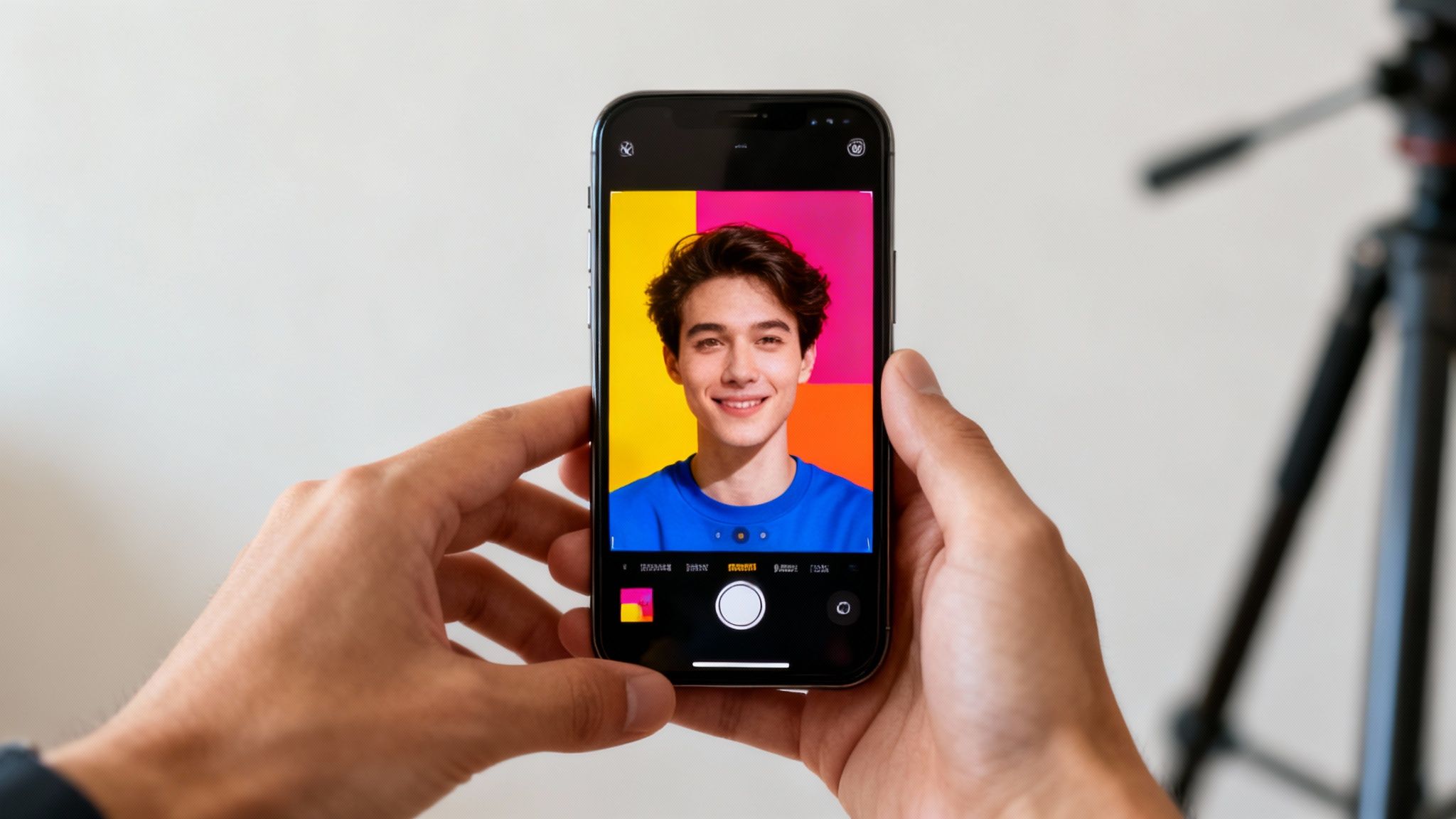
Here's where the magic really happens. Great editing is something your viewers feel more than they see. It’s the invisible hand guiding their attention, the secret sauce that stops their thumb from swiping away. This is your chance to take raw footage and sculpt it into a magnetic experience that keeps people watching until the very end.
The golden rule for editing Shorts is simple: maintain momentum. Every single second is precious real estate. You have to be ruthless. If a shot, a word, or even a half-second pause doesn't add value or move the story forward, get rid of it. That’s how you create the addictive, rapid-fire pacing that the best short-form content is known for.
The Art of the Quick Cut
In the world of Shorts, the jump cut is your most valuable tool. A jump cut is just an abrupt transition that skips over the boring bits, creating a jolt of energy and speed. It makes your video feel punchy and dynamic, and it’s absolutely essential.
Imagine a cooking Short. We don't need to see the creator walking to the fridge, opening it, and grabbing an egg. We just need to see their hands near the bowl, then an instant cut to the egg cracking into it. This relentless forward motion is what hooks viewers and keeps them glued to the screen.
Key Takeaway: Always edit for the impatient viewer. Assume they have a thousand other videos vying for their attention and give them zero reasons to leave. Every frame has to earn its spot.
Another pro move is the "pattern interrupt." This is any sudden change—visual or auditory—that snaps the viewer's brain back to attention. Think quick zooms, a funny sound effect, a meme popping up on screen, or a sudden change in music. Sprinkling these into your edit prevents viewer fatigue and keeps things feeling fresh and unpredictable.
Hook Viewers with Captions and On-Screen Text
Let’s be real: a massive number of people watch Shorts with the sound off. Some estimates put the figure as high as 85% for social media videos. This makes on-screen captions completely non-negotiable if you want to reach the widest possible audience.
But don’t just slap on the default, auto-generated subtitles and call it a day. Think bigger. Dynamic, animated captions that highlight key phrases can become a core part of the visual appeal.
- Emphasize Key Words: Make important words pop by making them bigger, a different color, or bolder.
- Add Personality: Sprinkle in relevant emojis and simple graphics to add some visual flair.
- Nail the Timing: Sync your text reveals perfectly with your narration. It creates an incredibly satisfying rhythm.
These little details make your content accessible for silent viewers while adding a whole other layer of engagement for everyone else. For a deeper dive, check out these other essential video editing tips for beginners↗ to build a solid skillset.
Use Audio to Get an Algorithmic Boost
On YouTube Shorts, sound is half the battle. The right audio can set the mood and add emotional weight, but more importantly, it can give your video a huge push from the algorithm. YouTube actively promotes Shorts that use trending sounds because it knows that's what people want to see and hear.
Make a habit of checking the "Trending" audio tab in the YouTube app. When you spot a sound that’s gaining steam and fits your niche, find a creative way to use it. You don't have to do a dance trend—you can often just layer the trending music quietly behind your voiceover. This simple trick signals to the algorithm that your Short is timely and relevant.
Here’s a quick workflow for great sound design:
- Choose a Primary Track: This is either your voiceover or a trending sound that takes center stage.
- Add Background Music: If you're doing a voiceover, layer in some quiet, non-distracting music to fill the space and set a vibe.
- Sprinkle in Sound Effects (SFX): Use subtle "whooshes," "pops," and "dings" to accent your cuts and on-screen text. It makes the whole edit feel more alive and polished.
Let AI Handle the Heavy Lifting
Feeling swamped by all the technical details of editing? You’re not the only one. Learning to master traditional editing software is a major roadblock for many creators. This is exactly where AI tools can be a total game-changer for your Shorts production.
Tools like DailyShorts were designed to take the entire editing process off your plate. You bring the idea, and the AI does the rest.
It makes intelligent cuts to highlight the most compelling moments in your footage, adds a surprisingly natural-sounding AI voiceover, and syncs all the audio elements for you. A task that used to take hours of painstaking work in a complicated timeline can now be done in minutes. This turns editing from a chore into a seamless, automated part of your workflow, making it easy to pump out high-quality Shorts consistently.
Publishing Your Short for Algorithmic Success
Hitting 'publish' isn’t the finish line; it’s the starting gun. Seriously, the first few hours after your Short goes live are everything. This is your small window to give the YouTube algorithm a crystal-clear roadmap, showing it exactly who will love your new creation.
Your title, description, and hashtags are how you do it. Think of them as a direct conversation with the algorithm. You’re providing the critical context it needs to find the right audience fast, which is what gives your Short the initial velocity it needs to go viral. This isn't about gaming the system—it’s about giving your masterpiece the best possible launchpad.
Crafting a Title That Demands a Click
Your title is your first and most important hook. It has to do a ton of heavy lifting in a tiny space, usually under 70 characters before it gets cut off on mobile. The goal here is to be both intriguing and descriptive.
A great Shorts title sparks curiosity while clearly signaling the video's value. Try blending a benefit-driven phrase with your main keywords. For example, instead of "My Skincare Routine," go for something like "The 1 Mistake Ruining Your Skin." The first one is forgettable; the second creates an itch the viewer just has to scratch.
Writing a Description That Informs the Algorithm
Look, most viewers won't read your full description, but you can bet the algorithm will. This is your chance to provide deeper context that just won't fit in the title. Don't just stuff it with keywords.
Instead, write a natural, conversational sentence or two that expands on the video. If your title is "This AI Tool Writes Better Than You," your description could be something like: "I put a new AI writing assistant to the test to see if it could actually craft a compelling story. The results were shocking. Here's a quick look at how it works." This gives YouTube powerful signals about what your content is really about.
Using Hashtags for Targeted Reach
Hashtags are basically signposts for the algorithm. A smart strategy uses a mix of broad and super-specific tags to maximize your reach without getting lost in the noise.
- Always include
: This is non-negotiable. It's the official tag that categorizes your video as a Short. Make it your first one.Code Snippet#shorts - Broad Niche Tags: Add 1-2 popular tags for your general category, like
orCode Snippet#fitness
.Code Snippet#techreview - Specific Content Tags: Use 2-3 tags that describe the exact topic of this specific video, like
orCode Snippet#kettlebellworkout
.Code Snippet#iphone15pro
To really dial in your discoverability, a YouTube Hashtag Generator↗ can uncover effective tags you might have missed. It's a great way to find what’s currently trending in your niche.
Crucial Tip: Never use more than 15 hashtags. It’s tempting to cast a wide net, but YouTube’s own guidelines suggest that over-tagging can confuse the algorithm and dilute your video’s relevance, ultimately hurting its performance.
Timing Your Post for Initial Velocity
When you post matters. You need to drop your Short right when your target audience is most active and doom-scrolling. There's no single "best" time that works for everyone, but you can easily find your sweet spot.
Just head over to your YouTube Analytics and click the "Audience" tab. You'll see a chart showing the days and hours your viewers are most active. I’ve found the best strategy is to post about an hour before this peak activity starts. This gives the algorithm a little time to index your video so it's ready to be served up right as your audience is logging on. Mastering this is a big part of learning how to get more views on your YouTube Shorts↗.
To make sure you're hitting every point, here's a quick checklist I run through before publishing any Short.
YouTube Shorts Optimization Checklist
This simple checklist ensures every video is perfectly primed for the YouTube algorithm before it goes live.
| Optimization Element | Best Practice | Impact on Performance |
|---|---|---|
| Title | Under 70 characters; intriguing, keyword-rich, and benefit-driven. | High (Critical for click-through rate) |
| Description | 1-2 natural sentences expanding on the topic with core keywords. | Medium (Mainly for algorithmic context) |
| Hashtags | Start with , then 3-5 mixed broad and specific tags. Max 15. | High (Crucial for discoverability) |
| Posting Time | 1 hour before peak audience activity (check YouTube Analytics). | Medium (Boosts initial velocity) |
| Thumbnail | Select a compelling, high-contrast frame from the video. | High (Affects impressions and clicks) |
Following this checklist moves optimization from a guessing game to a reliable system.
Automating Your Publishing Workflow
Consistency is the engine of channel growth, period. But manually optimizing and scheduling every single post can lead to serious burnout, especially if you’re trying to upload daily. This is where automation becomes a creator’s secret weapon.
Tools like DailyShorts have features built to handle this whole process for you. The Auto Pilot mode, for example, can schedule and post your content 24/7, making sure you never miss an optimal window. It even continuously optimizes your tags by A/B testing different combinations to see what delivers the best reach. This turns publishing from a grind into a hands-off system that grows your channel while you sleep.
Got Questions About YouTube Shorts? We’ve Got Answers.
Jumping into YouTube Shorts is exciting, but let's be real—it can also bring up a ton of questions. Even with a solid game plan, you're bound to hit a few "what if" moments along the way. Think of this as your personal cheat sheet for navigating those common hurdles.
We're going to clear up the confusion so you can stop guessing and start creating with confidence.
What's the Real Sweet Spot for a Short's Length?
You technically have up to 60 seconds, but the magic often happens in the 50 to 60-second range. Why? Because that gives you just enough time to tell a complete mini-story. You can hook the viewer, build a little narrative, and deliver a satisfying payoff. This is how you rack up watch time and potentially get millions of views.
But don't write off shorter clips. A super-punchy Short under 15 seconds can absolutely explode if the punchline is killer, the visual is stunning, or the tip is incredibly valuable. The golden rule is to let the idea dictate the length. Never, ever add fluff just to stretch the clock.
Do I Really Need a Fancy Camera?
Nope. Not at all. In fact, the smartphone in your pocket is probably all you need to create Shorts that look fantastic. The secret to a polished, professional look isn't expensive gear—it's how you use what you’ve got.
Nail these three things and you'll be ahead of 90% of creators:
- Good Lighting: Find a window and let natural light do the heavy lifting. It's free and looks better than most cheap lighting kits.
- Steady Shots: Shaky footage screams "amateur." Prop your phone on a stack of books or lean it against a mug. Problem solved.
- Clean Audio: You can get away with so-so video, but bad audio is a dealbreaker. Find a quiet room and get close to your phone's mic. Viewers will click away instantly if they can't hear you clearly.
And of course, always shoot vertically (9:16). If you want to skip the filming part entirely, AI tools like DailyShorts↗ can whip up incredible 4K visuals from nothing more than a text prompt.
Honestly, the best Shorts often feel raw and authentic—something your smartphone captures perfectly. Overly produced videos can sometimes come across as slick corporate ads, so don't be afraid to embrace a more natural vibe.
How Often Should I Be Posting Shorts?
Consistency is king on YouTube. The algorithm rewards channels that show up reliably. But before you commit to posting every single day, take a breath. The best schedule is the one you can actually stick to without burning out.
For most creators, posting 3-5 quality Shorts a week is a fantastic target. It’s frequent enough to keep the algorithm happy and your audience engaged, but manageable enough that you won't lose your mind. It's far better to post consistently three times a week than to post daily for a week and then vanish for a month. This is where a streamlined workflow, maybe with a little help from automation tools, can be a total game-changer.
Can I Just Repost My TikToks on YouTube?
You can, but there's a huge catch: get rid of the TikTok watermark. YouTube’s algorithm is smart, and it has a tendency to bury content that’s clearly cross-promoting a competitor. Uploading a video with another platform's logo is like shooting yourself in the foot before the race even starts.
Here's the pro move: always save the original, clean video file from your editor before you upload it anywhere. That "master copy" can be natively uploaded to Shorts, Reels, and TikTok, giving it the best shot at success on each individual platform.
Ready to stop wondering and start creating? DailyShorts↗ is your AI sidekick for making viral-ready videos in minutes. Turn a simple idea into a polished Short with a great script, 4K visuals, and a professional voiceover—no camera or editing skills required.
Ready to create viral videos?
Start creating viral TikTok and YouTube Shorts with DailyShorts AI today.