Video Editing Software for Beginners: A Practical Starter Guide
DailyShorts AI
The right video editing software for beginners should make creating awesome content feel simple, intuitive, and, most importantly, fun. The best tools for newcomers are often free, have super clean interfaces, or are AI-driven platforms like DailyShorts that can automate the entire creation process, taking your raw ideas and turning them into polished videos in just a few minutes.
Your Starting Point for Creating Great Videos
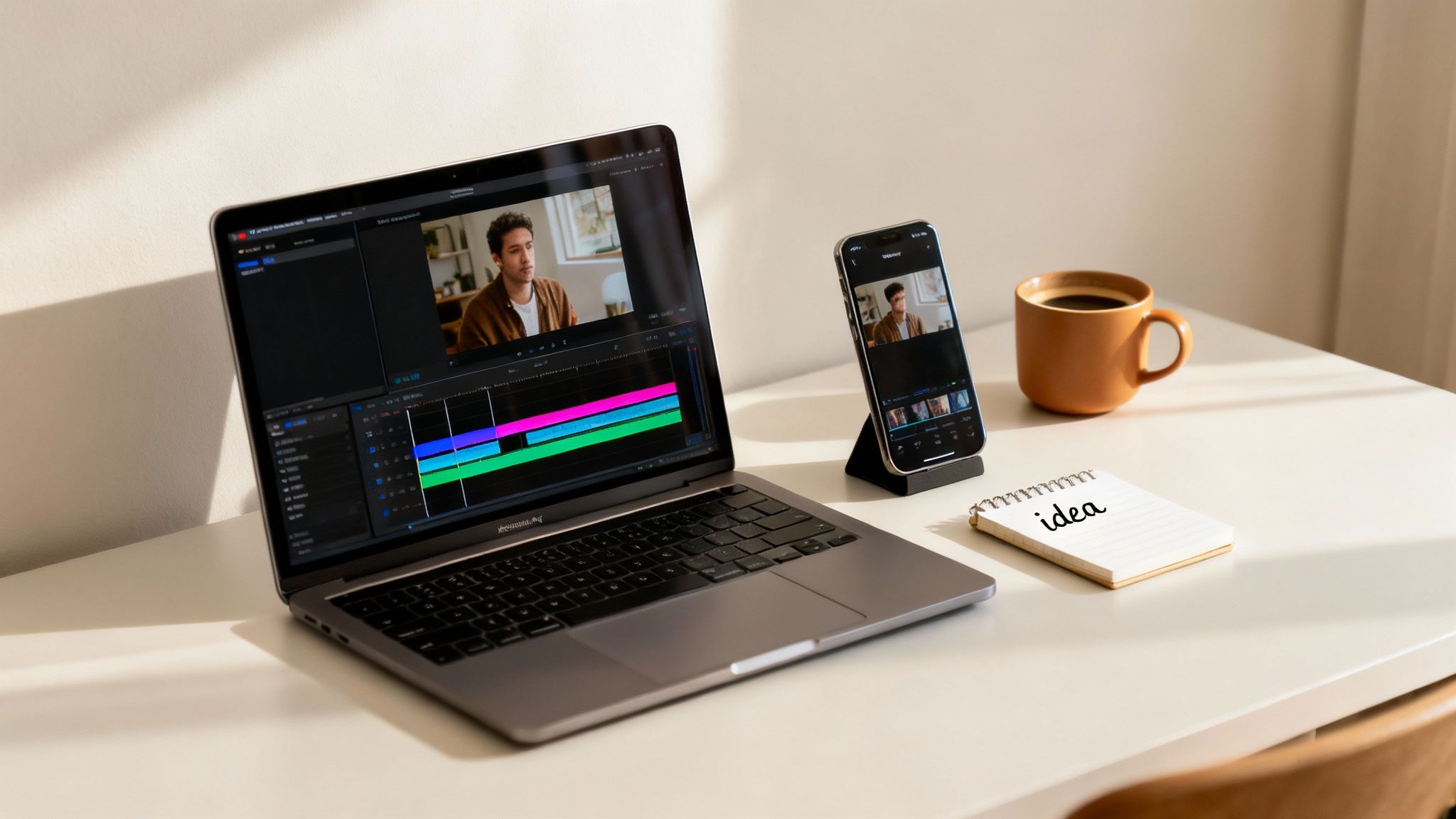
Jumping into video editing can feel like trying to learn a new language, but don't worry—today's tools are built for creators like you, not just Hollywood professionals. The explosive growth of platforms like TikTok and YouTube Shorts has completely reshaped the industry, creating a huge demand for software that’s both powerful and easy to pick up.
You can see this shift in the numbers. The global video editing software market was valued at a massive $3.09 billion in 2023 and is expected to climb to $5.13 billion by 2032. This isn't just a niche industry anymore; it shows that making videos has become a go-to creative outlet for millions of people. For more insights, check out the latest trends in video editing software on sendshort.ai↗.
Two Paths to Video Creation for Beginners
When you’re just starting out, your journey begins with a choice between two very different approaches. Do you want to roll up your sleeves and learn the hands-on craft of editing? Or would you rather focus on your ideas and let technology handle the heavy lifting?
Neither path is wrong, but they lead to different destinations.
- Traditional Editing: This approach puts you in the director's chair. You get full manual control over every single cut, transition, and effect. It’s the perfect route for anyone who wants to learn the fundamental art of filmmaking from the ground up.
- AI-Powered Creation: This path gives you an automated production team. You feed it a concept, and the AI builds the entire video for you. It’s an amazing fit for creators who need to produce great-looking content quickly and consistently. For more on this, see our guide on how to make videos for social media↗.
Understanding this key difference is your first real step. To make it clearer, let's break down what each path looks like side-by-side.
Two Paths to Video Creation for Beginners
This table compares the traditional software editing path with the modern AI generation path, helping you figure out where you want to start.
| Factor | Traditional Editing Software | AI Video Generation (e.g., DailyShorts) |
|---|---|---|
| Effort Required | High – requires time, patience, and learning curves. | Low – you provide the idea, the AI does the work. |
| Speed to Final Video | Slower – can take hours or even days. | Faster – minutes from concept to a shareable video. |
| Skills Needed | Technical editing, design sense, storytelling skills. | Idea generation and creativity – no technical skills needed. |
| Best For | Aspiring filmmakers, long-form content, custom projects. | Social media creators, marketers, rapid content production. |
Ultimately, your choice depends on your goals. Do you want to become an editor, or do you want to become a prolific creator? The answer will point you in the right direction.
Understanding the Features That Actually Matter
Ever opened up a new piece of software and felt your eyes glaze over? All those buttons, menus, and panels can feel like you’ve just stepped into the cockpit of a 747. It’s a common feeling, but here’s a little secret from someone who's been there: you only need to master a handful of features to make great videos. The rest is just noise, at least for now.
Think of the timeline as your digital cutting board. It’s where you lay out all your ingredients—your video clips, images, and audio. The best tools for beginners make this part dead simple with a drag-and-drop interface. It’s like putting together a puzzle; you can literally see how each piece fits, making the whole process feel natural right from the get-go.
The Essential Toolkit for Every Beginner
Once your clips are on the timeline, the real magic begins. Your job is to trim the fat and shape your raw footage into a compelling story. Don't try to learn everything at once. Just focus on these absolute must-haves, because you'll use them in every single project.
-
Trimming and Cutting: This is your bread and butter. It's the simple act of snipping out the boring stuff—the long pauses, the "ums," the shaky camera moments. Getting good at this is what separates a tight, watchable video from a rambling one. A good editor should make this feel as easy as using scissors.
-
Transitions: These are the invisible handoffs between your scenes. It’s tempting to go wild with flashy star wipes and crazy spins, but trust me, less is more. A simple, clean cut or a gentle fade usually does the job perfectly, keeping your audience locked into the story, not distracted by the effects.
-
Text and Titles: Words on screen are powerful. They can introduce a topic, call out a key point, or just add a little bit of personality. Look for software with simple, clean templates you can tweak. This saves you from having to be a graphic designer. For shorts, where and how you place text is everything—you can get the details right by understanding the TikTok aspect ratio and safe zones↗.
At its core, editing is about storytelling. Your job as an editor is to make the story flow naturally and keep viewers engaged from start to finish, using tools to guide their attention and focus on emotion.
Audio: The Underrated Storytelling Tool
Let’s talk about sound. It’s often an afterthought for beginners, but it’s 50% of the viewing experience. Great audio can turn a decent video into an incredible one, while bad audio will make people click away instantly, no matter how good your visuals are.
Your software needs to give you basic control over your sound. We're talking about simple stuff: adjusting the volume of your voice, layering in some background music, and adding subtle fades so sounds don't just start and stop abruptly. Get these basics down, and you’ll be miles ahead of the competition.
How to Choose the Right Software for Your Goals
Picking your first video editor feels a lot like choosing your first car. The slick sports car might look amazing, but it’s not much help if you need to haul lumber. The best choice always comes down to where you're trying to go. Are you aiming to create snappy, viral TikToks, or are you settling in to craft longer, more cinematic YouTube videos?
Your answer changes everything. It's the compass that points you toward a tool that will feel like a creative partner, not a frustrating roadblock.
Match the Tool to the Job
A solo entrepreneur building a brand with Instagram Reels has a completely different checklist than a travel vlogger documenting a six-week trip. The entrepreneur needs speed, templates, and pure efficiency. The vlogger, on the other hand, needs more muscle to handle hours of footage, color grade scenes, and mix complex audio.
Before you even think about hitting that "download" button, take a minute to ask yourself a few honest questions. This little bit of self-reflection will cut through the noise and help you zero in on what you actually need.
- Where will your videos live? Creating vertical videos for TikTok and Reels is a different game than editing widescreen content for YouTube. Your editor should make your primary format easy.
- How much time can you realistically spend editing? If you're on a daily content schedule, a tool with a steep learning curve will burn you out fast. Simplicity might be your best friend.
- What's your budget? You can get surprisingly far with free tools. But sometimes, a small subscription fee can unlock features that save you hours. For a lot of people just starting out, popular editors like CapCut↗ are a fantastic, intuitive gateway into the world of video.
This decision tree can help you map your creative goals to the features that will matter most.
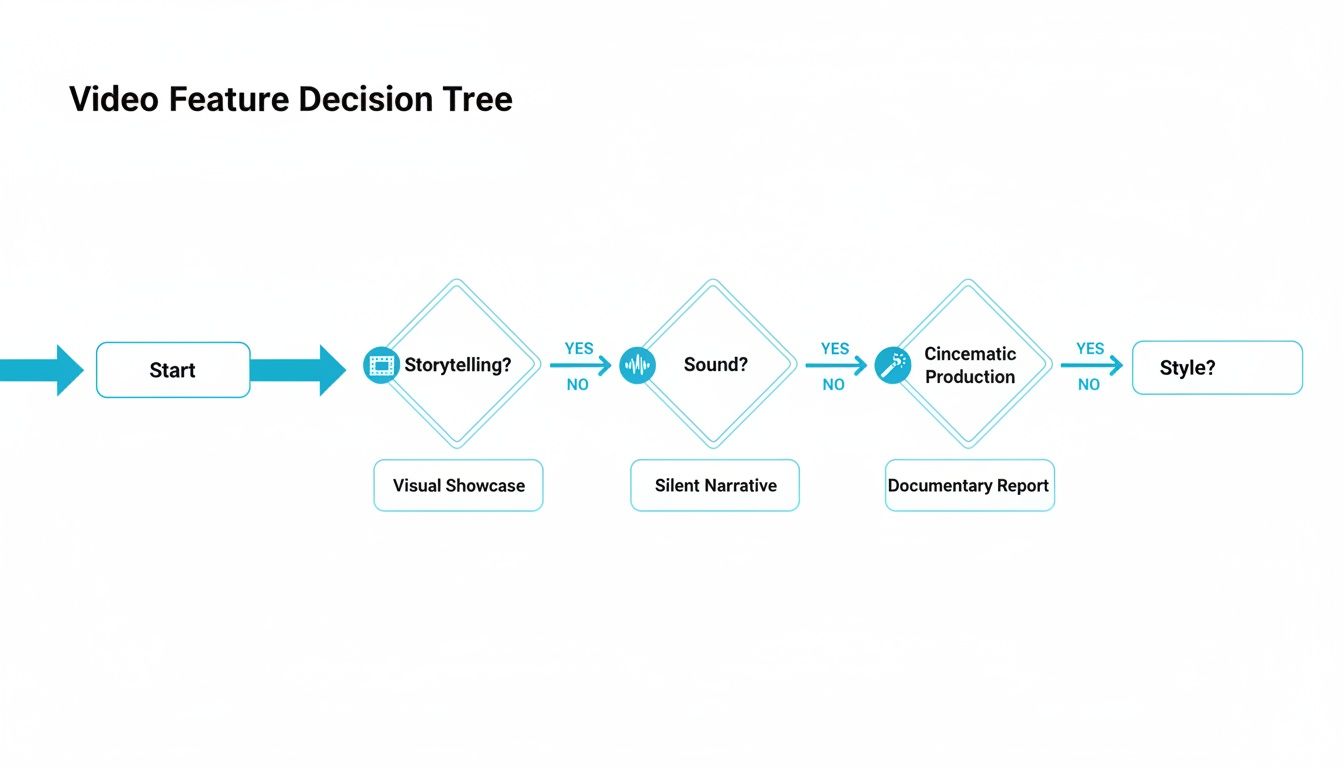
As you can see, different creative ambitions—whether it's nailing the story, perfecting the sound, or crafting a unique visual style—point you toward very different software capabilities.
Think About Your Setup and Workflow
Don't forget about the machine you’re working on. Traditional video editing can be a real beast, pushing your computer’s processor and memory to their limits. But here's the good news: that's changing, and fast.
Cloud-based editing is completely leveling the playing field. It lets you do all the heavy lifting right in your web browser, which means you no longer need a decked-out, expensive computer to create incredible videos.
This isn't just a niche trend; it's the future. The cloud-based editing market is growing at a whopping 8.23% CAGR, far outpacing traditional desktop software. It’s a perfect storm for beginners, removing hardware headaches and making it easier to work on projects from anywhere. At the same time, small businesses are jumping into video at a 7.88% annual growth rate, and they’re using these accessible tools to get it done.
Ultimately, the "right" choice is the one that slots perfectly into your existing workflow. If you film everything on your phone, starting with a powerful mobile app just makes sense. If your goal is to pump out high-quality short-form content day after day, an AI-first platform gives you an almost unfair advantage. If that sounds like you, check out our guide on how to get started with a free AI video maker↗ to see just how fast you can create.
Creating Your First Video Step by Step
Theory is one thing, but getting your hands dirty is where the real learning begins. This guide will walk you through a simple, universal workflow you can use with just about any video editing software for beginners. We're going to build a project from the ground up, so you can see how it all comes together.
Think of this process like building with LEGOs. Each step is a simple block. By snapping them together in the right order, you’ll construct something that really stands on its own. Ready to get started?
Step 1: Organize and Import Your Footage
Trust me on this one: a smooth editing session starts before you even drag a single clip onto your timeline. A little bit of prep work now will save you from a world of frustration later.
Start by creating a main project folder on your computer. Inside that, create a few subfolders—something like "Video Clips," "Audio," and "Graphics." This basic housekeeping keeps everything from turning into a digital junk drawer.
Now, open your software and start a new project. Look for an "Import" or "Media" button and pull all your organized files into the program's media bin. With all your raw materials in one place, you're ready to build.
Step 2: Assemble Your Story on the Timeline
This is where the magic happens. The timeline is your canvas, and you’re the director, arranging your clips to tell a compelling story. Don't worry about getting it perfect on the first go—just focus on the basic structure.
Drag your clips from the media bin onto the timeline in the general order you want them to appear. This is what we call a "rough cut." It’s like the first draft of an essay—it won't be pretty, but it gets the main ideas down.
Next, start trimming the fat. Click on the edge of a clip and drag it inward to shorten it, cutting out awkward pauses or shaky camera movements. Use the "Cut" or "Blade" tool to split clips in the middle and remove entire sections you don't need. The goal is to create a tight sequence that flows logically from one shot to the next.
A classic rookie mistake is leaving shots in for too long. You have to be ruthless. If a shot isn't adding value or moving the story forward, get rid of it. Pacing is everything.
Step 3: Enhance with Audio and Visuals
With the basic structure of your story in place, it's time to add the layers of polish that make a video feel truly professional. Good sound and simple graphics can make a massive difference.
First, let's add some music. Import a royalty-free song and drag it onto an audio track underneath your video clips. Play around with the volume levels to make sure the music sets the mood without overpowering any important dialogue or sounds from your clips.
Next, add a simple title. Most programs have a "Text" or "Title" tool built right in. You can add a title card at the beginning to introduce your video or maybe a lower-third graphic to identify someone who's speaking. For more ideas on how to level up your work, check out these essential video editing tips for beginners↗.
Step 4: Export and Share Your Masterpiece
You’ve done the heavy lifting, and now it’s time to show the world what you made. Exporting (sometimes called "rendering") is the final step where the software mashes all your edits, effects, and audio together into a single, playable video file.
Look for a button labeled "Export," "Share," or "Render." You’ll see a bunch of options for format and quality, but don't get overwhelmed. For sharing on YouTube or social media, these settings are almost always what you need:
- Format: MP4 (H.264) is the gold standard for the web.
- Resolution: 1080p (1920x1080) is perfect for high-quality streaming.
- Frame Rate: Match the rate you filmed at, which is usually 24 or 30 FPS.
Pick your settings, choose where you want to save the final file, and hit that export button. And that’s it—congratulations, you've officially edited your first video
The AI Alternative for Modern Creators
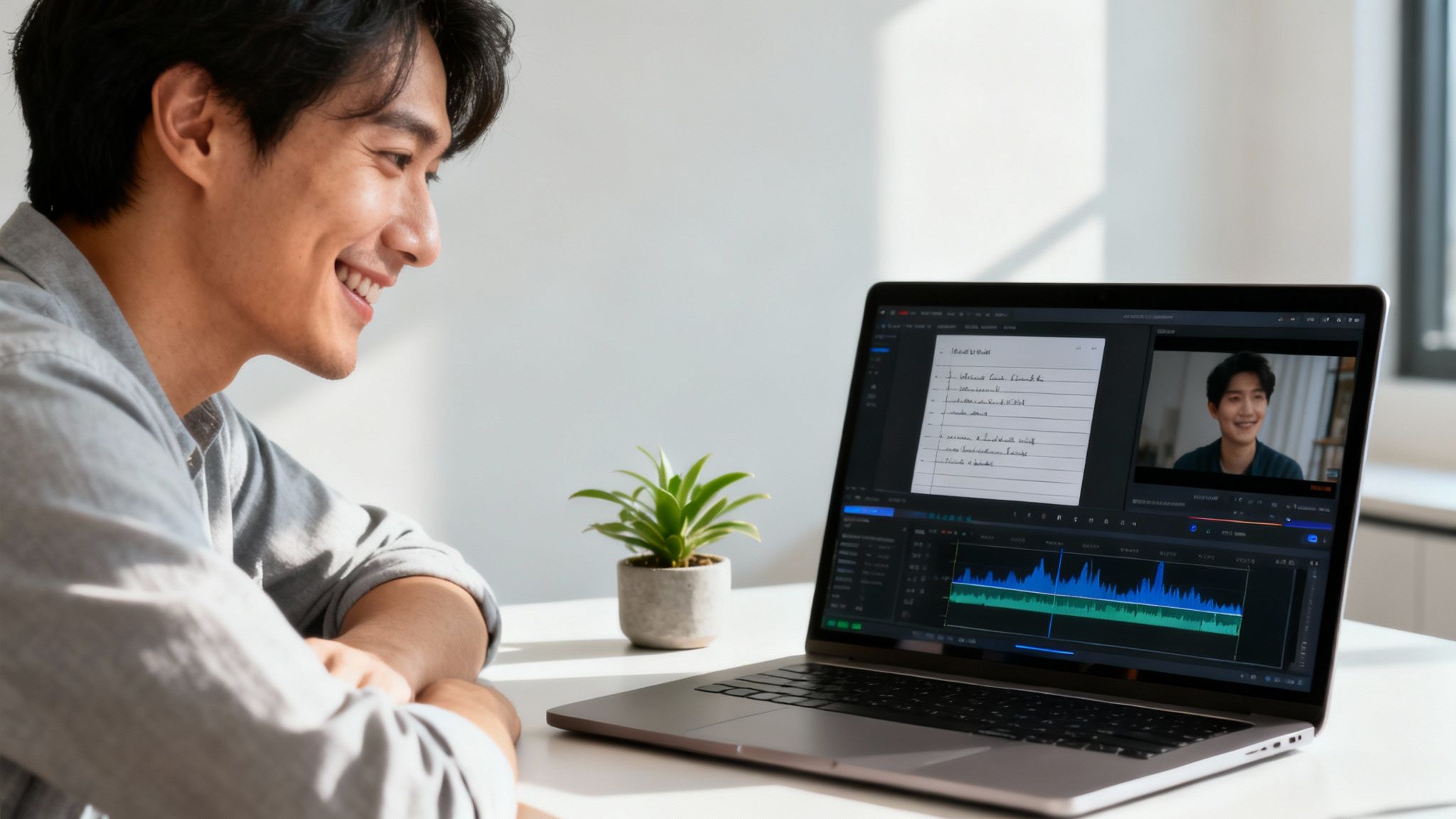
What if you could bypass the steep learning curve of traditional video editing software for beginners and go straight from a simple idea to a polished, viral-ready video? This isn't some far-off concept; it's what's happening right now for creators who value speed and consistency above all else. It’s a total shift in how content gets made.
Think about it: traditional software demands you become a craftsman. You have to learn about timelines, keyframes, color grading, and a dozen other technical skills. But AI-first platforms like DailyShorts flip the script and automate the entire production line. Instead of spending your precious hours stitching clips together, you just give it a topic.
From there, the AI essentially becomes your personal production crew. It writes a script designed to hook viewers, finds or generates stunning 4K visuals, adds a professional voiceover, and handles all the smart editing. The whole thing is done in minutes.
A Secret Weapon for Short-Form Content
This kind of automated workflow is a huge advantage for anyone creating content for TikTok, YouTube Shorts, or Instagram Reels. On these platforms, the algorithm rewards a steady stream of good content. Trying to keep up with that pace manually is a recipe for burnout, but AI removes that production bottleneck completely.
For creators looking for smart ways to handle video, even looking into the best AI to summarize videos↗ shows just how capable these systems are at tackling complex video tasks on their own.
The real win with AI creation isn’t just about the time you save. It’s about being able to pour your creative energy into what actually grows your channel—coming up with great ideas and engaging with your audience—instead of getting bogged down in repetitive tasks.
This shift is happening just as the market is going mobile-first. In fact, the Video Editing Apps Market is expected to reach a staggering $2,150.84 million by 2035, growing at an impressive 10.52% CAGR. A lot of that growth is coming from AI features that give everyday users access to high-level production tools.
From Idea to Published Video in Minutes
Platforms like DailyShorts are designed to be more than just a tool; they're a strategic partner. They let you scale up your content creation without having to hire a team or learn any technical skills. The entire process is built for speed and impact.
Here’s a quick look at how simple it is:
- You give it an idea or a topic. Seriously, that’s all the creative input you need to provide.
- The AI generates a script and visuals. It puts together a compelling narrative with eye-catching 4K footage.
- A voiceover is added. Professional-sounding AI voices bring the script to life.
- Smart editing finishes the job. The AI adds captions, smooth transitions, and background music to deliver a completed short.
This streamlined approach lets you stay focused on the big picture—your content strategy and creative vision—while the technology handles the grunt work. If you want to see this workflow in action, check out our guide on https://dailyshorts.ai/blog/how-to-create-ai-video↗ and start making content faster than you thought possible.
Got Questions? We've Got Answers.
Jumping into video editing for the first time can feel like learning a new language. You're bound to have questions, and getting straight answers is the fastest way to get past the confusion and start making cool stuff. Let's break down some of the most common things new creators ask.
This isn't about getting bogged down in technical jargon. It's about giving you the practical info you need to pick your path, whether that’s diving into traditional editing or taking a shortcut with an AI-powered workflow.
What’s Genuinely the Easiest Video Editor for a Total Newbie?
The "easiest" tool really boils down to what you're trying to accomplish. If your goal is to learn the nuts and bolts of editing—the classic art of storytelling with clips—then you’ll want software with a simple drag-and-drop timeline and a clean, intuitive layout. The best ones for beginners don't overwhelm you with a million features right out of the gate.
But what if your main goal is just to pump out great content for social media, fast? For that, AI video generators like DailyShorts are hands-down the easiest option. They basically skip the whole editing process. You give it an idea, and the AI writes the script, finds the visuals, records the voiceover, and puts it all together. It’s the most direct route from a thought in your head to a finished video, no technical skill required.
Do I Really Need a Super-Powerful Computer to Edit Videos?
Not that long ago, the answer was a hard "yes." Editing high-resolution video is a beast of a task that could bring even a decent computer to its knees. You needed a fast processor, a ton of RAM, and a beefy graphics card, which was a huge roadblock for a lot of people just starting out.
Thankfully, that's not the world we live in anymore.
The game has completely changed with cloud-based editors and AI platforms. They do all the heavy lifting on their own powerful servers, not your computer. This means you can create stunning 4K videos from just about any device with an internet connection—even a basic laptop or a tablet. Your hardware specs suddenly don't matter as much.
How Much Should I Budget for Beginner Software?
The cost of editing software is all over the place, which is actually great news because it means there’s something for every budget.
- Free Tools: You can find some fantastic free programs that have all the core features you need to learn the ropes. They're perfect for getting your feet wet without spending a dime.
- Monthly Subscriptions: A lot of the most popular editors use a subscription model, usually running somewhere between $10 to $30 a month. This typically gets you more advanced tools, consistent updates, and someone to call if you get stuck.
- AI Generator Plans: AI video tools often have tiered plans based on how many videos you want to make. Almost all of them offer a free trial or a starter plan, so you can see if the magic works for you before committing.
Can I Actually Make Good Videos Just on My Phone?
You absolutely can. The rise of mobile editing apps has been incredible, and modern smartphones are more than capable of producing amazing content. Many apps for your phone pack features that, just a few years ago, you could only find on a desktop. For quick edits of clips you shot for TikTok or Instagram Reels, they’re perfect.
The only real trade-offs are the small screen, which can make fine-tuning edits a bit tricky, and the limits of your phone's processing power. If you’re working on something more involved or want the highest possible quality, you’ll probably have a much smoother experience with a desktop editor or a cloud-based AI tool.
Ready to skip the learning curve and start creating viral-ready videos in minutes? With DailyShorts, you can turn any idea into a polished short-form video with AI-powered scripting, 4K visuals, and professional voiceovers. Get started for free today and see how easy content creation can be↗.
Ready to create viral videos?
Start creating viral TikTok and YouTube Shorts with DailyShorts AI today.