How to Schedule Social Media Posts for Faster Growth
DailyShorts AI
Tired of the daily "what should I post?" scramble? We've all been there. The secret to getting off that content treadmill isn't just about finding the right tool; it's about building a repeatable system. When you have a solid workflow, you can schedule your social media posts in advance, ensuring you're consistently showing up on platforms like TikTok, Instagram, and YouTube, even when you're not online.
Build Your Social Media Scheduling Blueprint
Imagine your social channels humming along, posting engaging content at the perfect times without you lifting a finger every day. That’s the reality a smart scheduling strategy gives you. It's about more than just software—it's about creating a strategic content calendar that actually hits your growth goals and, more importantly, gives you back your time.
Trying to post on the fly is a surefire recipe for burnout and inconsistent results. A real blueprint, on the other hand, turns social media from a reactive daily chore into a proactive engine for growth. It all starts with deciding what you're going to talk about and when.
Establish Your Content Pillars
Before you can schedule a single post, you need a plan. Content pillars are the 3-5 core topics or themes that your brand owns. Think of them as the main categories for everything you create. They keep your content focused, relevant to your audience, and true to your brand's identity.
For a fitness coach, the pillars might look something like this:
- Quick Workout Tutorials
- Healthy Recipe Ideas
- Mindset and Motivation Tips
- Client Success Stories
Once you have these defined, content creation becomes a "fill-in-the-blanks" exercise rather than a daily moment of panic. You're no longer staring at an empty calendar, wondering what to say. You just pick a pillar and create something that fits. This is the bedrock of any good scheduling system.
This simple process—defining your pillars, creating content in bulk, and then scheduling it out—is the key to unlocking consistency.
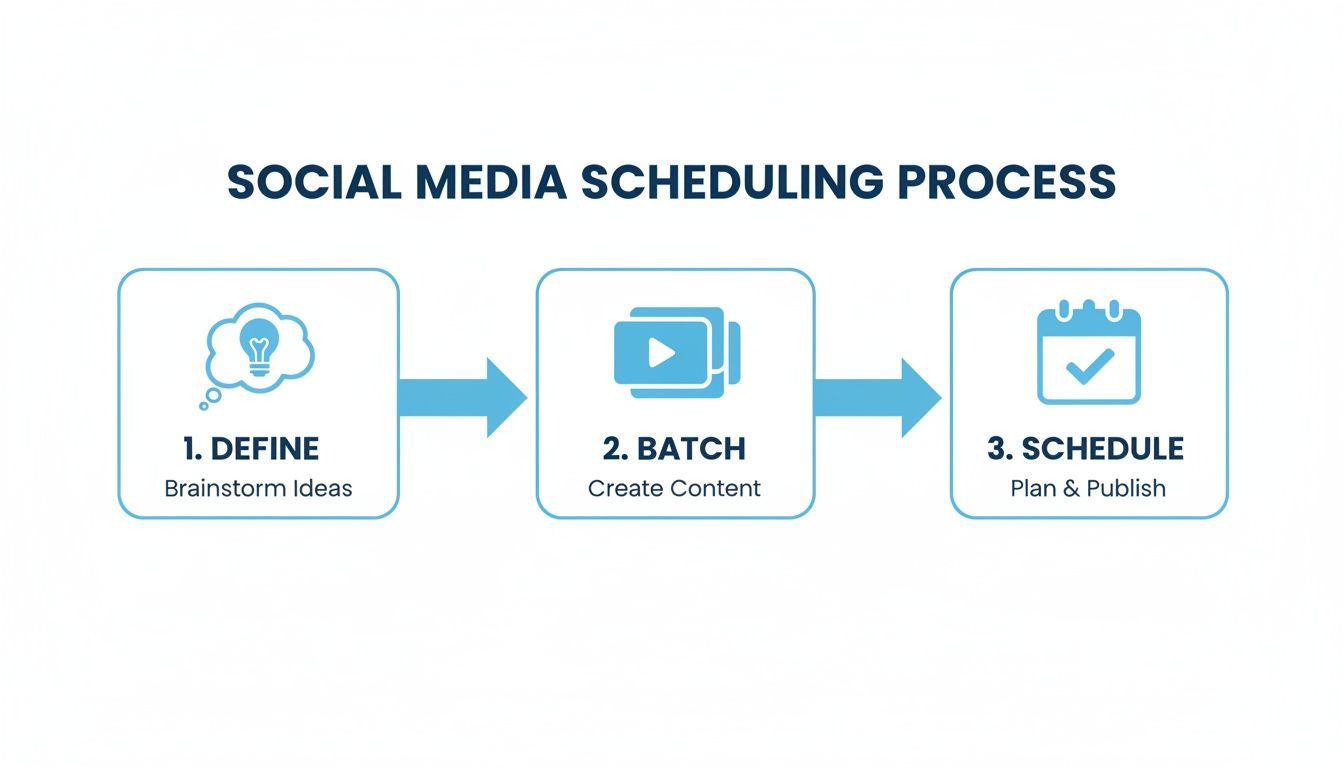
As you can see, a clear strategy (Define) flows directly into efficient production (Batch), which then powers automated distribution (Schedule).
Embrace Content Batching
Okay, you've got your pillars. Now what? It's time to embrace content batching. This is a game-changer. Instead of trying to create a new post every single day, you dedicate a block of time—say, a few hours one afternoon—to create a whole week or two's worth of content at once.
The efficiency gains are massive. You get into a creative flow without the constant stop-and-start of daily creation, which is a notorious productivity killer. You can even bring in AI tools like DailyShorts↗ to take one core idea and spin it into a dozen short-form videos, filling your calendar for weeks with surprisingly little effort.
The goal is to establish a repeatable system that ends the daily scramble for content. This frees you to focus on genuine community engagement, which is where real growth happens.
By pairing well-defined content pillars with the power of batching, you'll quickly build a library of quality content. With that stockpile ready to go, you're officially prepared to start scheduling your posts for maximum impact.
Choosing the Right Tools for Social Media Automation
Picking the right scheduling tool can completely change the game, turning your social media workflow from a daily grind into a well-oiled growth machine. But let’s be honest, the market is flooded with options, and it’s easy to get lost. The key is to cut through the noise and figure out what you actually need based on your goals, your team, and your budget.
Are you just looking for a simple way to set and forget a few posts? Or do you need a command center with serious analytics and collaboration features for a whole team?
Native Schedulers vs. Third-Party Platforms
Your first big decision is whether to stick with the built-in, "native" schedulers or invest in a third-party platform.
Native tools, like the Meta Business Suite↗, are completely free and already baked into the platforms you're using. If you're a solo creator or a small business focusing solely on Facebook and Instagram, they get the job done for basic scheduling. The downside? They're limited. You can’t manage your TikTok, X, and YouTube from the same place, which means you're still juggling multiple tabs and workflows.
This is where third-party tools come in and do the heavy lifting. Platforms like Buffer↗, Sprout Social↗, or Hootsuite↗ give you a central dashboard to manage everything. We're talking about planning an entire multi-platform campaign from one spot, comparing performance across channels, and keeping your brand voice consistent everywhere. It's a lifesaver for anyone serious about growing on more than one network.

A lot of pros I know use a setup just like this—a powerful digital tool paired with a simple notebook to sketch out the bigger picture. It just works.
The Rise of AI-Powered Scheduling
Now, things are getting even more interesting with AI. The newest tools aren't just for scheduling; they're for creating and distributing content in one seamless motion.
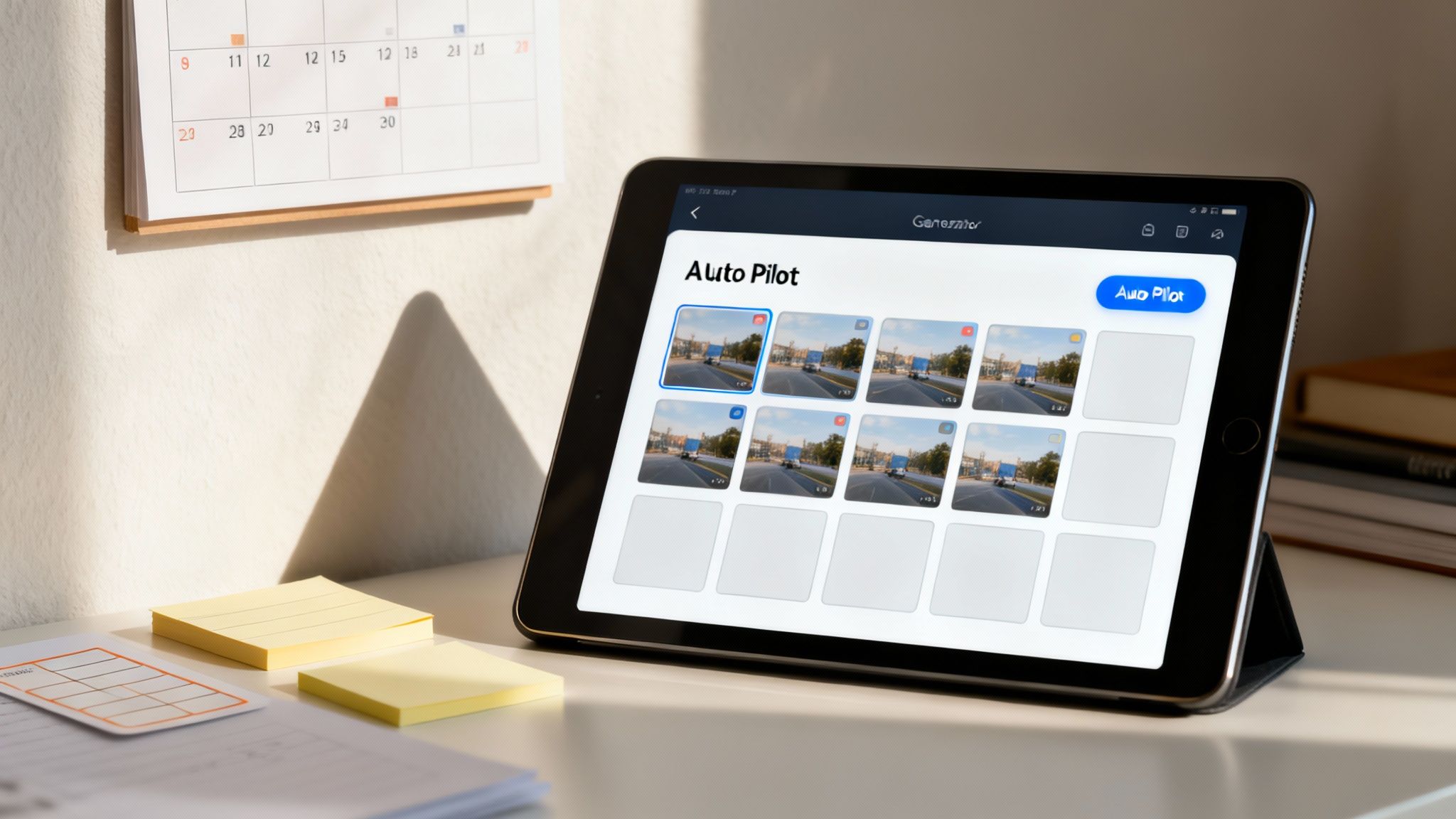
Take DailyShorts, for example. It's a tool that can whip up professional-looking short videos from a simple text prompt. But the real magic is its ‘Auto Pilot’ mode. Once the video is ready, it doesn't just sit there waiting for you. The AI intelligently schedules it for you, finding the best times to post and even suggesting the right tags to maximize your reach.
This is a huge time-saver. It closes the loop from creation to publication, letting you focus on strategy instead of logistics. You can check out a bunch of these new AI video tools on DailyShorts.ai↗ and see how they might fit into your own process.
Choosing a tool isn't just about solving today's problems. It's about finding a platform that can grow with your ambitions, adapting as you scale from one channel to many, or from a one-person show to a full team.
At the end of the day, the best tool is the one that fits your strategy. For instance, data shows that on Facebook, 1-2 high-quality posts per day is the sweet spot. According to research from SocialChamp.com↗, you'll often see interaction rates 20-40% above average when you post mid-mornings (8-11 am) and evenings (7-9 pm) between Tuesday and Thursday. That’s when people are taking breaks and scrolling their feeds. A good tool helps you hit these windows consistently without being chained to your desk.
Mastering Platform-Specific Scheduling Strategies
Let's be real: a cookie-cutter approach to scheduling social media posts is a recipe for disaster. What absolutely crushes it on TikTok can easily get lost in the noise on Instagram Reels. If you want to see real results, you have to get granular and understand the unique rhythm of each platform, especially when you're dealing with short-form video.
Knowing how to schedule effectively means treating each network like its own little world, with its own audience and its own habits. Think about the user's mindset. Someone mindlessly scrolling Instagram on their lunch break is in a completely different headspace than someone kicking back with YouTube Shorts after dinner. Your scheduling needs to sync up with these moments.

Cracking the Code for TikTok Engagement
TikTok is the king of downtime. This means your golden hours are almost always evenings and weekends. The platform's built-in scheduler, which you can access on the desktop version, is surprisingly robust and should be your go-to tool.
- Hit That Prime Time: I've found the sweet spot is generally the 6 pm to 9 pm window. This is when most users are logged on and actively looking for content.
- Prep Your Audio: Don't scramble for a trending sound last minute. Save them to your favorites ahead of time. When you schedule your video, you can pull from this list to give your content an instant visibility boost.
- Smart Captioning: Keep your captions brief but punchy. We're talking relevant keywords and 3-5 trending hashtags that help the algorithm figure out who to show your video to.
Here's a pro tip: never just post and ghost. Even when you've scheduled content, make a point to be online and engaging in the comments for the first hour after a video goes live. This little burst of initial activity sends a huge signal to the algorithm to push your content out to a wider audience.
The Nuances of Scheduling Instagram Reels and YouTube Shorts
At a glance, Reels and Shorts seem like twins, but your scheduling tactics need to be a bit different. For this, you’ll lean on tools like Meta Business Suite↗ for Instagram and the native scheduler right inside YouTube Studio↗.
When it comes to Instagram Reels, I see the best results from midday and early evening slots. This lines up perfectly with when people are taking a break from work or scrolling during their commute home.
For YouTube Shorts, think "evening entertainment." The peak hours are typically from 6 pm to 10 pm. This is when people have settled in for the night, often to watch longer videos, and get sucked into the endless Shorts feed. A killer strategy is using an AI tool to create your content, like turning an image sequence into a video (you can learn more about that here: https://dailyshorts.ai/blog/image-sequence-to-video↗), and then scheduling it to drop right in that prime viewing window.
Here's a little secret I've learned: posting on TikTok between 6 pm and 9 pm on Tuesdays, Thursdays, and Saturdays can seriously increase your video's odds of hitting the For You Page. Why? These evening slots are when users are most relaxed and ready to engage, often leading to engagement spikes up to 30-50% higher than off-peak times. For creators using a tool like DailyShorts, this means scheduling your AI-generated videos about an hour beforehand to give the algorithm time to work its magic. To dig deeper into this, you can discover more insights about social media posting schedules on OpticanEdge.com.
Finding Your Golden Hours for Maximum Engagement
Let's talk about timing. You can create the most incredible video, but if you post it when your audience is asleep or stuck in meetings, it's just digital noise. Finding the "best time" to post isn't about some secret, universal formula; it's about understanding the unique rhythm of your audience.
Think of it this way: scheduling a post for 2 a.m. is like shouting into an empty room. Your goal is to find those golden hours when your followers are actively scrolling, ready to like, comment, and share. Aligning your schedule with their activity is what gives your content a real shot at taking off.
Using Industry Benchmarks as a Starting Point
Before you get lost in your own data, it's smart to start with what we already know works on a broader scale. Years of data from thousands of accounts have given us some pretty reliable windows for engagement.
Generally speaking, the sweet spot for most platforms falls between Tuesday and Thursday, from about 10 a.m. to 5 p.m. But—and this is a big but—it’s not one-size-fits-all. For video-heavy platforms like TikTok and YouTube, the game changes. Engagement often spikes in the evenings, from 5 p.m. to 9 p.m., when people are winding down. If you want to go deeper, the team at Sprout Social↗ has some fantastic, in-depth research on social media posting times↗ that's worth a read.
The biggest mistake you can make is treating every platform the same. An 11 a.m. post might do wonders on Instagram, but that same video scheduled on TikTok could fall completely flat until you repost it at 7 p.m.
Optimal Posting Times by Social Media Platform
To give you a head start, here's a quick-reference guide based on industry-wide data. Think of this table as your starting block—the proven times to begin testing your content.
| Platform | Best Days | Best Times (Local Time) |
|---|---|---|
| TikTok | Tuesdays, Wednesdays, Thursdays | 3 p.m. - 7 p.m. |
| Tuesdays, Wednesdays | 10 a.m. - 2 p.m. | |
| YouTube | Fridays, Saturdays, Sundays | 12 p.m. - 9 p.m. |
| Mondays through Thursdays | 9 a.m. - 1 p.m. | |
| X (Twitter) | Tuesdays, Wednesdays, Thursdays | 9 a.m. - 3 p.m. |
Remember, these are just averages. The real gold is in your own analytics, but this gives you an educated guess right out of the gate.
Digging Into Your Own Platform Analytics
Industry data gives you a map, but your own analytics provide the turn-by-turn directions. This is where you move from guessing to knowing. Every platform, from Instagram Insights to TikTok Analytics, gives you a free dashboard showing you exactly when your followers are online. This is your most powerful tool.
Here’s what you should be looking for:
- Peak Days: Which days of the week consistently show the highest number of active followers?
- Peak Hours: On those peak days, what specific hours do you see the most activity?
- Top-Performing Posts: Go back and look at your most successful content. Make a note of the day and time each was published. I’m willing to bet you'll find a strong connection between high engagement and posting during these peak windows.
This isn’t a one-and-done task. It's a cycle: post during your best-guess times, measure the results, and adjust. This simple process is how you stop throwing content into the void and start strategically hitting your audience's golden hours, every single time.
Build a Content Machine with AI and Templates
Let's be real: consistency is the name of the game on social media. But being consistent can feel like you're stuck on a content treadmill, constantly churning out new ideas just to keep up. The secret isn't about working harder; it's about building a smarter, repeatable system. This is exactly where a good template and the right AI tools can completely transform your workflow.
Stop the daily scramble for what to post. A solid content calendar template is your roadmap. It gives you that crucial high-level view of your entire schedule, helping you balance your content themes and making sure you never forget about a key date or launch.
Start with a Simple Content Calendar Template
It might sound basic, but a simple template is often the most powerful tool for scheduling your posts. Whether you're a spreadsheet wizard or prefer a dedicated app, getting your plan organized is the first step to avoiding repetitive posts and that last-minute "what do I post?!" panic.
Here’s a quick-and-dirty example of a weekly plan focused on short-form video. I've used this structure myself, and it works wonders:
- Monday: A "How-To" video that solves a common problem for your audience.
- Tuesday: Go "Behind the Scenes" with an Instagram Reel to show off your personality and build a real connection.
- Wednesday: A "Myth vs. Fact" TikTok to establish yourself as an expert.
- Thursday: Share some User-Generated Content to give your community a shout-out.
- Friday: Post a "Quick Tip" as a YouTube Short to offer immediate, bite-sized value.
When you plan this way, you're not just throwing content at the wall. You’re building a varied, engaging feed that gives people a reason to follow you and stick around.
Plug in AI for Maximum Efficiency
Okay, now let's pour some rocket fuel on this process. Imagine taking your Monday "How-To" idea and having an AI video tool spit out several polished videos on that topic in just a few minutes. This isn't science fiction anymore—it's how the most successful creators are staying ahead of the curve.
Tools like DailyShorts↗ were literally built for this. You can feed it a single concept, and the AI takes over from there—writing a script, creating the visuals, adding a realistic voiceover, and editing the final video. If you want to see exactly how this works, we've got a full guide on how to create AI video↗ that breaks it all down.
This is where you unlock serious growth. You can go from one idea to a fully scheduled calendar of videos for TikTok, Reels, and Shorts in a matter of hours, not weeks.
The real magic happens with features like the 'Auto Pilot' mode in DailyShorts. Once your videos are generated, it doesn't just dump them in a folder. It actually schedules them for you across all your connected accounts. The AI even looks at the best times to post and suggests relevant tags to help you get seen.
This kind of automated workflow gives you a massive edge:
- It Kills Burnout: You get to skip the most draining parts of content creation—like filming and editing—so you can focus on strategy.
- It Guarantees Consistency: Your accounts stay active with great content, even on days when you’re swamped or feeling uninspired.
- It Scales Your Output: You can produce videos at a volume that would be impossible for one person to do manually, letting you dominate your niche without giving up all your time.
By marrying a structured template with a smart AI workflow, you create a content engine that works for you around the clock, driving growth while you focus on what really matters.
Got Questions About Scheduling Posts? Let's Clear Things Up.
If you're thinking about scheduling your social media, you probably have a few questions rolling around in your head. That’s a good thing. Getting the right answers from the get-go is the difference between a strategy that works and one that just creates more work.
Let’s tackle some of the most common questions I hear from creators and brands all the time.
Will Using a Scheduling Tool Hurt My Engagement?
This is the big one, isn't it? It's a persistent myth that just won't seem to go away, but thankfully, it's just that—a myth.
The short answer is a hard no. Major platforms like Instagram and Facebook↗ have official APIs specifically for third-party scheduling tools. When you use an approved tool, you're playing by their rules. The platforms don't penalize you for it.
In my experience, the opposite is usually true. Scheduling helps you post consistently when your audience is most active, and the algorithms love that. What really moves the needle is the quality of your content and how you show up for your community, not whether you hit "publish" manually or let a scheduler do it for you.
How Far in Advance Should I Schedule Posts?
Finding the right scheduling window is all about balance. You want to be prepared, but not so rigid that you can't be spontaneous.
For most people, scheduling content one to two weeks in advance is the sweet spot. It gives you a comfortable buffer, so you're not scrambling at the last minute. More importantly, it keeps you agile enough to jump on a new trend or react to something happening in your industry right now.
Think of your schedule as a tool for consistency, not a creative straitjacket. Always leave a little room for spontaneity, especially on fast-moving platforms like TikTok and X. For those, a one-week schedule often provides the perfect blend of planning and flexibility.
If you’re working with more evergreen, foundational content, planning a full month out can work just fine. But for anything trend-driven, keeping that shorter window is crucial to staying relevant.
How Often Should I Adjust My Posting Schedule?
Your schedule should be a living, breathing part of your strategy, not something you set and forget. I've found that a great rhythm is to review your analytics on a monthly basis.
This cadence is frequent enough to spot new patterns—like when your audience is coming online—without getting lost in the noise of daily data fluctuations.
During your monthly check-in, dig into questions like:
- Which posts really took off, and what time did they go live?
- Are my platform analytics pointing to any new peak hours?
- Did a specific day of the week crush the others?
On top of that, I recommend a bigger-picture audit every quarter. This is your chance to zoom out and look at your entire strategy. Use a few months' worth of data to make more significant tweaks to your content pillars, how often you post, and your overall scheduling approach.
Ready to stop the daily content scramble and put your growth on autopilot? DailyShorts uses AI to turn your ideas into a fully scheduled calendar of high-quality videos for TikTok, Reels, and YouTube Shorts. Create, schedule, and grow—all in one place. Try it for free and see the difference.
Ready to create viral videos?
Start creating viral TikTok and YouTube Shorts with DailyShorts AI today.