The 12 Best AI Tools for Video Creation to Use in 2026
DailyShorts AI
The struggle to consistently create high-quality video content is real. Between brainstorming ideas, scripting, shooting, and the notoriously time-consuming editing process, many creators and marketers hit a wall. This bottleneck not only drains creative energy but also limits your ability to publish at the speed required to capture audience attention and drive growth. The demand for engaging video is higher than ever, yet the resources to produce it at scale have traditionally been out of reach for many. This is precisely the problem that the new wave of AI tools for video creation is designed to solve.
Imagine generating a viral-style short video from a single prompt, transforming a static image into a cinematic clip, or creating a professional voiceover without a microphone. This is no longer a futuristic concept; it's a practical reality available today. This comprehensive guide cuts through the noise to bring you the definitive list of the best AI-powered video platforms. We've done the heavy lifting, testing and analyzing each tool to provide you with honest assessments, practical use cases, and clear comparisons.
This resource is designed to be your go-to reference, helping you pinpoint the exact tool for your specific needs, whether you're a solo creator aiming for TikTok fame or a business scaling its marketing efforts. For each platform, you'll find direct links, screenshots, and concise analysis of its standout features and limitations. We also understand that video production involves more than just visuals. For content creators focused on accessibility and repurposing, exploring the best video to text converter tools↗ is essential for generating accurate subtitles and transcripts. Let's dive in and find the perfect AI co-pilot for your video creation workflow.
1. DailyShorts
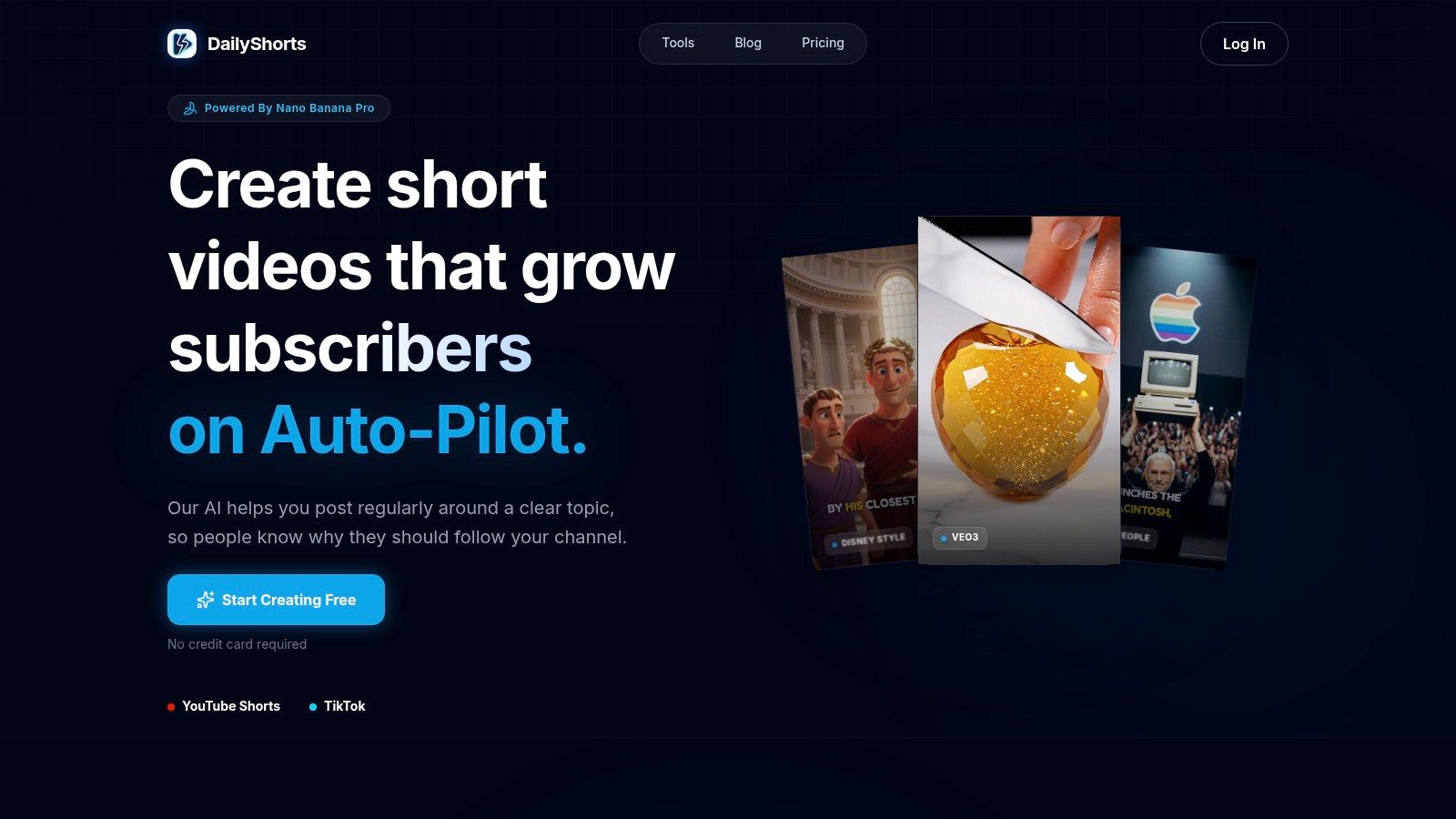
DailyShorts stands as a premier all-in-one solution among ai tools for video creation, specifically engineered to dominate the short-form content landscape. Its core strength lies in its end-to-end automation, transforming a single idea into a polished, viral-ready video for TikTok, YouTube Shorts, or Instagram Reels in minutes. This platform handles the entire production workflow, from writing an attention-grabbing hook to generating a script, creating stunning 4K vertical visuals, and producing a lifelike AI voiceover.
The platform is purpose-built for creators and marketers who need to produce high-quality content at scale without deep technical expertise. Its smart editing capabilities automatically assemble these elements into a cohesive narrative, optimized for audience retention on fast-paced social feeds. For those looking to establish a brand without being on camera, DailyShorts offers an excellent pathway; you can explore their guide on how to start a faceless YouTube channel↗ for more strategies.
Key Features and Differentiators
What truly sets DailyShorts apart is its Auto Pilot mode, a powerful distribution engine that schedules and posts content 24/7 with optimized tags to maximize reach. This feature empowers creators to grow their channels passively. Additionally, its image-to-video animation breathes life into static visuals, turning them into cinematic moments that capture viewer attention instantly. The platform also offers a range of creative style presets, including Disney/Pixar and 3D renders, allowing for unique brand aesthetics.
Practical Use and Considerations
The platform is exceptionally user-friendly, with a "no credit card required" entry point that allows anyone to start creating immediately. While the AI-generated scripts and voiceovers are remarkably high-quality, they may occasionally require minor human tweaks to ensure perfect brand alignment or factual accuracy. Users should also be mindful of the stylized presets, as using likenesses of famous people or specific IP-protected styles could carry legal risks depending on the use case.
Best For: Social media managers, solo entrepreneurs, and content creators focused on scaling short-form video production without the traditional time and resource investment.
| Feature Highlights | Practical Benefit |
|---|---|
| End-to-End Automation | Converts a topic into a finished short in minutes. |
| 4K Vertical Art | Ensures high-quality, visually appealing content. |
| Auto Pilot Mode | Automates posting and tag optimization for audience growth. |
| Image-to-Video Animation | Creates dynamic, engaging visuals from static images. |
Pricing: DailyShorts offers a free-to-start model with access to core tools. Advanced features and unlimited creation capabilities are available through paid subscription tiers.
Visit Website: https://dailyshorts.ai↗
2. Adobe Premiere Pro (Creative Cloud Pro)
For professional creators who demand precision control alongside powerful AI assistance, Adobe Premiere Pro remains the industry titan. It brilliantly merges its legendary, timeline-based editing environment with a growing suite of sophisticated AI tools, making it an indispensable asset for serious video production.
Premiere Pro isn't just a video editor; it's a creative ecosystem. Its standout AI features are deeply integrated, designed to augment, not replace, the creative process. You can edit video by simply editing a text transcript, automatically generate captions in multiple languages, and use AI to create complex object masks with a single click. The new Firefly-powered Generative Extend feature intelligently adds frames to your clips, allowing you to seamlessly adjust timing or reframe a shot without ugly jump cuts.
Best For & Key Features
This platform is best suited for professional video editors, marketing agencies, and content creators who need a robust, all-in-one solution for both long-form and short-form content.
- AI-Powered Editing: Leverage Text-Based Editing, auto-translated captions, and AI-driven object masking.
- Generative AI: Use the Firefly-powered Generative Extend to seamlessly lengthen clips.
- Creative Cloud Integration: Enjoy tight integration with After Effects, Audition, and collaborative tools like Frame.io.
- Comprehensive Suite: The Creative Cloud Pro plan includes 20+ Adobe apps and a pool of generative credits.
Pro-Tip: Start your workflow with the Text-Based Editing feature. It creates a transcript of your footage, allowing you to quickly assemble a rough cut by copying and pasting text, saving hours in the initial editing phase.
Pricing: Access is through a Creative Cloud subscription, with the Premiere Pro single app plan starting at $22.99/month. The full Creative Cloud All Apps plan offers the best value for professionals using multiple Adobe products.
| Pros | Cons |
|---|---|
| Industry-standard timeline with powerful, integrated AI features. | Steeper learning curve compared to template-based tools. |
| Unmatched color grading, audio mixing, and VFX capabilities. | Subscription model can be costly for casual users. |
| Deep integration with the entire Adobe Creative Cloud ecosystem and asset libraries. | Recent plan and pricing changes can be confusing. |
Website: https://www.adobe.com/products/premiere.html↗
3. Runway
For creators at the bleeding edge of generative media, Runway is the definitive creative suite. It’s a browser-based powerhouse that combines state-of-the-art text-to-video models with a full-featured editor, positioning itself as a go-to platform for anyone serious about using AI tools for video creation. Runway allows you to generate stunning video clips from simple text or image prompts, making it a playground for experimentation and high-concept visuals.
Runway’s ecosystem is built around its generative models like Gen-3 Alpha, which produce remarkably coherent and stylized motion from text. The platform isn't just a generator; it's an end-to-end production tool. You can generate assets, edit them in a timeline, add AI-generated audio, and export a finished product without ever leaving your browser. The credit-based system and Turbo models are designed for rapid iteration, encouraging creators to refine their ideas quickly.
Best For & Key Features
This platform is ideal for digital artists, filmmakers, and marketers who want to create surreal, conceptual, or highly stylized video content and are comfortable with an iterative, prompt-based workflow.
- Generative Video Models: Access industry-leading models like Gen-3 Alpha to turn text and images into high-quality video clips.
- Integrated AI Toolkit: Includes a full suite of "AI Magic Tools" for video editing, audio generation, and image manipulation.
- Credit-Based System: A transparent system that lets you manage usage, with a free tier to explore the platform's capabilities.
- Rapid Iteration: Use Turbo models to quickly generate lower-fidelity previews before committing credits to a high-resolution render.
Pro-Tip: Start with an image prompt instead of just text. Uploading a reference image gives the AI a stronger stylistic and compositional foundation, often leading to more predictable and higher-quality results with fewer iterations.
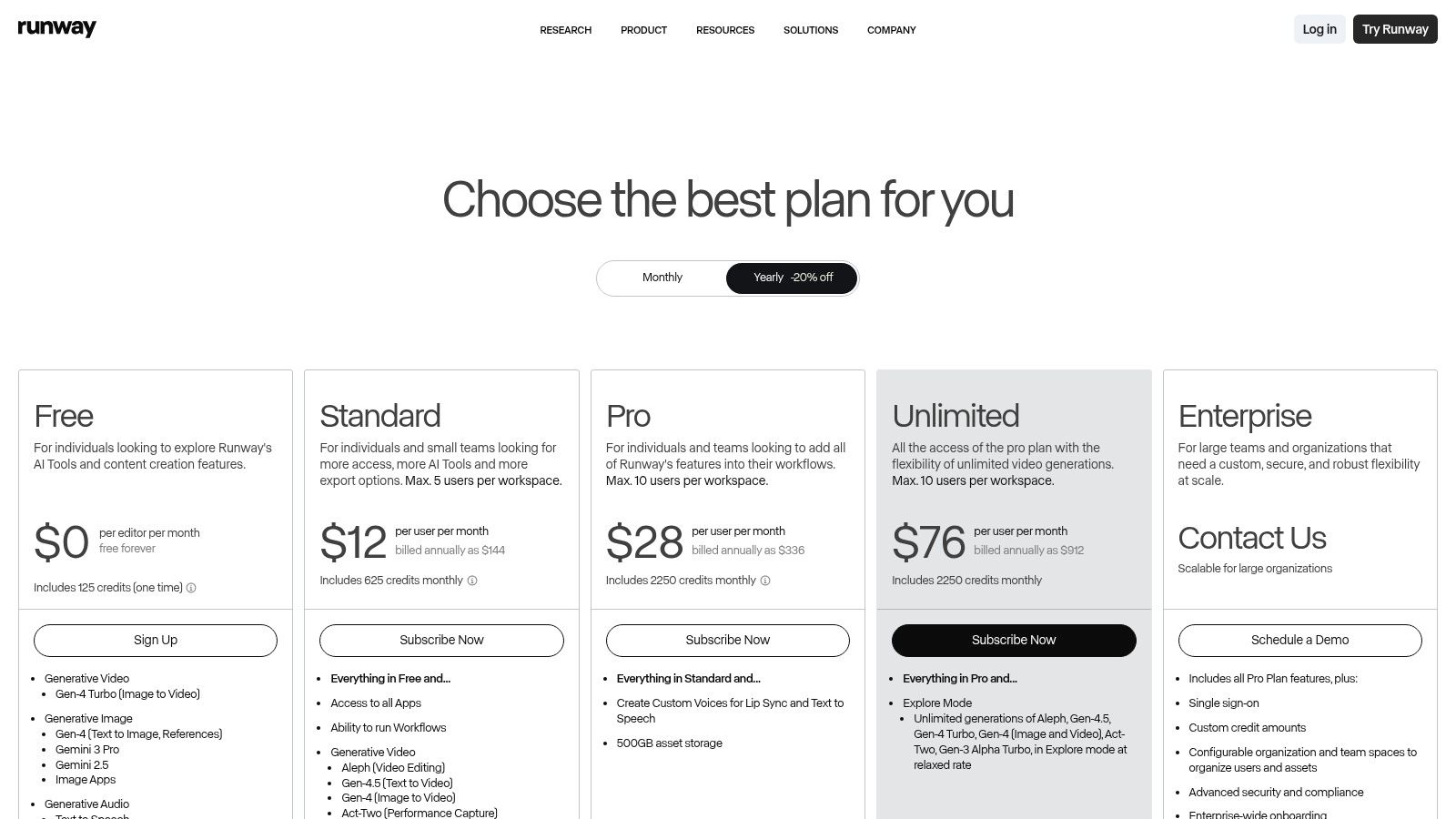
Pricing: Runway offers a free Basic plan with a starting allotment of credits. Paid plans start at $12 per user/month (billed annually) and provide a larger monthly credit allowance and access to more advanced features.
| Pros | Cons |
|---|---|
| State-of-the-art text-to-video generation quality. | High-resolution or longer generations can consume credits rapidly. |
| All-in-one browser-based platform for generation and editing. | Achieving specific, high-fidelity results requires prompt engineering experience. |
| Turbo models allow for fast, low-cost concept testing. | Generated motion can sometimes be unpredictable or surreal. |
Website: https://runwayml.com/↗
4. Luma AI (Dream Machine)
Luma AI's Dream Machine is a powerful text and image-to-video generator that stands out for its cinematic quality and accessibility. It specializes in creating short, high-fidelity video clips from simple prompts, making it a go-to for creators who need to produce visually striking B-roll, animated concepts, or dynamic social media content without complex software.
Dream Machine excels by focusing on fluid motion and realistic character generation, setting a high bar in the AI video space. Its engine, Ray3, is designed to understand complex prompts involving specific actions and camera movements. Users can generate initial drafts quickly and then opt to upscale their creations to 4K with HDR support on paid tiers, offering a level of polish that rivals more established tools. This makes it one of the most compelling ai tools for video creation for quick-turnaround projects.
Best For & Key Features
This platform is ideal for social media managers, concept artists, and solo creators who need to generate short, eye-catching video clips quickly and efficiently from text or image prompts.
- High-Fidelity Generation: Uses its Ray3 engine to create realistic and cinematic video clips from text and images.
- 4K Upscaling & HDR: Paid plans offer the ability to upscale videos to 4K resolution with HDR for professional-grade quality.
- Tiered Credit System: Offers a free tier for experimentation and various paid plans to scale usage based on project needs.
- Commercial Use Rights: Higher-tier plans provide the necessary licenses for using generated content in commercial projects.
Pro-Tip: For best results, craft your prompts with both a subject and a camera action. Instead of just "a dragon flying," try "cinematic shot of a majestic dragon soaring through storm clouds, slow-motion." This gives the AI clear direction for both content and style.
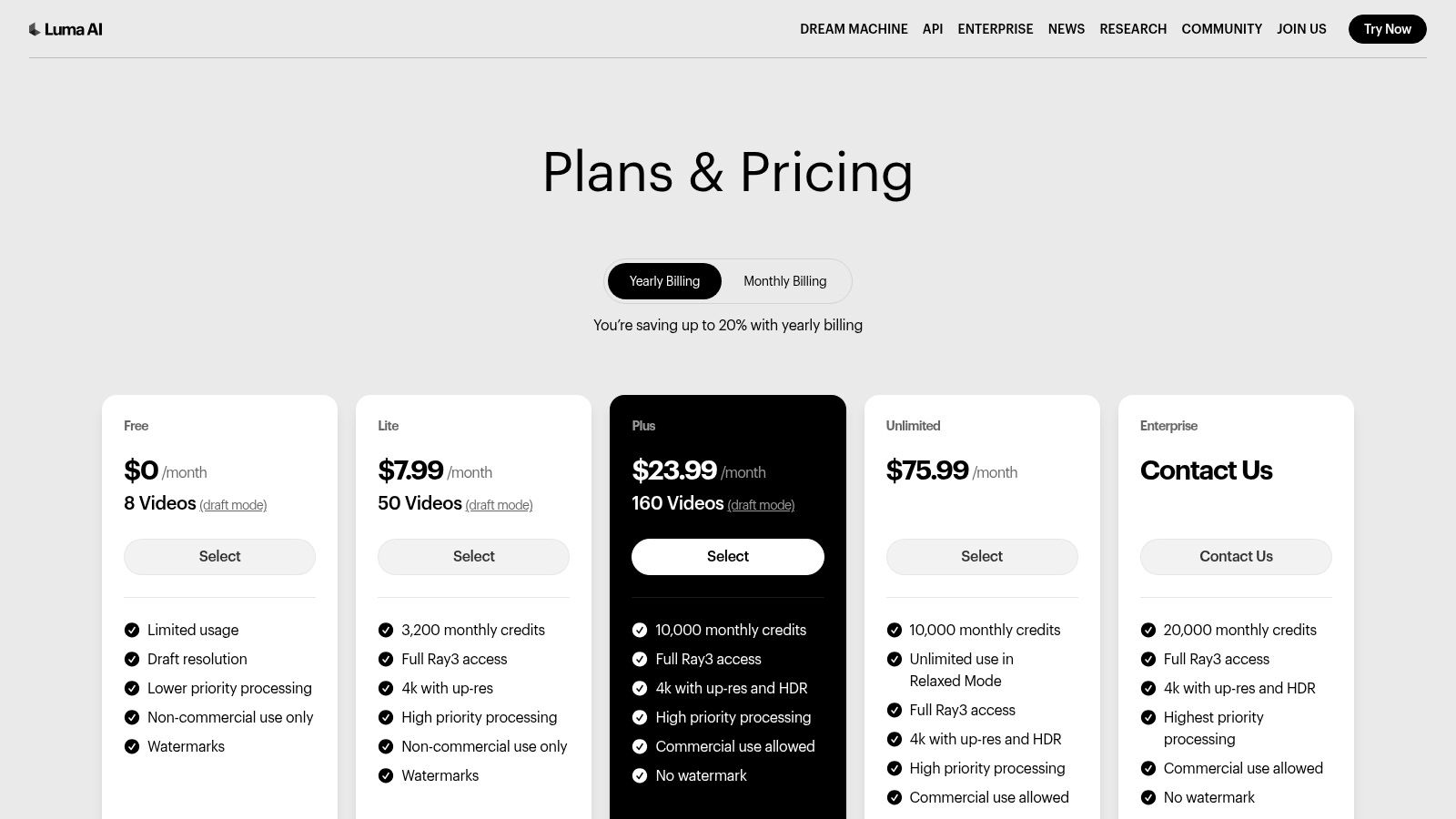
Pricing: Luma AI operates on a credit-based model. A free plan is available with limited generations. Paid plans like Lite, Plus, and Unlimited offer more credits, higher-priority generation, and commercial use rights, starting with tiered pricing.
| Pros | Cons |
|---|---|
| Accessible pricing structure allows users to test and scale usage. | Free and lower-tier plans come with watermarks and non-commercial terms. |
| Delivers high-quality outputs with HDR and 4K upscaling options. | Clip length is limited, making it unsuitable for longer-form video. |
| Intuitive interface makes it easy to start generating clips. | Credit consumption can be high, especially for high-res outputs. |
Website: https://lumalabs.ai/pricing↗
5. Synthesia
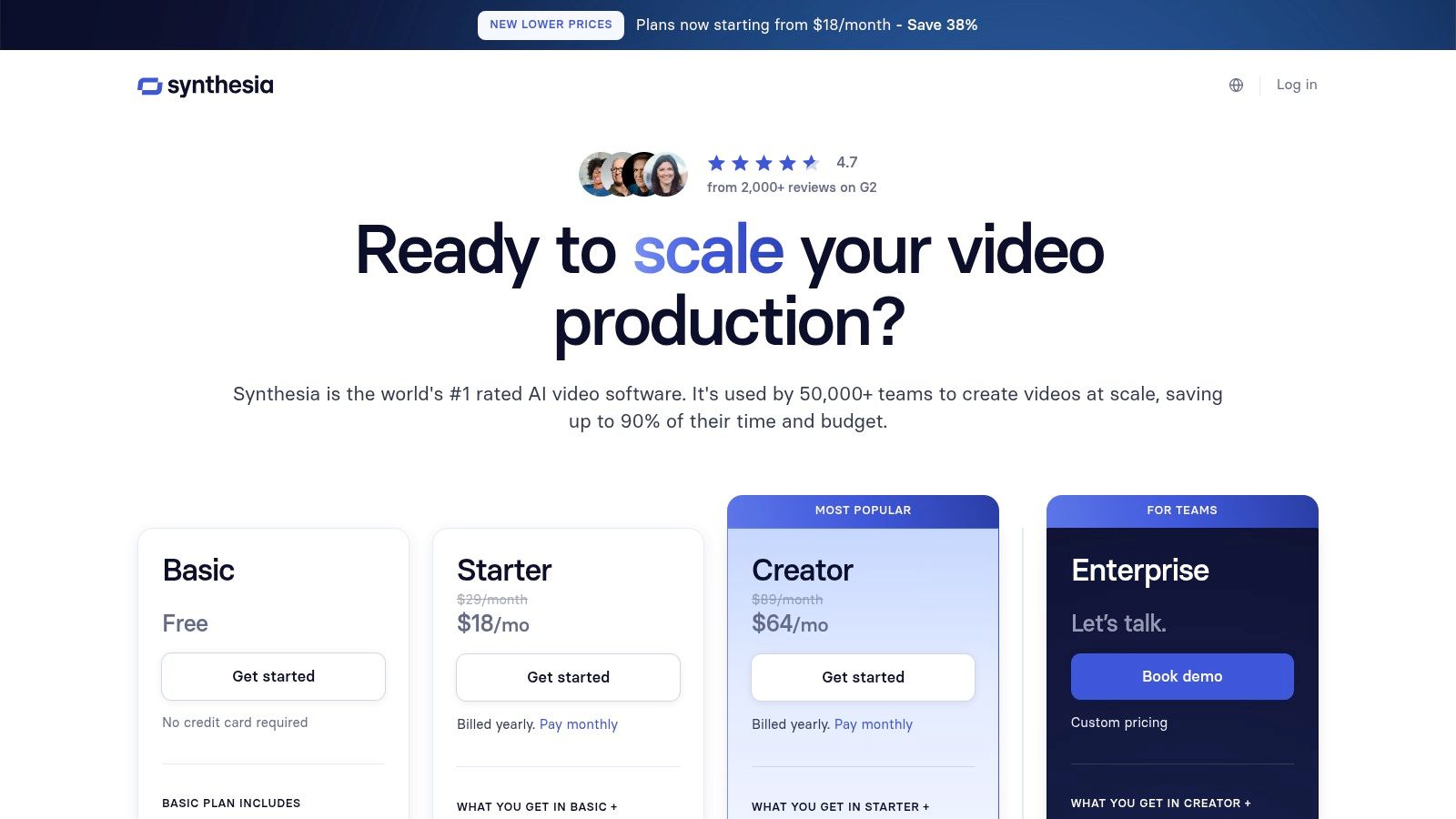
For businesses needing to create professional, scalable training and marketing videos, Synthesia stands out as a premier AI avatar platform. It eliminates the need for cameras, microphones, and actors by transforming simple text scripts into polished videos featuring photorealistic AI presenters. This makes it one of the most efficient AI tools for video creation when producing corporate communications or educational content at scale.
Synthesia's strength lies in its enterprise-ready features and incredible localization capabilities. You can choose from a massive library of stock avatars or create a custom digital twin of a real person for brand consistency. With support for over 140 languages and the option for voice cloning, you can produce and distribute consistent, high-quality training materials or marketing updates to a global audience in a fraction of the time and cost of traditional methods. For a deeper look at its capabilities, you can compare Synthesia with other AI platforms↗ to see how it fits into the broader market.
Best For & Key Features
This platform is best suited for corporate training departments, marketing teams, and educational institutions that need to produce high volumes of explainer or "talking-head" style videos consistently and securely.
- AI Avatars & Voices: Access 200+ stock avatars and 140+ languages, plus custom avatar and voice cloning options.
- Enterprise-Grade Security: Includes SSO, SCORM compliance, and advanced security features for corporate use.
- Scalable Production: An API allows for the programmatic creation of personalized videos at scale.
- Templates & Brand Kits: Maintain brand consistency with customizable templates and brand asset management.
Pro-Tip: For maximum impact in training videos, use the screen recording feature to capture software demonstrations, then add an AI avatar to narrate the steps. This combines a personal touch with clear, practical instruction.
Pricing: The Starter plan begins at $22/month (billed annually) for 10 minutes of video. The Creator plan is $67/month for 30 minutes. Enterprise plans offer custom pricing with extensive features and higher limits. The process of turning text into a full video is a core function, and you can learn more about how to convert your script to video↗ with these tools.
| Pros | Cons |
|---|---|
| Creates scalable talking-head content without filming or voice actors. | The default avatar style can feel corporate without customization. |
| Excellent localization with over 140 languages and voice cloning. | Credit and video minute limits on lower-tier plans can be restrictive. |
| Strong enterprise controls for security, branding, and collaboration. | Not designed for dynamic, action-oriented, or cinematic video styles. |
Website: https://www.synthesia.io/pricing↗
6. Descript
Descript revolutionizes the editing process by treating video and audio as text, making it one of the most intuitive ai tools for video creation available today. It's built on a simple yet powerful premise: if you can edit a text document, you can edit a video. This approach is a game-changer for creators focused on podcasts, interviews, and talking-head content, dramatically accelerating workflows from recording to final export.
The platform automatically transcribes your footage, allowing you to cut scenes, remove filler words like "um" and "uh" with a single click, and even generate a realistic clone of your own voice for quick corrections using its Overdub feature. Its Studio Sound tool magically enhances audio quality, removing background noise and echo to produce professional, studio-grade sound without the expensive microphone. For those needing a creative partner, the integrated AI co-editor can help generate scripts, summarize content, and suggest ideas.
Best For & Key Features
Descript is ideal for podcasters, YouTubers, course creators, and marketers who prioritize speed and efficiency for narrative-driven content. It excels at repurposing long-form interviews into compelling short-form clips.
- Text-Based Video Editing: Edit video by simply editing the corresponding text transcript.
- AI Voice & Audio Tools: Features voice cloning (Overdub), text-to-speech, and one-click Studio Sound for audio enhancement.
- Automated Filler Word Removal: Instantly find and delete all instances of "um," "uh," and other filler words.
- AI Co-Editor: Use AI to help with scripting, summarizing, and generating content ideas directly within the editor.
Pro-Tip: Record directly into Descript to get an instant transcript. After your session, use the "Remove filler words" feature first, then use the text-based editor to quickly assemble your primary story before adding any b-roll or visual elements.
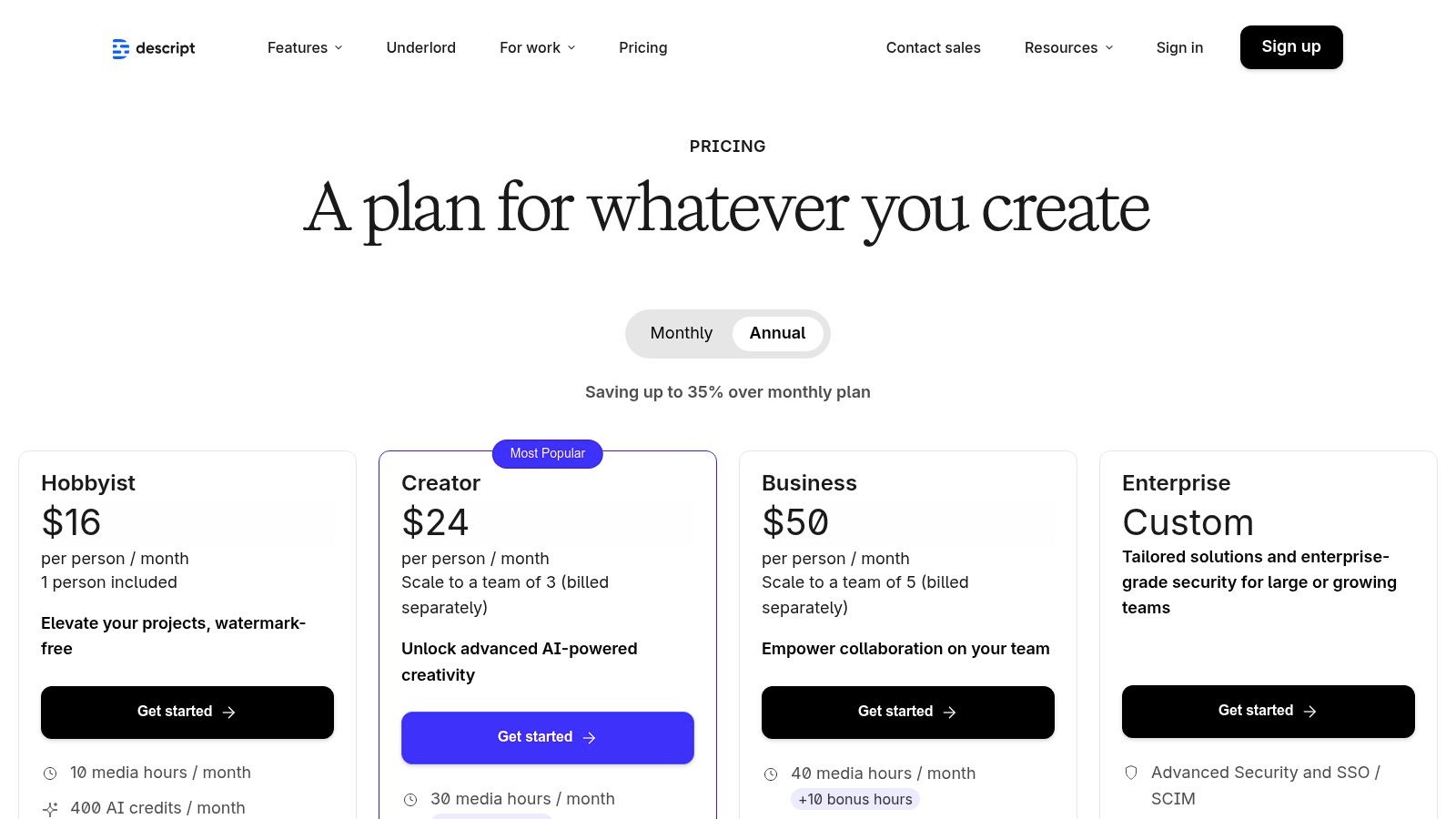
Pricing: Descript offers a free plan with limited transcription. Paid plans start with the Creator tier at $12/month (billed annually) and scale up to Pro and Enterprise tiers with more transcription hours, 4K exports, and advanced features.
| Pros | Cons |
|---|---|
| Extremely fast and intuitive workflow for script-led or interview content. | Cloud transcription and storage usage count against plan limits. |
| All-in-one platform for recording, editing, and publishing. | Better suited for narrative formats than for complex VFX or action. |
| Powerful AI audio features like Studio Sound and Overdub are industry-leading. | The non-traditional editing interface may take time to learn. |
Website: https://www.descript.com/pricing↗
7. VEED
VEED excels as a fast, browser-based video editor that places powerful AI tools directly into the hands of social media managers, small teams, and solo creators. It's designed for speed and efficiency, stripping away the complexity of traditional editors while integrating smart features that solve common content creation bottlenecks, like subtitling and repurposing.
VEED is fundamentally about making video editing accessible and collaborative. Its standout AI features focus on practical, time-saving tasks. You can automatically generate accurate subtitles with a single click, translate them into dozens of languages, and even use AI avatars to present your content. The platform's repurposing tools are a significant draw, allowing you to quickly reformat a single video for different social platforms, while team collaboration features and brand kits ensure consistency across all your output.
Best For & Key Features
This platform is ideal for social media teams, marketers, and entrepreneurs who need to produce a high volume of polished, branded video content quickly without a steep learning curve.
- AI Subtitles & Translation: Automatically generate and translate captions to maximize reach and accessibility.
- Team Collaboration: Features like team workspaces, shared assets, and a centralized Brand Kit streamline content creation for groups.
- All-in-One Toolkit: Includes a screen recorder, a vast stock library, and a wide array of templates for various use cases.
- AI Avatars & Voice: Create presenter-led videos without needing a camera or microphone, perfect for tutorials and corporate comms.
Pro-Tip: Use VEED's "Clean Audio" feature before generating subtitles. A clearer audio track results in a more accurate AI transcription, dramatically reducing the time you'll spend on manual corrections.
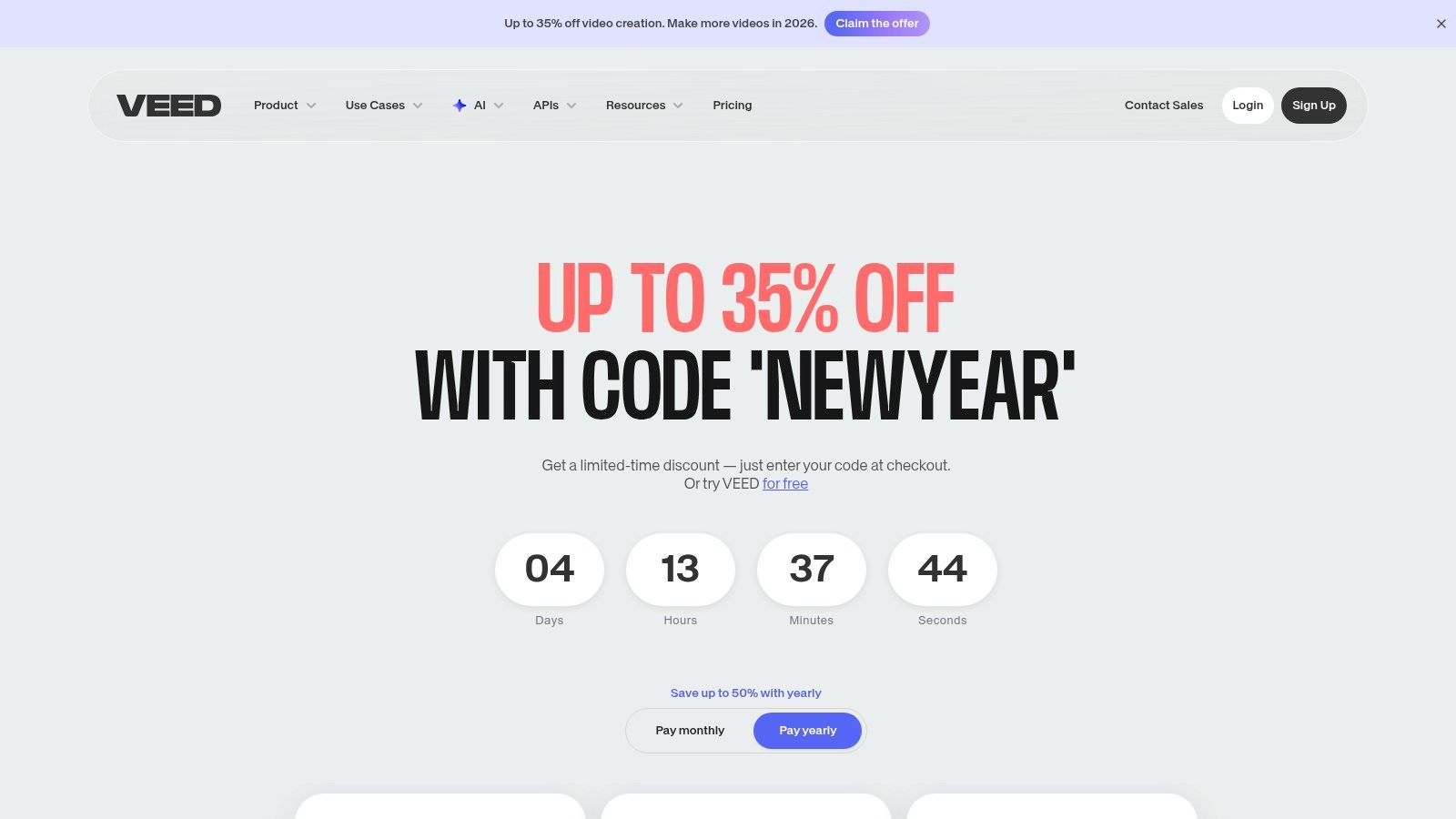
Pricing: VEED offers a free tier with watermarked exports. Paid plans with more advanced features and AI credits start at the "Basic" tier, with "Pro" and "Business" plans offering expanded capabilities and team features. Pricing details can vary by location.
| Pros | Cons |
|---|---|
| Extremely user-friendly interface perfect for quick social edits. | Limited advanced motion graphics or VFX capabilities. |
| Powerful collaboration and brand controls for small to mid-sized teams. | Pricing information can sometimes be gated within the application. |
| Robust AI-driven subtitling and translation tools save hours. | Performance can be browser and connection-dependent for large projects. |
Website: https://www.veed.io/pricing↗
8. InVideo AI
For marketers and social media creators who need to produce polished videos at scale, InVideo AI is a powerful prompt-to-video engine. It excels at transforming simple text ideas into compelling social media ads, promotional videos, and explainers in minutes, making it a go-to for rapid content deployment.
What sets InVideo apart is its deep integration of premium stock media and a user-friendly, template-driven workflow. You can give it a prompt, and it will not only script and generate a voiceover but also pull relevant, high-quality clips from iStock, Storyblocks, and Shutterstock directly into your timeline. This access to licensed assets, combined with AI avatars and voice cloning, makes it one of the most efficient AI tools for video creation when brand consistency and professional quality are paramount.
Best For & Key Features
This platform is ideal for marketing teams, entrepreneurs, and content agencies focused on creating high volumes of short-form ads and social videos without extensive editing.
- Premium Stock Integration: Directly access and use assets from iStock, Storyblocks, and Shutterstock within the editor.
- Prompt-to-Video Workflow: Generate complete videos from a single text prompt, including script, voice, and media.
- AI Avatars & Voice Cloning: Create custom digital presenters and clone your voice for consistent branding.
- Collaborative Tools: Invite team members to edit and comment on video projects in real-time.
Pro-Tip: Before generating, specify your target platform (e.g., "YouTube Short," "Instagram Reel") and desired tone in your prompt. The AI will tailor the script, pacing, and visual style to fit the platform's best practices, significantly improving engagement.
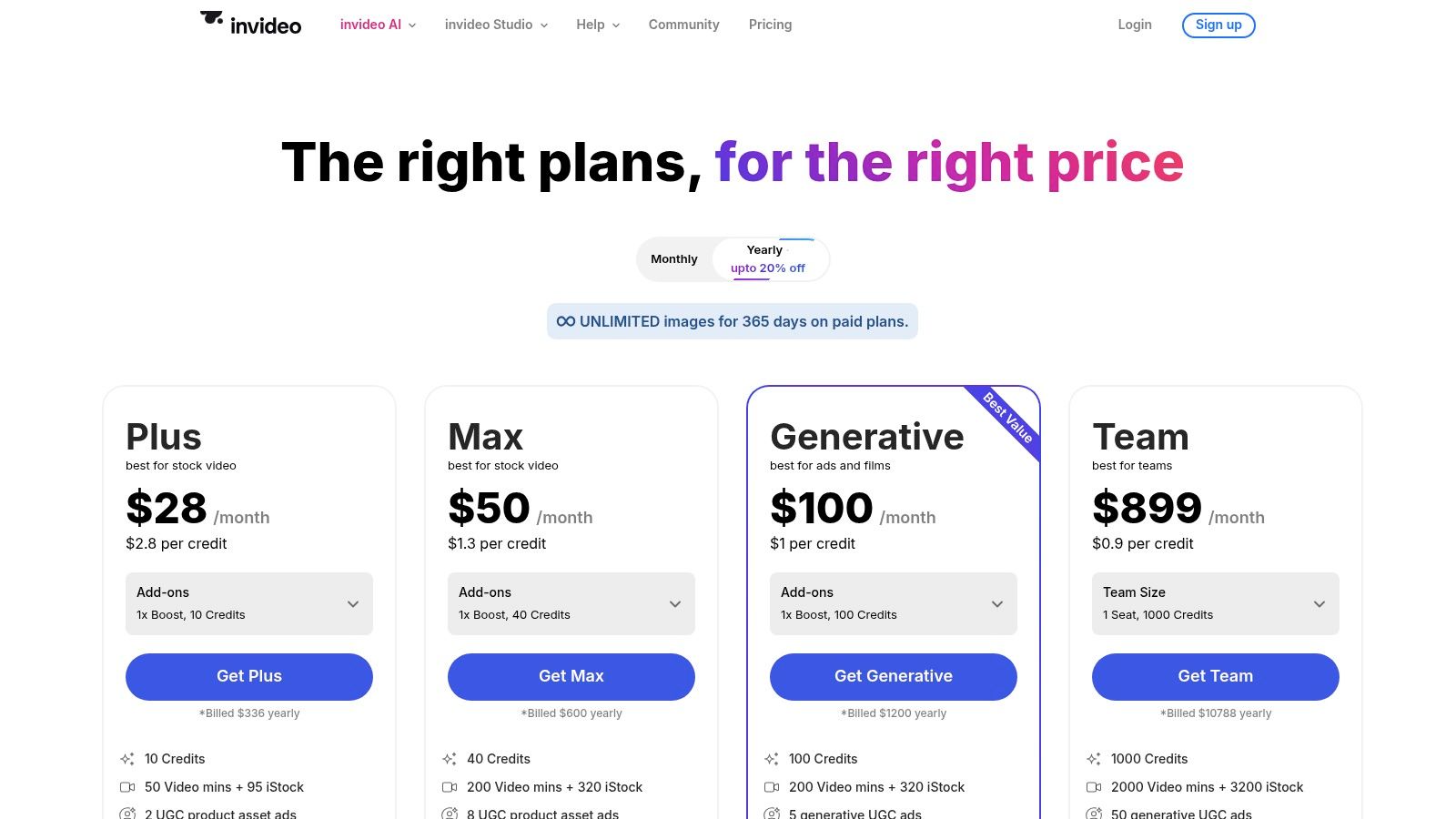
Pricing: InVideo operates on a credit-based system. The Plus plan starts at $20/month (billed annually) and includes 50 minutes of AI generation and 80 iStock assets per month. The Max plan offers more generous allowances for power users.
| Pros | Cons |
|---|---|
| Strong template and prompt-to-video workflow for ads and shorts. | Generative features and stock usage deplete credits; careful plan selection is key. |
| Bundled premium stock quotas from iStock and others speed up production. | AI-generated scenes can sometimes lack the nuance of a human editor. |
| Unlimited HD exports on all paid plans provide excellent value. | Pricing details for specific add-ons are sometimes found in the Help Center. |
Website: https://invideo.io/pricing↗
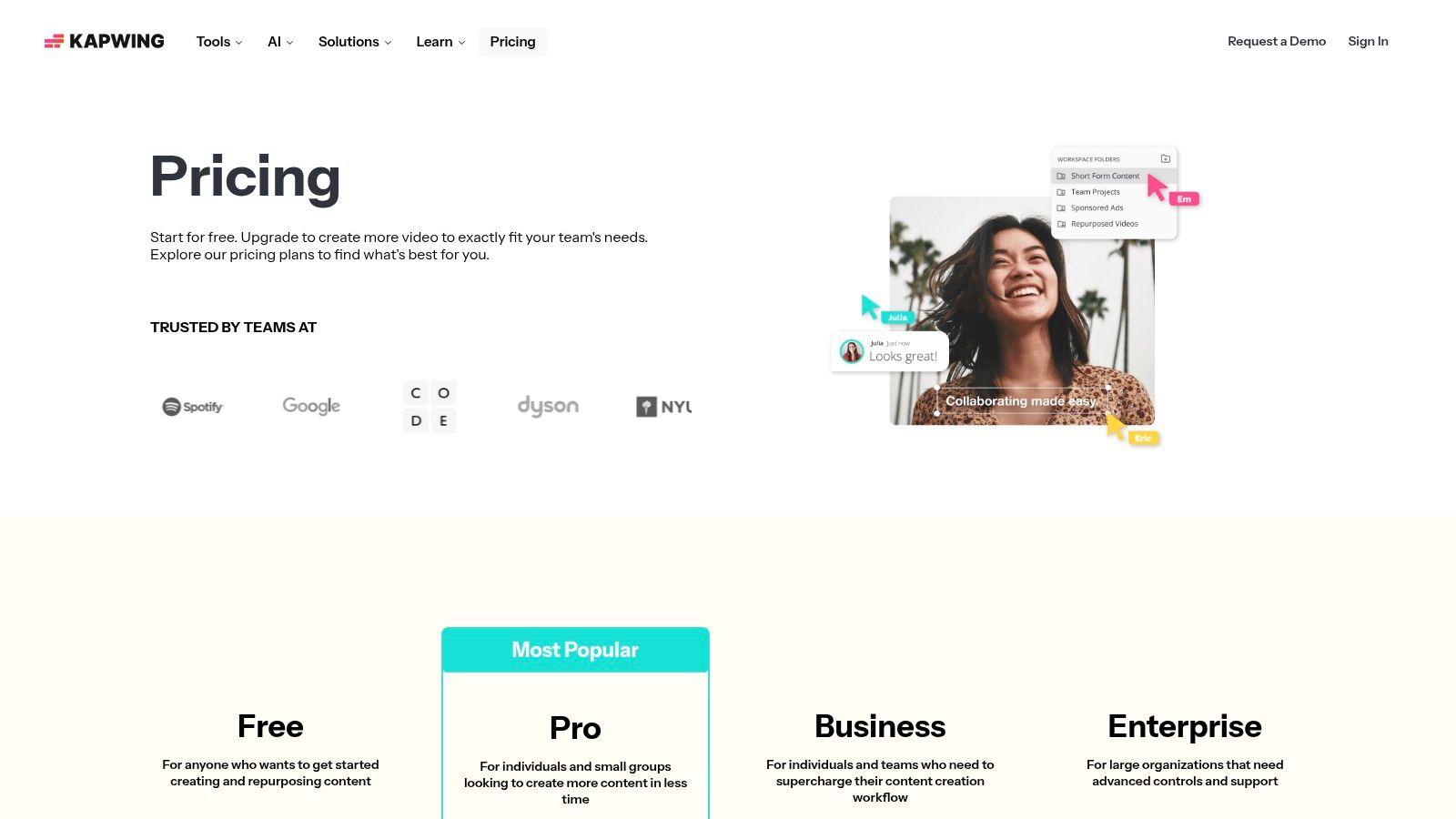
9. Kapwing
For creators and social media managers who need to produce high-quality, engaging short-form content at speed, Kapwing is a powerhouse browser-based editor. It expertly combines a user-friendly, layer-based timeline with a suite of practical AI tools designed specifically to streamline the creation of content for platforms like TikTok, Instagram Reels, and YouTube Shorts.
Kapwing's strength lies in its accessibility and focus on tasks that typically slow creators down. Instead of a steep learning curve, you get a clean workspace where you can instantly access AI-powered features. It offers AI Dubbing to translate your audio into other languages, automatic subtitle generation with near-perfect accuracy, and text-to-speech tools for voiceovers. Its cloud-based nature means no software installation is required, and your projects, complete with version history, are accessible from anywhere.
Best For & Key Features
This platform is best suited for social media managers, solo entrepreneurs, and content creators who prioritize speed and efficiency for short-form video production without needing complex, professional-grade software.
- Social-First AI Tools: Leverage one-click AI dubbing, auto-subtitling with translation, and text-to-speech.
- Credit-Based System: Pay only for what you use with a clear, per-tool credit accounting system that helps manage budgets.
- Cloud-Based Collaboration: Work from any browser with team workspaces, shared projects, and version history.
- Comprehensive Editor: Includes stock libraries, 4K exports (Pro plan), and essential editing tools in an intuitive interface.
Pro-Tip: Use the 'Repurpose' feature to instantly adapt one video for multiple platforms. Upload a horizontal YouTube video, and Kapwing’s AI will intelligently reframe the most important action into a vertical 9:16 format, complete with subtitles.
Pricing: Kapwing offers a free plan with watermarked exports limited to 4 minutes. The Pro plan starts at $16/month (billed annually) and includes more AI credits, 4K exports, and removes watermarks.
| Pros | Cons |
|---|---|
| Incredibly fast and intuitive for creating captioned reels and shorts. | Free plan exports have a watermark and strict length limits. |
| Detailed AI credit accounting provides transparency and helps manage usage. | Heavy reliance on AI features will require upgrading to higher-tier plans for sufficient credits. |
| Fully browser-based with collaborative workspaces, ideal for teams. | Not as feature-rich for complex, long-form editing as desktop software. |
Website: https://www.kapwing.com/pricing↗
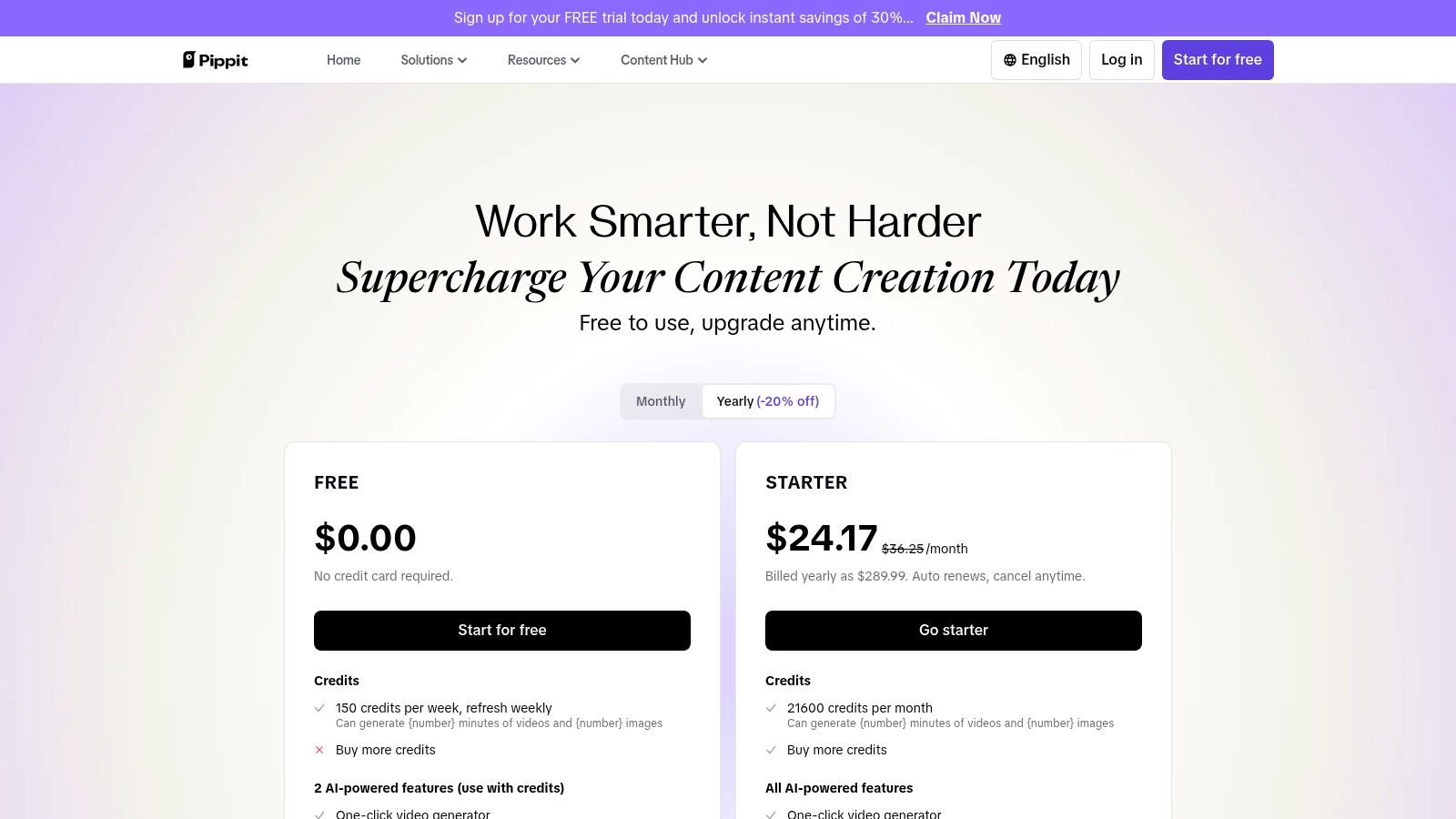
10. CapCut (Pippit AI workspace)
CapCut has become the go-to editor for the TikTok and Shorts generation, and its Pippit AI workspace elevates it from a simple mobile app to a powerful content production hub. It masterfully combines an intuitive, template-driven editing experience with advanced AI features designed for rapid, high-engagement video creation. This makes it a formidable tool for creators focused on speed and social media impact.
The platform excels at automating the most time-consuming parts of short-form video production. With a single click, you can apply trending AI templates, generate perfectly synced auto-captions, or even create AI avatars. The Pippit AI workspace extends this functionality by offering scheduling and multi-platform publishing, allowing you to manage your entire content pipeline from creation to distribution within one ecosystem.
Best For & Key Features
This platform is best for social media managers, solo entrepreneurs, and TikTok/Shorts creators who need to produce a high volume of trending content quickly and efficiently.
- AI-Powered Templates & Captions: Instantly apply popular effects and generate accurate, stylized captions.
- Pippit AI Workspace: Schedule and post content directly to multiple social platforms like TikTok and YouTube.
- Avatar & Dubbing Tools: Generate AI avatars and use AI-powered lip-sync for dubbing content into other languages.
- Cross-Platform Sync: Start a project on your phone and finish it on your desktop with seamless cloud storage.
Pro-Tip: Leverage the "Auto Reframe" feature when repurposing content. It intelligently adjusts your video's aspect ratio for different platforms, keeping the main subject in focus without manual keyframing.
Pricing: CapCut offers a robust free version. The Pro plan, which unlocks premium features and assets, starts around $7.99/month, with pricing varying by region and platform (web vs. mobile app stores). AI features often use a credit system.
| Pros | Cons |
|---|---|
| Ubiquitous among short-form creators with strong templates and effects. | Pricing and availability can vary significantly by platform and region. |
| All-in-one workspace with scheduling and analytics supports consistent posting. | Users report subscription management frustrations across platforms. |
| Excellent auto-captioning and AI features are optimized for social media trends. | The interface can feel more geared towards mobile-first editing. |
Website: https://pippit.capcut.com/pricing↗
11. Microsoft Clipchamp
For creators seeking an accessible, browser-based editor that packs a surprising punch, Microsoft Clipchamp is a standout choice. It cleverly integrates user-friendly editing with helpful AI features, making it an excellent starting point for everyday video projects, from social media stories to family montages, without the intimidating complexity of professional software.
Clipchamp’s strength lies in its simplicity and its integration within the Microsoft ecosystem. Its AI auto-compose feature can analyze your media and suggest edits, music, and transitions, assembling a video draft in seconds. It also offers auto-captions and a text-to-speech generator, streamlining common tasks for social media content creation. For those already subscribed to Microsoft 365, Clipchamp unlocks its full potential, offering premium stock assets, brand kit management, and 4K exports.

Best For & Key Features
This platform is best suited for beginners, students, families, and small business owners who need a reliable and straightforward tool for creating clean, professional-looking videos for social media and presentations.
- AI Auto-Compose: Let AI automatically assemble your clips, images, and audio into a cohesive first draft.
- Microsoft 365 Integration: Unlock premium stock libraries, 4K export, and content backup with a Personal or Family subscription.
- Essential AI Tools: Includes auto-captions, text-to-speech with various voice styles, and speaker coach functionality.
- Cross-Device Workflow: Seamlessly integrates with OneDrive, allowing you to start a project on one device and finish it on another.
Pro-Tip: Use the auto-compose feature as a "creative assistant." Upload all your raw clips and let it generate a baseline edit. From there, you can easily tweak the AI's suggestions, reorder clips on the timeline, and add your personal touch, drastically cutting down your initial setup time.
Pricing: A robust free version is available with 1080p exports. The premium features are unlocked with the paid plan at $11.99/month or bundled at no extra cost with a Microsoft 365 Personal or Family subscription.
| Pros | Cons |
|---|---|
| Excellent value if you already subscribe to Microsoft 365. | Fewer advanced generative-video features than specialist AI apps. |
| Incredibly easy-to-use interface perfect for beginners. | The free version has limitations on premium stock and brand kits. |
| Solid performance as a browser-based editor with 4K export option. | AI features are more assistive than truly generative. |
Website: https://clipchamp.com/en/pricing/↗
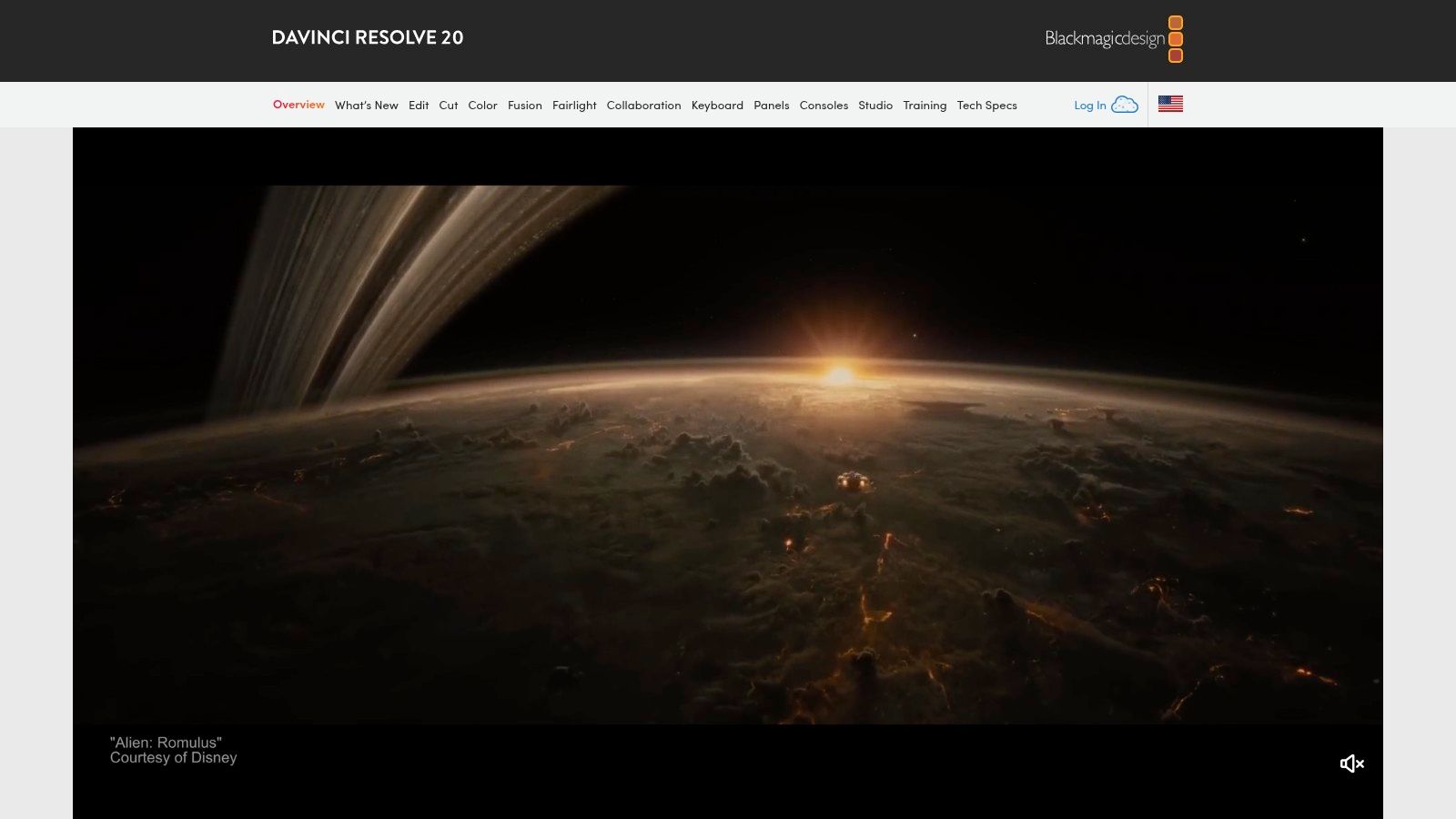
12. DaVinci Resolve Studio (Blackmagic Design)
For creators seeking Hollywood-grade power without a recurring subscription, DaVinci Resolve Studio stands as a formidable all-in-one post-production suite. Famous for its unparalleled color grading tools, Resolve integrates professional editing, visual effects, and audio post-production into a single application, supercharged by its proprietary DaVinci Neural Engine.
This isn't just another editor; it's a complete finishing tool. The Neural Engine brings sophisticated AI capabilities to complex tasks, automating processes that once required painstaking manual effort. Features like Magic Mask allow you to create intricate masks around people or objects with a simple stroke, while Smart Reframe automatically adjusts framing for different aspect ratios. The AI-based voice isolation can clean up dialogue in noisy environments, making it one of the most powerful and cost-effective AI tools for video creation available today.
Best For & Key Features
This platform is ideal for indie filmmakers, professional colorists, and serious content creators who want a complete, professional toolset with a one-time purchase, avoiding monthly fees. Its comprehensive nature makes it suitable for both long-form features and high-quality short-form content.
- DaVinci Neural Engine: AI-powered features like Magic Mask for object isolation, Smart Reframe for social media, and powerful voice isolation.
- All-in-One Workflow: Seamlessly switch between editing, world-class color grading, Fusion VFX, and Fairlight audio post-production.
- Professional Toolset: Access industry-leading tools for color correction, sound design, and visual effects within a single interface.
- One-Time Purchase: The Studio version unlocks all advanced features for a single, perpetual license, with a highly capable free version available.
Pro-Tip: Use the Magic Mask feature in the Color page to quickly isolate subjects. You can then apply targeted color grades, blurs, or effects to either the subject or the background, achieving a professional look in seconds.
Pricing: DaVinci Resolve offers a surprisingly robust free version. The full DaVinci Resolve Studio, which unlocks the Neural Engine and other advanced features, is available for a one-time fee of $295.
| Pros | Cons |
|---|---|
| Unbeatable value with a one-time purchase for a perpetual license. | Steep learning curve for those new to professional workflows. |
| Industry-leading color grading and professional Fairlight audio tools. | Requires a powerful computer for smooth real-time performance. |
| The DaVinci Neural Engine offers powerful, integrated AI features. | The interface can be intimidating for beginners exploring video editing software. |
Website: https://www.blackmagicdesign.com/products/davinciresolve/↗
Top 12 AI Video Tools — Feature Comparison
| Product | Core features | Quality & Experience (★) | Price & value (💰) | Target audience (👥) | Unique strengths (✨) |
|---|---|---|---|---|---|
| DailyShorts 🏆 | AI script → 4K vertical visuals → lifelike voiceover → smart edit + Auto Pilot posting | ★★★★☆ — fast, platform‑optimized | 💰 Free get‑started; paid for advanced tiers | 👥 TikTok/Shorts creators, solopreneurs, SM managers, agencies | ✨ Image→video animation, style presets (Disney/3D/sci‑fi), 24/7 Auto Pilot |
| Adobe Premiere Pro | Pro timeline, Firefly AI tools, captions, VFX integration | ★★★★★ — industry standard, steeper learning curve | 💰 Subscription (Creative Cloud) — higher cost | 👥 Professional editors, studios, agencies | ✨ Deep CC integration, advanced color/VFX, collaboration (Frame.io) |
| Runway | Text/image→video gen (Gen‑4/3), editor, asset storage, credits | ★★★★ — cutting‑edge generative quality | 💰 Credit‑based; free tier for exploration | 👥 Creators prototyping generative video, studios experimenting | ✨ State‑of‑the‑art text→video models, rapid Turbo iterations |
| Luma AI (Dream Machine) | Ray3 text/image→video, 4K upscaling, HDR, tiered credits | ★★★★ — high‑quality HDR outputs | 💰 Tiered credits (Free → Plus/Unlimited) — paid up‑res options | 👥 Short‑clip creators needing quality upscales | ✨ 4K/HDR upscaling, priority queues, commercial tiers |
| Synthesia | AI avatars, lip‑sync, 140+ languages, API & enterprise | ★★★★ — polished talking‑head output | 💰 Subscription / credit caps; enterprise pricing | 👥 Training, marketing teams, enterprises | ✨ Large avatar library, voice cloning, SSO/brand controls |
| Descript | Text‑based edit, Overdub voice cloning, Studio Sound | ★★★★ — super fast for talking‑head/podcast workflows | 💰 Freemium → paid plans; transcription/cloud limits | 👥 Podcasters, interviewers, creators repurposing long form | ✨ Edit by text, overdub TTS, AI co‑editor, audio cleanup |
| VEED | Browser editor, auto‑subtitles/translate, team workspaces | ★★★★ — simple UI for quick social edits | 💰 Freemium → team/enterprise plans | 👥 Small teams, social marketers | ✨ Collaboration, brand kits, integrated templates |
| InVideo AI | Template + prompt workflows, premium stock bundles | ★★★★ — marketing‑focused, template speed | 💰 Credit plans with bundled stock quotas | 👥 Marketers, ad creators, social teams | ✨ Integrated iStock/Storyblocks/Shutterstock quotas |
| Kapwing | AI dubbing, auto‑subtitles, cloud projects, credits | ★★★★ — fast repurposing for social | 💰 Freemium; credit accounting for AI tools | 👥 Rapid social creators, small teams | ✨ Clear credit tracking, cloud version history, team workspaces |
| CapCut (Pippit) | AI templates, auto‑captions, lip‑sync, scheduling/posting | ★★★★ — creator‑friendly, mobile + web | 💰 Mostly free; in‑app/region differences | 👥 TikTok/Shorts creators, influencers | ✨ Ubiquitous templates, Pippit scheduling and analytics |
| Microsoft Clipchamp | Simple editor, AI helpers, OneDrive, MS365 bundling | ★★★★ — beginner friendly, reliable | 💰 Freemium; best value with Microsoft 365 | 👥 Casual creators, MS365 users, educators | ✨ OneDrive integration, 4K with MS365, easy templates |
| DaVinci Resolve Studio | Edit/color/VFX/Fairlight audio, Neural Engine AI | ★★★★★ — professional grading & audio | 💰 Free tier; Studio one‑time purchase ($295) | 👥 Colorists, post houses, professional editors | ✨ Hollywood‑level grading, Magic Mask, smart reframe, one‑time license |
The Future of Video Creation is Here: Your Next Move
The landscape of video creation has fundamentally shifted. No longer is high-quality, engaging video content the exclusive domain of large studios or creators with years of technical editing experience. As we've explored, the rise of powerful, accessible AI tools for video creation has democratized the entire process, from ideation and scripting to final edits and voiceovers.
We've journeyed through a comprehensive suite of tools, each with its unique strengths. We've seen how platforms like Runway and Luma AI are pushing the boundaries of what's possible with generative video, turning simple text prompts into cinematic visuals. We’ve examined how Descript and VEED are revolutionizing the editing workflow, making it as intuitive as editing a text document. For professionals, established giants like Adobe Premiere Pro and DaVinci Resolve are seamlessly integrating AI-powered features, supercharging existing workflows rather than replacing them.
The key takeaway is no longer if you should use AI in your video strategy, but how and which tools you should integrate to achieve your specific goals. The barrier to entry has been obliterated, and the primary currency is now creativity and strategic thinking, not technical prowess or budget.
Choosing Your AI Co-Pilot: A Final Guide
Selecting the right tool from this extensive list can feel daunting, but it boils down to a clear assessment of your needs. Before you commit to a subscription, ask yourself these critical questions:
- What is my primary use case? Are you churning out daily short-form content for TikTok and Shorts? Or are you creating long-form educational videos for YouTube? Your core objective is the single most important factor. A tool optimized for rapid-fire shorts will have a different feature set than one designed for detailed, long-form narratives.
- What is my current skill level? Be honest about your technical comfort. If you're a beginner, user-friendly, template-driven platforms like InVideo AI or Kapwing are excellent starting points. If you're a seasoned editor, look for AI features within professional-grade software like Premiere Pro that can augment, not disrupt, your established workflow.
- What is my budget and time commitment? Evaluate the pricing models carefully. Some tools offer generous free tiers perfect for experimentation, while others require a significant monthly investment for full access. More importantly, consider the time you're willing to invest in learning a new platform. A simpler tool might get you 80% of the way there in a fraction of the time.
Ultimately, the best approach is to embrace experimentation. Nearly every tool on this list offers a free trial or a free-forever plan. Dedicate some time to test your top two or three contenders with a real project. This hands-on experience is invaluable and will reveal which platform's workflow and features truly resonate with you and your creative process.
The Human Element in an AI World
As we close, it's crucial to remember that these are tools, not replacements for creativity. The most successful creators will be those who learn to collaborate with AI, using it as a tireless assistant, a source of inspiration, and a powerful efficiency engine. Your unique voice, storytelling ability, and strategic vision are what will ultimately connect with your audience. AI is simply the new, incredibly powerful paintbrush you can use to bring that vision to life faster and more vividly than ever before.
The era of AI-powered video is not on the horizon; it is here. By embracing these innovative AI tools for video creation, you are positioning yourself at the forefront of the creator economy. You are equipping yourself to produce more content, experiment with new formats, and engage your audience on a whole new level. The future is waiting-start creating.
If your primary goal is to dominate the short-form video space with speed and consistency, we highly recommend starting your journey with DailyShorts. It is purpose-built to transform your ideas into engaging, viral-ready shorts in minutes, perfectly embodying the power and efficiency of modern AI tools for video creation. Explore how it can revolutionize your content strategy and start creating today at DailyShorts↗.
Ready to create viral videos?
Start creating viral TikTok and YouTube Shorts with DailyShorts AI today.