Script To Video A Guide To Creating Viral Shorts With AI
DailyShorts AI
Let's be honest, turning a written script into a professional-looking video used to be a massive headache. The time, the cost, the complexity... it was a barrier for most of us. But that's changing, and fast. Now, you can take your words and let AI spin them into slick, engaging short-form videos in just a few minutes.
This isn't about slapping text over a stock photo. We're talking about a fully automated workflow that handles everything—visuals, voiceovers, editing, the works—and gets your content ready for TikTok, YouTube Shorts, or anywhere else you need to be.
Video Creation Has Fundamentally Changed
If you're still thinking video production means hiring a team, renting expensive gear, and blocking out weeks for editing, it's time for a major mindset shift. We've entered a new chapter where a simple script is all you need to get started. This isn't just an incremental improvement; it's a complete overhaul powered by AI that makes professional-grade video accessible to absolutely everyone.
The appetite for short-form content on platforms like TikTok, YouTube Shorts, and Instagram Reels is absolutely off the charts. In a world where attention spans are measured in seconds, being able to consistently churn out high-quality videos isn't just a nice-to-have. It’s a core requirement for staying relevant and growing your audience.
A Completely New Way to Work
This evolution is more than just new software; it's a completely different way to approach content creation. Finally, individual entrepreneurs, small marketing teams, and growing agencies can go toe-to-toe with big brands without needing a Hollywood-sized budget. A quick idea or even an old blog post can be reborn as a visually stunning story, brought to life with a surprisingly human-sounding AI voice.
The market numbers back this up in a big way. The global AI video generator market was valued at USD 534.4 million and is on a rocket ship trajectory to hit a staggering USD 2,562.9 million by 2032. This isn’t a fleeting trend; it’s a clear signal that automated script-to-video tools are becoming central to modern content strategy.
The real game-changer here is the incredible speed and scale. A video that would have taken a small team a full week to create can now be done by one person before they’ve even finished their morning coffee.
This newfound efficiency frees you up to focus on what actually matters: your message and your story. You get to be the creative director, while tools like the DailyShorts AI video generator↗ do all the heavy lifting, from initial script to the final polished video. It's the key to maintaining a consistent, high-impact presence online.
How To Optimize Your Script For AI Video Generation
So, you have a script and you're ready to let AI turn it into a video. It's tempting to just copy and paste it into a tool and see what happens, but if you want something that actually looks good and keeps people watching, there's a bit more to it. The secret is that the quality of your final video is almost entirely dependent on the quality of your script.
To get the best results, you need to stop thinking like a writer and start thinking like a director. You’re not just providing words; you're giving the AI a blueprint with clear, intentional instructions baked right into the text. This is how you guide the machine to create something truly compelling.
Write For The Ear, Not The Eye
First things first: you have to write for how it sounds. Long, complex sentences that look great on paper often sound clunky and unnatural when read by an AI voice. The goal is to sound human, so write conversationally.
Keep your sentences short. Punchy. Direct.
A great way to test this is to read your script out loud. Seriously. If you find yourself stumbling over a phrase or running out of breath, the AI voice will struggle, too. Cut out the jargon, simplify your language, and don't be afraid to use contractions like "you're" or "it's" to make it feel more natural and relatable.
My Go-To Trick: I always pretend I'm explaining the topic to a friend over coffee. This simple mental shift forces me into a natural cadence and word choice, which is the key to making an AI voiceover sound less like a robot and more like a real person.
This simple flowchart breaks down how a well-prepped script becomes the foundation for the entire automated video creation process.
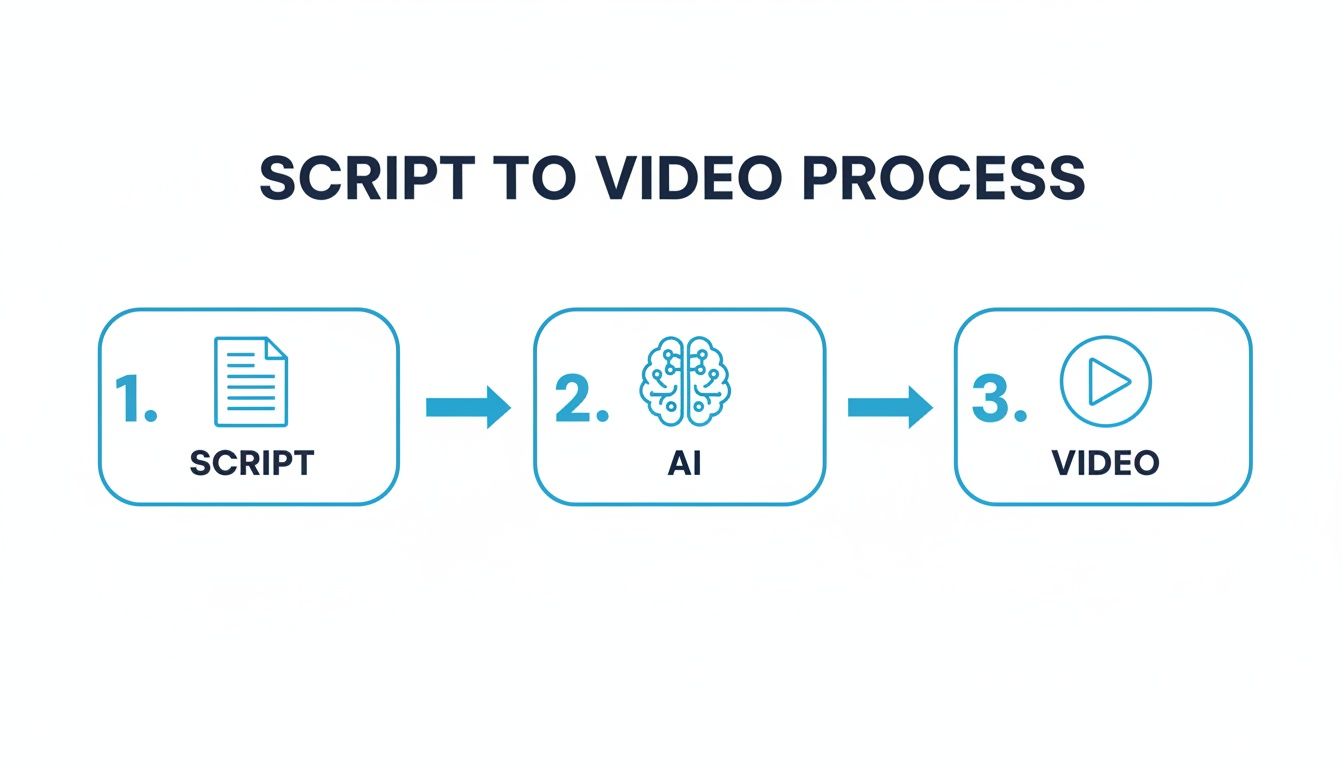
As you can see, everything starts with the script. Get that right, and the rest of the process flows smoothly.
When you're adapting your writing for AI, it helps to see the difference between a traditional approach and one that’s built for these new tools.
| Element | Traditional Script Approach | AI-Optimized Script Approach |
|---|---|---|
| Pacing | Long paragraphs, complex sentences for detailed reading. | Short, punchy sentences (10-15 words) for audio clarity and easy syncing. |
| Language | Formal, literary language; avoids contractions. | Conversational tone; uses contractions and simple words. |
| Visuals | Visuals are described separately in shot lists or storyboards. | Visual cues are embedded directly into the script for each scene. |
| Structure | Linear narrative flow, often with a single block of text. | Broken into distinct, bite-sized scenes (1-2 sentences each). |
Ultimately, the AI-optimized script is a more practical, instructional document that guides the technology at every step, whereas a traditional script is more of an artistic blueprint for a human team.
Break Your Script Into Visual Scenes
AI video generators don't see a wall of text; they think in scenes. If you feed them a giant paragraph, the AI gets confused and can't figure out where one visual idea ends and the next begins.
To fix this, you have to manually break down your script into distinct visual moments. A good rule of thumb is to treat every sentence or short group of sentences as its own unique shot in your video.
The easiest way I've found to do this is with simple bracketed tags.
- Code Snippet
[SCENE START] - Code Snippet
[SCENE END]
By wrapping a sentence in these tags, you're telling the AI, "Hey, everything inside here is one single visual." This gives you incredible control over the video's pacing, ensuring the visuals change quickly enough to keep viewers hooked—something the algorithms on TikTok and Instagram Reels absolutely love.
Here’s a quick example of what that looks like in practice:
The world's forests are shrinking at an alarming rate, losing 10 million hectares every year.Code Snippet[SCENE START]
Code Snippet[SCENE END]
This directly impacts everything from our climate to global biodiversity.Code Snippet[SCENE START]
Code Snippet[SCENE END]
Embed Visual Cues And Style Prompts
This is where you really get to be the director. Instead of hoping the AI guesses what you want, you can embed specific visual prompts right inside your scene tags. The more detail you provide, the closer the final result will be to what's in your head.
Think about the difference between these two prompts:
- Vague: Code Snippet
[SCENE START] A scientist in a lab. [SCENE END] - Specific: Code Snippet
[SCENE START] Cinematic shot of a female scientist in a modern, brightly-lit laboratory, looking intently at a glowing blue beaker, 3D render style. [SCENE END]
See the difference? The second example is a command, not a suggestion. It specifies the subject, the setting, the action, the shot type, and the artistic style. This level of detail is what separates a generic, forgettable AI video from something that looks polished and professional.
Don't hold back here. Get specific with styles like "Disney/Pixar style," "photorealistic," or "cyberpunk aesthetic" to make sure the visuals perfectly match your creative vision.
Bringing Your Vision to Life with AI Visuals and Voice
Okay, you've got your AI-optimized script. Now for the fun part: turning those words into a video that actually looks and sounds good. This is where you shift from writer to director, telling the AI exactly what to create.
Your main tool for this is the text prompt. Think of it as your direct line to the AI's creative brain. A good prompt is the difference between a generic, forgettable image and a scene that grabs your viewer and tells your story perfectly.
Crafting Visual Prompts That Actually Work
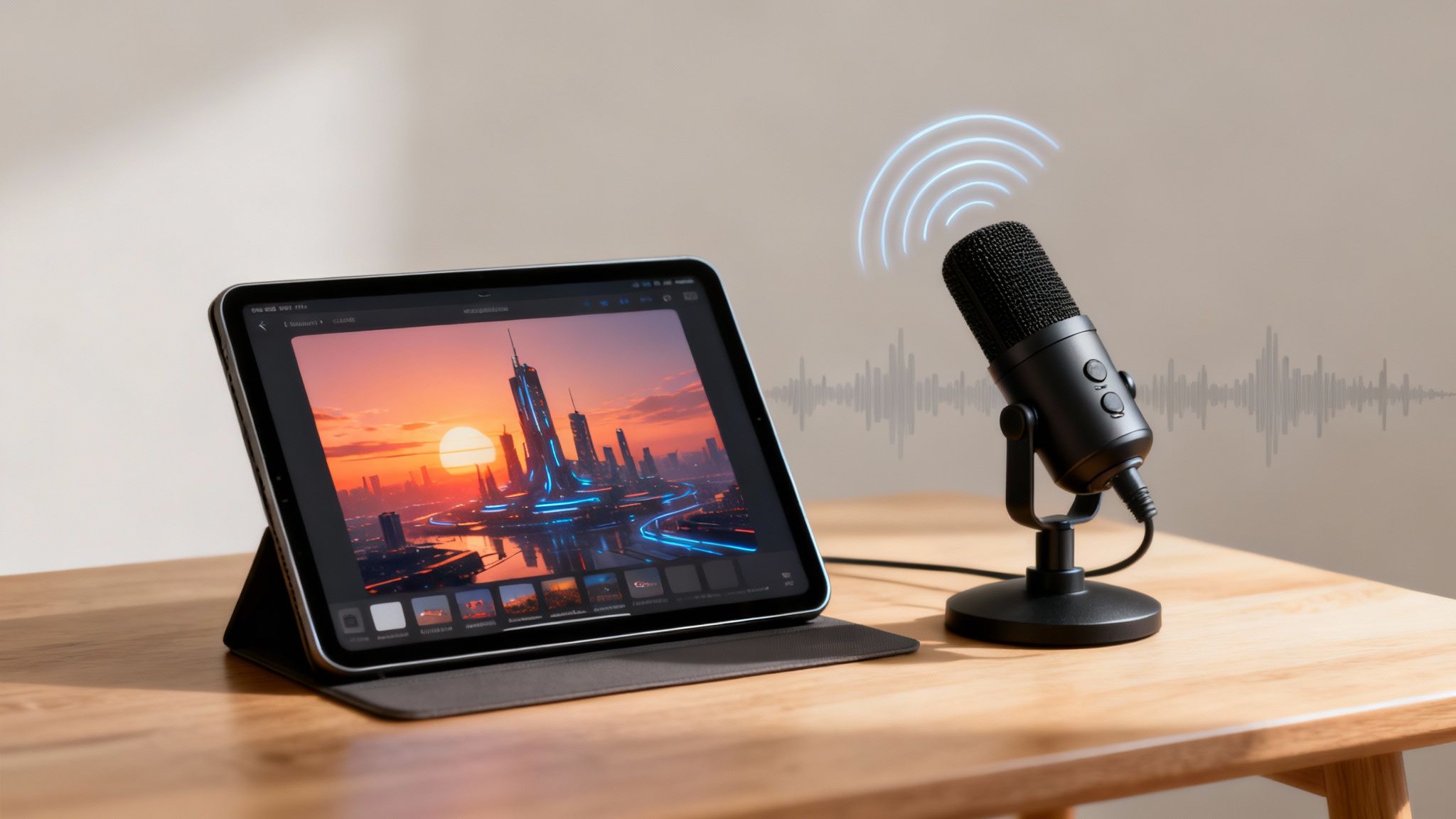
Vague prompts get vague results. Specificity is your best friend here. Don't just ask for a "futuristic city"—that could be anything. You need to paint a detailed picture for the AI, describing the lighting, mood, style, and even the camera angle.
Here are a few examples to show you what I mean:
- For a tech vibe: "3D render of a futuristic city at sunset, glowing neon signs on towering skyscrapers, flying vehicles, cinematic lighting."
- For a storybook feel: "Disney/Pixar style character, a young girl with large curious eyes, looking up at a magical, glowing tree in an enchanted forest."
- For a dramatic shot: "Photorealistic close-up shot of a single raindrop hitting a leaf, macro photography, hyper-detailed."
This level of detail is what gets the AI to generate visuals that perfectly match the tone you're going for, making the final video feel polished and intentional. If you want to dive deeper, we've covered more on how to create AI video that captivates and converts↗.
Animate Your Scenes to Keep People Watching
One of the best features in modern script-to-video tools is the ability to add motion to static images. A still image is an invitation for someone to scroll away, but even subtle movement—a slow zoom, a gentle pan, or a floating effect—can make a huge difference in engagement. This isn't just about making things look cool; it's a strategic move to keep people watching, which the platform algorithms absolutely love.
This is a game-changer for social media managers and educators. AI's image-to-video animation and built-in style presets are designed to keep viewers hooked, which is critical for fighting the high drop-off rates on vertical video. The technology is moving fast. Stanford's AI Index showed that AI video generation benchmarks jumped from 18.8 to 67.3 percentage points in just one year. You can dig into the numbers yourself with the latest AI video generator market research↗.
Picking and Polishing Your AI Voiceover
The visuals might catch their eye, but it's the voice that holds their attention. Choosing the right AI voice is crucial for making an emotional connection. Don't just settle for the default. Listen to a few options and find one that fits your brand's personality—is it energetic, authoritative, or calm and reassuring?
Once you have a voice, you need to fine-tune it.
A common mistake is just letting the AI voice run with its default settings. Try slowing the pace just a bit to make it easier to understand. Add subtle pauses after important points to create emphasis and give people a second to process what you just said.
Modern tools give you control over pace, tone, and even emotional inflection. This is what takes an AI narration from sounding robotic to remarkably human, making sure your message isn't just heard, but actually felt.
Fine-Tuning Your Video and Nailing the Hook
The raw video file the AI spits out? That’s just your starting block. The real magic, the stuff that separates a forgotten video from a viral hit, happens in the last 10% of the process. This is where you polish your raw material into something that truly stops the scroll.
It’s easy to get lost in the weeds here, spending hours obsessing over every cut and transition. But here's the good news: modern script-to-video tools are built for this. They come packed with smart editing features that can automatically tweak scene timing and add dynamic effects, helping you maintain that high-energy pace viewers crave.
This level of automation isn't just a gimmick; it's fueled by some serious cash. In the U.S. alone, private AI investment has soared to USD 109.1 billion, with USD 33.9 billion pouring directly into generative AI. This is what powers the tools that let us sidestep hours of manual labor, as highlighted in the Stanford HAI AI Index Report↗.
How to Craft a Killer Three-Second Hook
Let’s be real: you have less than three seconds to hook someone. If you fail, they're gone. Forever. Your opening needs to be sharp, and it needs to be designed for the specific platform you're targeting.
-
TikTok: Go for the gut punch. Think bold, in-your-face text overlays and a visually arresting first shot. Phrases like "You're doing this all wrong" or "The secret they don't tell you..." paired with a surprising visual can work wonders. Your only job is to spark instant curiosity.
-
YouTube Shorts: Lean into the "how-to" and "what-if" angles. Start with a direct question or a curiosity gap. Openings like "What if you could..." or "This is the exact method I used to..." immediately position your video as valuable information.
-
Instagram Reels: It’s all about the vibe. An aesthetically pleasing opening shot combined with trending audio is a powerhouse combination on Reels. The visual appeal often matters just as much as the message.
My personal rule is simple: if the first three seconds don't make someone stop and think, "Wait, what's this about?", the hook is a failure. It has to be an irresistible combination of text and visuals.
Adding That Final Layer of Polish
Once you’ve got your hook, a few final touches can make a world of difference in watch time and overall impact. These are the little things that make your content look and feel professional.
Here’s my checklist for final touches:
- On-Screen Captions: So many people watch with the sound off. Burned-in, dynamic captions are non-negotiable. They're not just for accessibility; they’re a fundamental part of how people consume short-form video now.
- Background Music: Don't just slap any track on there. Find something that truly matches the emotional tone you’re going for. The right music doesn't just fill silence; it elevates your entire message.
- Subtle Sound Effects: A little swoosh or pop can make key moments land with more impact. Adding small sound effects to text animations or visual reveals makes your video feel more dynamic and professionally produced.
Nailing these final elements ensures your creation is ready to grab attention and hold it. And if you're laser-focused on TikTok, you’ll find even more platform-specific advice in our guide on the AI TikTok video generator↗.
Automating Your Publishing Workflow For Maximum Reach
Making a great video is a huge accomplishment, but let's be real—it's only half the battle. If that finished masterpiece is just collecting digital dust on your hard drive, it's not getting you views, building your brand, or growing your audience. This is exactly where I see so many creators hit a wall, getting bogged down in the tedious cycle of manually uploading to each platform, one by one.
The real secret to scaling your content isn't just about making more videos; it's about building a smarter, almost entirely hands-off system to get them out into the world. When you automate your publishing workflow, you can have a consistent stream of videos going live across all your channels, even while you’re asleep.
This shifts your whole script-to-video process from a daily grind into a powerful growth engine that works for you.
Building Your Content Calendar
First things first, you need to move from posting randomly to having a structured plan. Think of an automated content calendar as your command center. It’s what lets you schedule out weeks, or even months, of content in a single afternoon. This isn't just a time-saver; it’s about creating strategic consistency.
Instead of waking up and frantically thinking, "What am I supposed to post today?", you can batch your video production and then load everything into a scheduler. This simple shift ensures you never miss a posting day, which helps maintain the kind of momentum that platform algorithms absolutely love.
Here’s a simple schedule I’ve seen work wonders:
- Monday: A "how-to" video goes live at 8 AM.
- Wednesday: A "myth-busting" video drops at 12 PM.
- Friday: A "behind-the-scenes" video posts at 5 PM.
A predictable schedule like this does two things: it trains your audience to look forward to your content and it keeps your channels buzzing with activity, all without you having to manually hit "publish" every single day.
Automating For Peak Performance
But true automation is so much more than just scheduling. The best tools out there can handle the tiny details that are absolutely critical for getting your videos discovered by the right people.
One of the most powerful features to look for is automated tag optimization. The system can literally analyze your video’s content and generate a list of relevant, high-traffic hashtags and keywords for platforms like TikTok and YouTube. It completely removes the guesswork and makes sure you’re always using tags that will actually boost your organic reach.
Setting up an automated workflow is like hiring a dedicated social media assistant who works 24/7. It handles the repetitive tasks, optimizes for reach, and lets you focus entirely on the creative side of your script to video strategy.
This kind of system is a complete game-changer, whether you're a solo creator or part of a busy team. You can build a workflow that not only posts your videos but also tweaks the descriptions and tags for each specific platform. A YouTube Short might need a more detailed description, while a TikTok video thrives on trending hashtags—your automated system can manage these differences for you, flawlessly.
Ultimately, this hands-off approach ensures your content pipeline is always full and your distribution is always optimized. It’s the key to turning all that creative effort into measurable, consistent growth.
Got Questions About AI Script-to-Video? Let's Talk.
Jumping into any new tech always brings up a bunch of questions. When it comes to turning a simple script into a full-blown video with AI, you’re probably wondering about the nitty-gritty details—like how long your script should be, if you can use your own branding, and what happens when the AI just doesn't get what you're trying to do.
Let's clear up some of the most common questions I hear from creators.
So, How Long Should My Script Be?
For platforms like TikTok and YouTube Shorts where attention spans are measured in seconds, shorter is king. The real sweet spot for a video that people will actually watch all the way through is somewhere between 15 and 45 seconds.
That translates to a script of about 40 to 120 words. Seriously, that’s it.
The whole game is about being ruthlessly concise. Your first sentence has to grab them, your main point needs to land immediately, and you need to end with a clear call-to-action or a punchline that makes it all worthwhile. The good news is that modern AI tools are built for this. They automatically time your scenes to keep the pacing snappy and hold onto every last viewer.
I see this all the time: creators trying to stuff a two-minute blog post into a 30-second clip. Don't do it. Focus on one powerful idea per video. If you've got more to say, great—that's your next video.
Can I Actually Use My Own Brand Assets?
Absolutely. You not only can, but you should. As cool as the AI-generated visuals are, nothing builds a recognizable brand like your own assets. This is where the image-to-video animation features in top-tier tools become your best friend.
It’s surprisingly easy to upload your own stuff, like:
- Your brand logo
- High-quality product photos
- Custom graphics and illustrations you’ve already designed
The AI then takes those static images and breathes life into them with subtle motion, making your content look polished and professional. This is how you create branded marketing videos or product demos that feel genuinely yours, not just another generic AI video.
What If the AI-Generated Visuals Are… Bad?
This is probably the number one concern I hear, but it's also one of the easiest to fix. Remember, the AI’s output is a direct reflection of your input. The first place to look is always your prompt. If a visual feels off, go back and get more specific.
For instance, don't just ask for "a person walking." You'll get something generic. Instead, try something with way more flavor, like, "cinematic shot of a woman in a red coat walking through a rainy, neon-lit city street at night." See the difference?
If one particular scene is still giving you trouble, most AI video tools let you regenerate the visuals for just that single scene without messing up the rest of your video. You can also just swap out the AI image for one of your own. Think of it as a collaboration—you guide, the AI creates, and you tweak until it's perfect.
How Do I Stop the AI Voice from Sounding So Robotic?
We've all heard those clunky, monotone AI voices from a few years ago. Thankfully, the tech has come a long way. To get a voiceover that sounds natural, start by picking a high-quality voice from the library and then play with the settings. Most platforms let you adjust the pacing, pitch, and even inject a little emotion (like excited, calm, or professional).
Honestly, though, a huge part of it comes down to your script. Writing in a conversational tone with shorter sentences makes a world of difference. Here's a pro tip: read your script out loud yourself before you even touch the AI. You'll instantly catch awkward phrases or long, rambling sentences that would trip up even the most advanced AI voice.
Ready to stop writing and start creating? With DailyShorts, you can turn any idea into a viral-ready video in minutes. Let our AI handle the script, visuals, voiceover, and editing so you can focus on growing your audience. Try DailyShorts for free and create your first video today!↗
Article created using Outrank↗
Ready to create viral videos?
Start creating viral TikTok and YouTube Shorts with DailyShorts AI today.