YouTube Shorts Monetization Requirements: 2026 Guide
DailyShorts AI
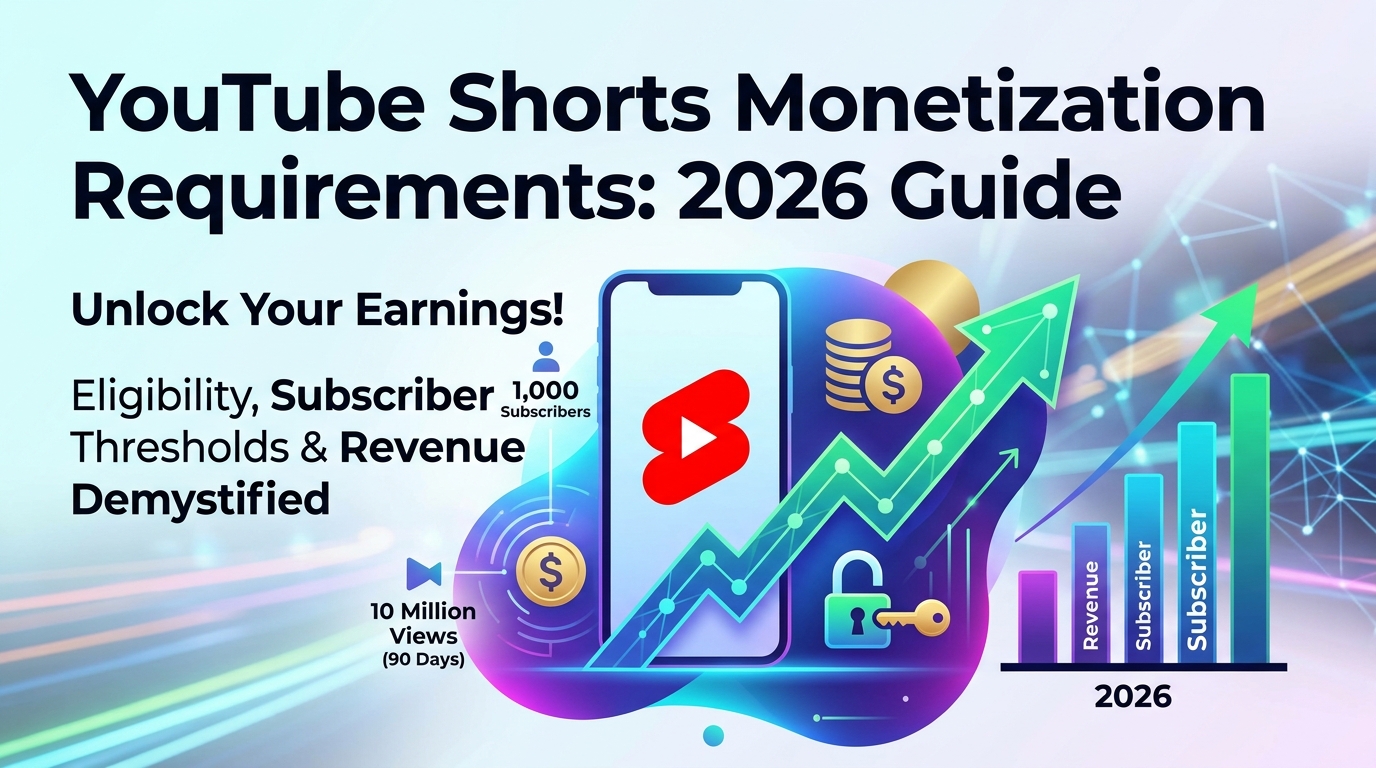
You post Shorts every week. Some clips spike. A few break out. Your subscriber count starts moving, but your revenue tab still looks empty, confusing, or stuck behind requirements that seem to change depending on who explains them.
That’s where most creators get frustrated. They’re not failing because Shorts can’t make money. They’re stuck because youtube shorts monetization requirements are more layered than most guides admit. There isn’t just one threshold. There are two. There isn’t just one payout method. There’s fan funding first, then ad revenue later. And even after approval, one missed setup step can block earnings.
YouTube is no longer just a side channel for creators testing short-form video. For many people, it’s the main platform for building an audience, and understanding YouTube as a platform↗ helps put Shorts monetization in the bigger creator economy context. If you're planning content consistently, even a simple workflow like using a short-form script generator↗ can make the early growth stage much easier to manage.
The good news is that this system isn’t random. It has rules. Once you understand those rules, the path gets much clearer.
Your Path to YouTube Shorts Payouts Starts Here
A lot of creators assume monetization works like this: get views, join the Partner Program, start getting paid. That’s close enough to be misleading.
The process is more like leveling up in a game. You gain access to one set of rewards at the first milestone, and a much bigger set at the next. If you only know the second milestone, you miss opportunities to earn earlier. If you only know the first, you may think you're monetized when you still can't earn ad revenue from Shorts.
Practical rule: Don’t ask, “Can I monetize Shorts?” Ask, “Which monetization tier am I currently eligible for?”
That shift clears up a lot of confusion.
Creators also get tripped up by language. “Views” can mean audience traction, but not every view leads to revenue. “Monetized” can mean fan funding access, not ad sharing. “Accepted into YPP” can still leave one important switch untouched.
Here’s the simple version. YouTube now gives Shorts creators two entry points into monetization. The first is for fan support. The second is for ad revenue. If you want your first payout faster, you need to know which path you’re aiming for and what kind of content helps most at each stage.
The Two Tiers of YouTube Shorts Monetization
A lot of Shorts creators hit their first YouTube milestone, see the word "monetized," and assume ad money is about to show up. Then nothing happens. The confusion usually comes from one missed detail. YouTube uses two different monetization levels, and they lead to two very different kinds of income.

A simple way to frame it is this. Tier 1 is direct audience support. Tier 2 is YouTube ad sharing from the Shorts feed.
That difference shapes your whole strategy.
Tier 1 gives you access to fan funding
At the first level of YPP access, creators can qualify for fan funding tools before they qualify for Shorts ad revenue. This tier is built for channels that have started earning trust, even if they have not yet reached massive distribution.
Tier 1 includes features such as Super Thanks, Super Chat, Super Stickers, and channel memberships. Those tools let viewers pay you directly. For some creators, especially teachers, commentators, niche experts, and community-led channels, that can produce the first meaningful payout long before a channel reaches the full Shorts ad threshold.
The best comparison is a local business with regular customers. You may not have national scale yet, but a loyal group is willing to support your work.
Tier 1 still has limits. It does not include revenue sharing from ads shown in the Shorts feed. So a creator can have monetization features turned on and still earn nothing from Shorts ads themselves.
That is the point many articles skip.
Tier 2 gives you access to Shorts ad revenue sharing
Tier 2 is the higher level inside the YouTube Partner Program. This is the stage tied to Shorts feed ad revenue sharing and broader YPP earning options.
Here, YouTube is looking for more than audience loyalty. It is looking for scale. In practical terms, Tier 2 is for channels that can generate enough reach for YouTube to include them in the pooled Shorts revenue model.
That pooled model is different from long-form YouTube ads. A single Short does not work like a standard video where one ad directly maps to one creator payout. Shorts revenue is collected from ads shown between Shorts in the feed, pooled together, then distributed based on each creator's share of eligible views. Music usage affects that pool, which is why a creator using music and a creator using original audio can earn differently even with similar view counts.
If you add captions to improve retention, tools like this YouTube subtitle generator for Shorts and vertical videos↗ can help make your videos easier to follow without changing your format.
What changes between the two tiers
The easiest way to understand the system is to treat it like two separate doors in the same building.
- Tier 1: audience support tools
- Tier 2: Shorts ad revenue sharing
- Both tiers: channel review and policy compliance still matter
- Only Tier 2: participation in the Shorts pooled ad revenue system
A creator at Tier 1 has proof of community support. A creator at Tier 2 has proof of both community support and enough reach for YouTube's ad-sharing system.
YouTube Shorts Monetization Tiers 2026
| Feature | Tier 1 Fan Funding | Tier 2 Ad Revenue Sharing |
|---|---|---|
| Main benefit | Direct fan support tools | Shorts feed ad revenue sharing plus broader YPP access |
| Revenue type | Viewer-funded | Ad-funded and broader YPP monetization |
| Includes Shorts feed ad revenue | No | Yes |
| Best fit | Loyal small or mid-size audience | High-volume Shorts reach |
Why creators plan better when they separate the tiers
Creators who treat monetization as one finish line often make the wrong content decisions. They chase raw views too early, ignore community signals, and miss easier revenue from fan support. Creators who separate Tier 1 from Tier 2 usually make sharper choices.
If you are still building a tight audience, your job is to create Shorts that earn repeat viewers, comments, saves, and trust. If you are near the higher threshold, your job changes. You need repeatable formats that can scale view velocity without breaking policy or exhausting your audience.
The key idea is simple. Tier 1 rewards connection. Tier 2 rewards connection plus distribution. Knowing which one you are chasing keeps your monetization plan realistic and your first payout closer.
How to Qualify for the YouTube Partner Program with Shorts
You hit publish, a Short takes off, and YouTube Studio finally shows numbers that feel real. Then a new question shows up. Which threshold gets you paid, and what can still block you after you reach it?
That is where many creators lose time. They treat eligibility like one gate, when it is really a sequence of gates. First you reach the numbers for the path you want. Then your channel still has to pass review. Then, after approval, your monetization setup has to be turned on correctly.

The exact thresholds that matter
For Shorts creators, the clearest benchmark comes from the Shorts-specific route. Tier 1 requires 500 subscribers and 3 million valid public Shorts views in 90 days for fan funding. Tier 2 requires 1,000 subscribers and 10 million valid public Shorts views in 90 days for full Shorts ad revenue sharing, according to Unkoa’s summary of current Shorts monetization requirements↗.
Use those as two separate milestones:
- Reach Tier 1 if your first goal is fan funding access.
- Reach Tier 2 if your goal is Shorts feed ad revenue.
A simple way to frame it is this. Tier 1 is your first paid access point. Tier 2 is the threshold that puts you into the Shorts ad system.
The watch time rule that trips up Shorts creators
This is the part many Shorts-first channels misread.
YouTube also has a long-form watch-hour route, but Shorts watch time does not help you there. If your channel is built mostly or entirely on Shorts, the practical path is usually the Shorts view threshold, not the watch-hour threshold.
Treat those as separate scoreboards. Shorts views help on the Shorts route. Long-form public watch hours help on the long-form route. Mixing them in your head leads to bad planning and a lot of false hope inside analytics.
If your channel is Shorts-first, track subscriber growth and valid public Shorts views. Do not assume Shorts watch time is building progress toward the long-form watch-hour path.
The review standards that matter after the numbers
Hitting the threshold is like arriving at the airport. It gets you to security. It does not put you on the plane.
YouTube still reviews the channel itself, and weak channels often stall during this phase. A channel can have strong view counts and still fail review if the content looks reused, low-effort, or risky for advertisers. Shorts creators run into this more often than they expect because clipping, reposting, and template-heavy editing can blur the line between original content and recycled content.
Before you apply, check these points:
- Original contribution: Your Shorts should clearly add your voice, your editing, your commentary, your teaching, or your footage.
- Public content: The qualifying uploads and views need to come from public Shorts.
- Policy compliance: Your channel has to follow YouTube’s monetization, community, and advertiser-friendly rules.
- Channel presentation: Titles, thumbnails, about section, and overall topic consistency should make the channel easy for a reviewer to understand.
- Production clarity: Clean captions and readable on-screen text help your videos feel finished. A video subtitle generator for Shorts workflows↗ can speed that up if captioning is slowing your publishing pace.
One more point often gets missed. Approval into YPP is not the final switch for Shorts revenue. Many creators assume they are done once accepted, then later realize the Shorts Monetization Module still needs to be accepted in YouTube Studio before Shorts ad earnings can start. That setup step matters because qualifying, getting approved, and activating Shorts revenue are related steps, but they are not the same step.
What to focus on while qualifying
Your bottleneck decides your strategy.
| If your problem is | Focus first |
|---|---|
| Low subscribers | Sharper niche, stronger repeat value, clearer reason to follow |
| Low view volume | Better first-second hooks, more consistent posting, stronger topic packaging |
| Weak retention | Faster pacing, tighter edits, clearer payoff by the end of the Short |
| Review risk | More original footage, stronger commentary, less recycled or compilation-style content |
Creators usually grow faster when they diagnose the core constraint instead of copying generic advice. If subscribers are lagging, a million extra low-intent views will not fix that. If review risk is the issue, posting more of the same content can make the problem worse.
The channels that reach payout fastest usually follow a simple pattern. They choose one audience, publish public Shorts consistently, make each video feel complete on its own, and keep the channel original enough to survive review. That is how you move from hitting a number to getting paid.
How YouTube Shorts Ad Revenue Actually Works
You hit the view threshold, join YPP, and your Shorts start pulling in serious traffic. Then the first revenue estimate shows up lower than expected.
That surprise usually comes from using the wrong mental model.
A lot of creators picture Shorts earnings the same way they picture long-form YouTube. One video gets ads attached to it, and that video earns based on its own ad performance. Shorts uses a pooled system instead, so your payout comes from your share of a much larger bucket.

According to Miraflow’s explanation of YouTube Shorts monetization↗, Shorts uses a shared revenue pool system. Creators earn 45% of net ad revenue, and that money is distributed based on their share of eligible Shorts views within a region. The same source says Shorts RPM often lands in a relatively low range compared with long-form, which helps explain why high view counts do not always translate into high payouts.
The pool model, explained simply
Shorts revenue works like a regional prize pool.
YouTube first collects ad revenue generated between Shorts in the feed. It groups that revenue by country or region. Then it adjusts that pool based on factors like music licensing. After that, each monetizing creator receives a share based on how much of the eligible view volume they contributed in that region. From the amount assigned to the creator, the creator receives 45%.
That sequence matters because it explains a common point of confusion. Public views and paid views are related, but they are not identical concepts inside this system. Two creators can post Shorts with similar visible view counts and still earn very different amounts if their audiences come from different regions, if their content uses music differently, or if their share of eligible views is different.
The easiest way to understand it is to stop asking, “How much did this Short earn by itself?” and start asking, “How much of the regional Shorts pool did my content help generate, and how much of that pool was available to creators?”
Why music changes the economics
Music affects the size of the money pool that reaches creators.
If a Short uses licensed music, part of the revenue connected to that content may be allocated to music rights holders before creator revenue is finalized, as noted earlier. If a Short uses original audio, voiceover, or no music, more of that value can remain with the creator side of the system.
That does not mean music is a bad choice. Music can help a Short feel native to the feed, improve watch behavior, or support a trend-based concept. But distribution and monetization are two separate decisions. A track that helps performance can still reduce the revenue efficiency of those views.
Creators who understand that tradeoff make better format choices. A commentary channel, educator, or storyteller often has an advantage here because voice-led Shorts can perform well without relying on licensed audio.
Why Shorts RPM often feels small
Long-form YouTube can attach direct ad formats to a specific video, such as pre-roll or mid-roll placements. Shorts revenue is spread across a feed-level pool. That difference changes the math.
So even strong Shorts channels often treat ad revenue as one layer of the business, not the whole business. Shorts can drive reach, subscribers, trust, leads, and traffic to longer videos or offers, while ad revenue adds a smaller but still meaningful stream on top. If you want practical systems for that bigger strategy, the short-form growth guides on the DailyShorts blog↗ are useful.
Here’s a quick explainer that helps many creators visualize the model before they dive into analytics:
The strategic takeaway
Creators usually earn more predictably from Shorts when they understand four moving parts:
- Regional audience mix: Viewers from different regions contribute to different revenue pools.
- Eligible view share: Your payout depends on your portion of monetized view volume, not just headline views.
- Audio choices: Licensed music can change how much revenue reaches creators.
- Format fit: Voiceover, explanation, and original-content formats often create cleaner monetization paths.
Once you see those parts together, Shorts revenue stops feeling random. It starts to look like a system you can shape with content decisions.
Your YPP Application and Critical Monetization Pitfalls
Most creators think approval into YPP is the finish line. It isn’t. It’s closer to passing the gate and then needing to turn on the machine.
That gap catches people all the time.

What the application process usually looks like
Once you reach the relevant threshold inside YouTube Studio, you’ll see access through the Earn area of your account. From there, YouTube reviews the channel, and you complete the monetization setup steps tied to your account.
Most creators focus hard on hitting the numbers, then go on autopilot during setup. That’s risky.
The review doesn’t just look at counts. It looks at channel compliance, originality, and whether your content appears suitable for the program. If your Shorts rely too much on reused footage, copied formats with minimal contribution, or material that looks scraped from other platforms, approval can get messy.
The most overlooked step after approval
Here is the critical point many creators miss: after YPP approval, you must manually accept the Shorts Monetization Module in YouTube Studio. Views earned before that module is activated do not count toward revenue sharing, according to vidIQ’s explanation of the Shorts Monetization Module requirement↗.
That’s the hidden trap.
A creator can qualify, get approved, keep posting, rack up views, and still not earn from those Shorts if the module was never activated.
This is not optional. YPP approval alone does not switch on Shorts ad revenue.
That single step explains a lot of “I’m monetized but not earning” complaints.
Mistakes that cost creators money or approval
These are the big ones to watch:
- Forgetting the module activation: This is the classic post-approval mistake. If you miss it, your eligible revenue clock hasn’t started.
- Assuming older views will count: They won’t. The post-activation timing matters.
- Uploading unoriginal content: Reused clips, stitched reposts, and lightly altered compilations can trigger review issues.
- Confusing fan funding with ad monetization: Tier 1 access doesn’t mean Shorts feed revenue is live.
- Neglecting account completion: If your monetization setup is incomplete, payouts can stall.
A simple post-approval checklist
Use this right after acceptance:
- Open YouTube Studio and check the Earn area
- Accept the Shorts Monetization Module
- Verify your monetization settings
- Confirm your channel content is still policy-clean
- Keep publishing original Shorts after activation
The timing piece matters more than many people realize. If your channel gains momentum around the same time as approval, you want the revenue settings fully active before that traffic wave passes.
Content quality pitfalls that trigger trouble
Not every Shorts channel gets rejected for obvious reasons. Sometimes the problem is subtle. The content may be technically edited but still not meaningfully original. A robotic voice on stock clips with little interpretation can fall into a gray area. So can reposted podcast clips, meme compilations, or borrowed scenes with superficial text overlays.
A safer rule is to make sure your channel shows clear authorship. Your script, your framing, your editing decisions, your explanation. Those signals matter during review and after it.
If your channel gets approved, protect that position. Keep the content quality consistent. Don’t hit the threshold with original content and then switch to shortcut-heavy uploads that create risk later.
How to Reach 10 Million Views Faster
Getting to the full ad revenue threshold is hard. That’s normal. The creators who hit it usually stop thinking in terms of “one viral Short” and start thinking in terms of output, repetition, and format discipline.
The core idea is simple. You need enough quality swings within a short enough time window for the algorithm to find what resonates.
Data from 2026 shows that consistent daily posting is key to hitting the 10M view threshold in 90 days, and creators using original, music-free content with automated scheduling and tag optimization can improve their path to full pool eligibility, according to Opus Pro’s analysis of Shorts monetization strategy↗. The same source notes that US audiences can produce 2-3x higher RPM.
Volume works best when the format is repeatable
Daily posting only helps if the content model is sustainable.
That means building around repeatable structures such as:
- Strong opening hooks: The first second needs to create a knowledge gap or immediate payoff.
- One-topic channels: Focus helps YouTube understand who should see your content.
- Narration-led formats: These often work well without relying on licensed music.
- Clear visual rhythm: Fast scene changes, captions, and movement help retention.
A scattered content strategy makes the threshold much harder. One day motivation, next day trivia, next day business news, next day memes. That mix confuses both viewers and the recommendation system.
Original content gives you two advantages
Originality isn’t just about passing review. It also helps monetization strategy.
If you create your own scripts, visuals, and voice-led delivery, you reduce copyright risk and stay better aligned with the revenue mechanics covered earlier. That’s especially useful on a Shorts-first channel where speed matters and every upload has to pull its weight.
For creators who want to scale output without becoming a full editing team, AI-assisted production can help. Tools built for short-form workflows, including AI influencer video workflows↗, can reduce the production bottleneck that usually kills consistency.
The fastest path to 10 million views isn’t random volume. It’s consistent volume inside a format you can repeat without sacrificing originality.
A practical roadmap
If you’re chasing the full YouTube Shorts monetization requirements, keep the roadmap tight:
- Pick one niche that can support dozens of Shorts
- Publish daily with a recognizable format
- Use original voice-led or music-light content
- Study which hooks pull the strongest early retention
- Double down on the topics that repeatedly get distribution
Creators who do this well rarely rely on luck. They build systems that let luck find them more often.
YouTube Shorts Monetization FAQs
A lot of creators get stuck here. They meet what looks like the requirement, get accepted into YPP, then wonder why the money still is not showing up. Shorts monetization has a few moving parts, and missing one step can delay your first payout even after approval.
Do Shorts watch hours count toward the 4,000 watch hour requirement
No. The 4,000 public watch hours path is for long-form video watch time. Shorts views help on the Shorts route instead, which is a separate lane to YPP.
A simple way to read it is this: long-form hours and Shorts views are two different scoreboards. Progress on one does not transfer to the other.
Can I monetize YouTube Shorts without 1,000 subscribers
You can get access to the lower YPP tier before you qualify for full ad revenue sharing. That lower tier gives you fan funding features, but Shorts ad revenue still sits behind the full set of requirements.
The two-tier system trips people up. Getting into YPP at the entry level is progress, but it is not the same thing as getting paid from the Shorts ad pool.
Do I start earning ad revenue the moment I get approved for YPP
Approval alone is not the final step. You also need to accept the Shorts Monetization Module inside YouTube Studio.
A lot of creators miss this because approval feels like the finish line. It is closer to getting the keys to a store. You still have to open the door before customers can come in.
Do Shorts with music earn less
They can earn less, depending on how the revenue from that Short is allocated. Shorts without music send the full associated amount into the Creator Pool for that view set. Music changes the split before creator earnings are calculated.
The practical takeaway is simple. If your format does not need popular music, keeping your Shorts voice-led or music-light can make the revenue math cleaner.
What kind of Shorts content usually causes monetization issues
Reused content is the big one. Reuploads, lightly edited compilations, copied clips with captions, and videos that add very little original commentary often run into review problems.
YouTube wants to see clear creator input. Your own scripting, narration, on-screen explanation, filming, or editing choices should be obvious to a reviewer within seconds.
If my views drop after I’m accepted, do I lose monetization immediately
A dip in views does not usually remove monetization by itself. The bigger risk is falling out of policy compliance, such as posting reused content, running into copyright issues, or letting the channel become inactive for long stretches.
Treat approval like joining a club with rules, not passing a one-time exam. You still need to stay in good standing.
Is Shorts ad revenue enough on its own
For many creators, no. Shorts ad revenue works better as one layer of the business, not the entire business model.
The channels that last usually stack income sources. They use Shorts for reach, fan funding for support, and products, services, or offers for margin. If you want to publish more consistently without handling every step manually, the DailyShorts pricing options for Shorts production workflows↗ show how an automation-first setup can support that system.
If you want to publish more Shorts without getting buried in scripting, visuals, voiceover, editing, and scheduling, DailyShorts↗ is built for exactly that workflow. It turns a simple topic into a polished short-form video with AI-generated visuals, voiceover, and editing, then helps automate posting across platforms. For creators chasing monetization thresholds, that kind of consistency can make the difference between occasional uploads and a real growth system.
Ready to create viral videos?
Start creating viral TikTok and YouTube Shorts with DailyShorts AI today.