Craft a Viral Script for YouTube Video Easily
DailyShorts AI
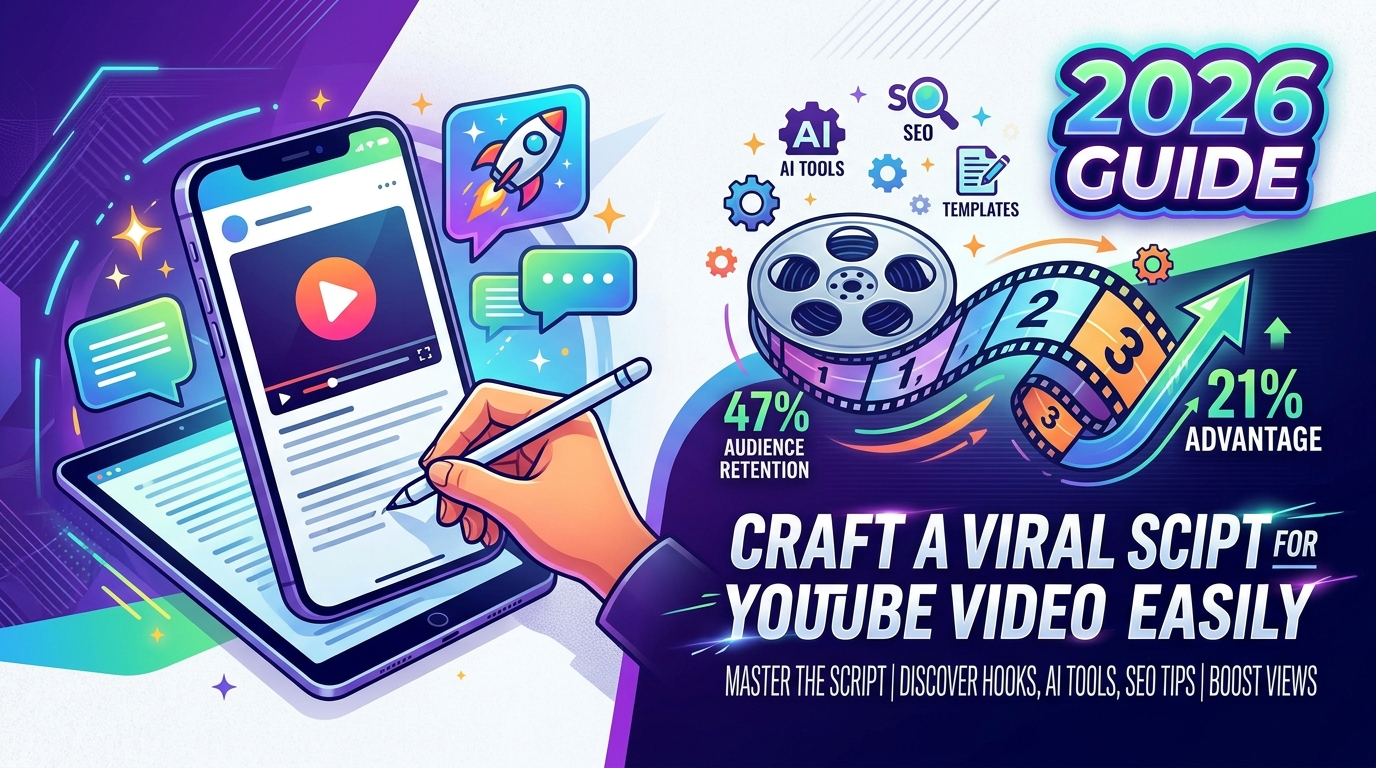
The difference between a forgettable upload and a video that keeps getting recommended often starts in the script, not the edit. An analysis of 5,000 YouTube scripts found that numbered formats averaged 47% audience retention, while open-ended structures averaged 39%, a 21% relative retention advantage tied to the viewer’s sense of progress as they move through the video (PrePublish AI↗).
That changes how you should think about a script for youtube video. It’s not a transcript you write after the idea. It’s the retention system underneath the video.
Most creators write from the topic outward. Strong creators write from viewer behavior backward. They ask what keeps attention, where viewers hesitate, what creates momentum, and how each sentence earns the next one. That matters even more now because the same creator often needs to publish both long-form YouTube videos and short-form clips, sometimes with AI handling scripting, voiceover, subtitles, and production.
The Foundation of a Great YouTube Script
A great script isn’t built on creativity alone. It’s built on predictable attention patterns.
When viewers click a video, they’re trying to answer two questions fast. First, “Am I in the right place?” Second, “Will this stay worth my time?” Your script has to answer both before the viewer feels any friction.

Why structure beats raw inspiration
The strongest proof comes from format choice. Scripts using numbered structures like “7 mistakes” or “5 strategies” held viewers better than open-ended formats because they create a psychological progress bar. The viewer doesn’t just consume. They track progress.
That’s why “5 things ruining your retention” often outperforms “how to improve retention” even when the information is similar. In the first version, the audience can feel movement. In the second, they’re entering an open loop with no visible milestones.
Practical rule: If your topic allows a list, sequence, ranked breakdown, or step framework, use it. Visible progress keeps people watching.
This also explains why so many weak scripts feel slippery. They may contain useful information, but they don’t give the audience a map. Without a map, every next second feels optional.
If you want a solid companion resource on how to write scripts for YouTube videos↗, it’s worth comparing broad scripting advice with retention-first thinking. The difference is subtle but important. One helps you write. The other helps viewers stay.
The algorithm follows viewer satisfaction
Creators often talk about “beating the algorithm” as if distribution happens separately from script quality. It doesn’t. The script shapes the watch pattern, and the watch pattern shapes distribution.
A practical script for youtube video usually does three things well:
- Sets a clear promise so the viewer knows what they’ll get.
- Reduces uncertainty with a structure people can follow.
- Creates momentum by making each segment feel like progress, not repetition.
That’s why planning matters before drafting. You need the title promise, the viewer problem, and the sequence of reveals before you start polishing lines.
For creators building a repeatable workflow, the ideas on https://dailyshorts.ai/blog↗ are useful because they sit closer to production reality than generic advice. Scripting, visuals, pacing, and output consistency belong in the same system.
Crafting a Hook That Stops the Scroll
The opening decides whether the rest of the script gets a chance. YouTube analytics consistently show the biggest viewer drop-off happens in the first 15 to 30 seconds, and short-form viewers decide within seconds, which is why the hook can’t carry any fluff (StudioBinder on YouTube script writing↗).
A weak opening usually sounds like this: greeting, channel intro, backstory, setup, then the point.
A strong opening starts with the point, then earns the setup.
What a hook must do immediately
Your hook needs at least one of these jobs:
-
Create a gap Make the viewer feel there’s something they need to know. Example: “Most YouTube scripts lose viewers before the main point even starts.”
-
Challenge an assumption This works well in education, marketing, commentary, and product reviews. Example: “The problem isn’t your editing. It’s your script structure.”
-
Promise a specific outcome Give a clean result, not a vague theme. Example: “I’ll show you a script format that keeps your first minute tight.”
-
Start in the middle of value Skip orientation and begin where the tension is already active. Example: “If your audience retention graph falls off a cliff in the opening, this is usually why.”
Don’t open with your name, your channel story, or a polite warm-up unless the viewer already knows you well enough to care.
Hook formulas that work in practice
Use these as starting points, not as copy-and-paste templates:
-
The mistake hook “The biggest mistake in a script for youtube video is starting too late.”
-
The result hook “This structure makes your video easier to follow from the first line.”
-
The contrast hook “Most creators script for information. Strong creators script for momentum.”
-
The curiosity hook “One small change in your opening can stop the early drop-off.”
The test is simple. If you remove the first sentence, does the video become clearer? If yes, that first sentence was throat-clearing.
Use retention graphs as a script editor
The Audience Retention graph in YouTube Studio tells you where the script failed. Sharp early dips usually point to a weak hook. A slow decline often means the pacing is too flat. Spikes often reveal a moment worth modeling in future scripts.
When I review a weak opening, I look for three common issues:
- Delayed value. The script explains why the topic matters before delivering anything useful.
- Abstract wording. The viewer hears themes instead of stakes.
- Low contrast. Every sentence lands at the same emotional volume.
If you’re writing companion short-form content around the same idea, a tool like https://dailyshorts.ai/tools/tiktok-description-generator↗ can help tighten the packaging side of the post, but the core win still comes from a first line that earns the swipe stop.
Script Templates for Long-Form and Shorts
A script for youtube video shouldn’t follow one universal template. Long-form and Shorts ask the viewer for different kinds of attention.
Long-form rewards control, sequencing, payoff, and trust-building. Shorts reward compression, immediacy, and verbal precision. If you use the wrong structure, the video can still be good, but it’ll feel off.

Long-form needs controlled expansion
For videos over eight minutes, the ABCD approach is a useful mental model. The hook gets only the first stretch of attention, then the script needs a build-up phase, a deeper body with examples, and a closing CTA. That structure works because long-form viewers need a reason to trust that the depth is coming, not just a loud promise.
A practical long-form template looks like this:
-
Opening hook State the problem, tension, or unexpected angle immediately.
-
Expectation setup Tell the viewer what they’ll understand or solve by the end.
-
Body in sequenced sections Move point to point with visible progression. Here, lists, steps, or frameworks carry the load.
-
Examples and contrast Show what works and what doesn’t. Scripts become watchable when the audience can compare.
-
CTA tied to intent Don’t abruptly ask for a like. Point the viewer to the next relevant action.
Shorts need compressed clarity
The gap in most scripting advice is short-form execution. Traditional guidance says hook, content, CTA, but it rarely explains how to fit all three when the entire video is shorter than a classic YouTube intro.
For Shorts, the script has to do two things almost simultaneously. It has to open with a hook and also establish the payoff. There’s no room for separate setup.
A simple Shorts template:
- First line Hook and promise in one sentence.
- Next beat Name the problem or reveal the trick.
- Middle Deliver one sharp idea, not three half-developed ones.
- End Close with a clear takeaway or direct next step.
In short-form, every extra sentence competes with the point. If a line doesn’t increase curiosity or clarity, cut it.
Long-form vs. Short-form Script Structure
| Component | Long-Form (8+ min) | YouTube Shorts (<60 sec) |
|---|---|---|
| Hook | Establishes tension and topic quickly | Stops the scroll in the first line |
| Intro | Sets expectations and context | Usually merged into the hook |
| Main value | Expanded explanation with examples | One core idea delivered fast |
| Pacing | Can breathe, but can’t drift | Must stay tight throughout |
| CTA | Can point to next video or deeper action | Needs to be brief and direct |
If you’re drafting quick vertical scripts from ideas, transcripts, or prompts, https://dailyshorts.ai/tools/tiktok-script-generator↗ is useful for generating a starting structure. I’d still rewrite the first lines manually. That’s usually where the outcome is decided.
Writing for Pacing and Viewer Engagement
Good structure can still produce a boring video if the lines don’t move. Writing for YouTube means writing for the ear, not the page.
Professional scriptwriters often work through a three-level method, moving from bullets to more detailed segment planning to word-for-word scripting, and they also build across three performance layers: semantic meaning, narrative tension, and delivery choices like pacing and emphasis (George Blackman’s breakdown of YouTube scriptwriting levels↗).

Write lines that sound spoken
A sentence can read well and still fail on camera.
You want spoken rhythm. That usually means shorter clauses, cleaner verbs, and fewer stacked ideas. If one sentence contains the claim, the caveat, the background, and the example, it asks too much from the listener.
Try this instead:
-
Dense version “In order to maximize retention, creators should think carefully about the sequencing of informational delivery across the full duration of the video.”
-
Spoken version “Retention drops when the script gives too much too early. Sequence the information so each point pulls the next one forward.”
The second one sounds like a person talking.
Control pace inside the script
Pacing isn’t only an editing job. It starts in the writing.
Use short lines when you want urgency. Use a slightly longer sentence when you want the audience to lean into a thought. Use contrast words like “but,” “instead,” and “so” to create movement.
A practical rhythm pattern looks like this:
- Open fast with a direct claim.
- Slow briefly for explanation.
- Speed up again when revealing the takeaway.
- Pause intentionally before a key line if the point needs weight.
A script feels flat when every sentence arrives with the same energy. Strong pacing changes pressure over time.
This matters even more if you use AI voiceover. A generated voice can only perform the signals you give it. If the writing has no contrast, the delivery won’t rescue it.
Subtitles help too, especially when the spoken rhythm is tight and visual reinforcement matters. Tools like https://dailyshorts.ai/tools/video-subtitle-generator↗ make the viewing experience easier to follow, but the subtitle can’t fix a clumsy sentence.
Make CTAs feel earned
Most weak CTAs sound detached from the script. They appear because the creator knows they should ask for something.
Instead, connect the CTA to the intent the viewer already has.
Examples:
- After a strategy breakdown, direct them to the next tutorial.
- After a product demo, ask them to compare two options.
- After a Shorts tip, ask which version they want next.
If you want more ideas on message framing and interaction prompts that increase social media engagement↗, study how engagement starts in the wording, not just in the offer. The same principle applies to YouTube. Good CTAs don’t interrupt. They extend momentum.
How to Use AI for Faster Script Production
AI is useful in scripting when you treat it like a production assistant, not a substitute for judgment.
The strongest use case is speed. Data from AI script generator usage shows over 19,000 users generated 90,000+ videos, and the same data notes 50,000+ creators using DailyShorts for consistent output and lower testing friction (Syllaby AI video script generator data↗).

That doesn’t mean AI writes perfect scripts. It means creators are using it to remove the slowest parts of the workflow: blank-page starts, angle generation, rough structuring, repurposing, and first-draft production.
What AI should handle and what you should keep
Let AI do this:
- Generate angles from one topic
- Draft alternate hooks
- Turn a long idea into short-form variants
- Reformat a transcript into cleaner sections
- Suggest visual beats or caption lines
Keep these decisions human:
- The first line
- The specific promise
- The tone of the voice
- The final cuts
- The CTA logic
That split matters because AI often sounds competent before it sounds distinct. The draft may be usable, but the personality layer usually needs revision.
A platform like DailyShorts fits this workflow when you need topic-to-script-to-video production in one place, including automatic short-form scripting, visuals, voiceover, and publishing support. If you’re pairing script generation with AI avatar or voice-led output, https://dailyshorts.ai/tools/heygen↗ is part of the same practical tool stack many creators evaluate.
Prompt for usable output
Bad prompt: “Write me a YouTube script about retention.”
Better prompt: “Write a YouTube Shorts script for solo creators. Topic: why weak openings kill retention. Start with a direct hook. Keep the tone conversational. One idea only. No intro fluff. End with a short CTA.”
The narrower the brief, the stronger the draft.
Here’s a useful example of how AI-assisted video workflows are being discussed in practice:
AI becomes much more valuable when you stop asking it to “be creative” and start asking it to produce components inside a clear strategy. That’s where volume becomes sustainable without every script sounding the same.
Frequently Asked Scripting Questions
How long should a YouTube script be
Long enough to keep momentum, short enough to avoid drag.
For long-form, don’t decide length first. Decide the promise first. Then cut anything that doesn’t help fulfill it. For Shorts, compression matters more than completeness. One clear point beats a crowded script every time.
Should I write word for word or use bullet points
Both work. The choice depends on your delivery style.
Use bullet points if you’re confident on camera and want natural phrasing. Use tighter scripting if the topic is technical, the phrasing needs precision, or you’re using voiceover. Many strong creators blend both. They script the opening, key transitions, and CTA, then speak more freely in the middle.
How do I make a script sound natural
Read it out loud before you record. If you stumble, the sentence is probably written for the eye.
A few practical fixes help fast:
- Replace formal phrasing with spoken language
- Cut stacked clauses that make the line hard to say
- Use direct nouns and verbs instead of abstract filler
- Leave room for emphasis with shorter lines
If you can’t say the sentence cleanly on the first read, your audience probably won’t absorb it cleanly on the first listen.
How do I get better at scripting quickly
Don’t just write more. Review better.
Take one published video each week and inspect the opening, the midpoint, and the CTA. Notice where the energy drops. Rewrite those sections as practice. Then compare your revision to the original. That trains your ear faster than endlessly drafting from scratch.
What’s the biggest mistake in a script for youtube video
Trying to include everything.
Strong scripts don’t win by being complete. They win by being selective. They choose one promise, build one path, and remove every sentence that weakens the forward pull.
If you want to turn topic ideas into short-form videos without stitching together separate tools for scripting, visuals, voiceover, subtitles, and posting, DailyShorts↗ is built for that end-to-end workflow. It’s a practical option for creators, marketers, and small teams who need to produce YouTube Shorts consistently and keep production moving.
Ready to create viral videos?
Start creating viral TikTok and YouTube Shorts with DailyShorts AI today.